Password Manager Security Essentials
Understanding Password Security
Your First Line of Defense
Think about how much of your life is online. Your email, bank account, social media, and shopping sites are all protected by a password. It's the digital key to your personal information. If that key is weak, it's like leaving your front door unlocked for anyone to walk through.
The Risk of Weak Passwords
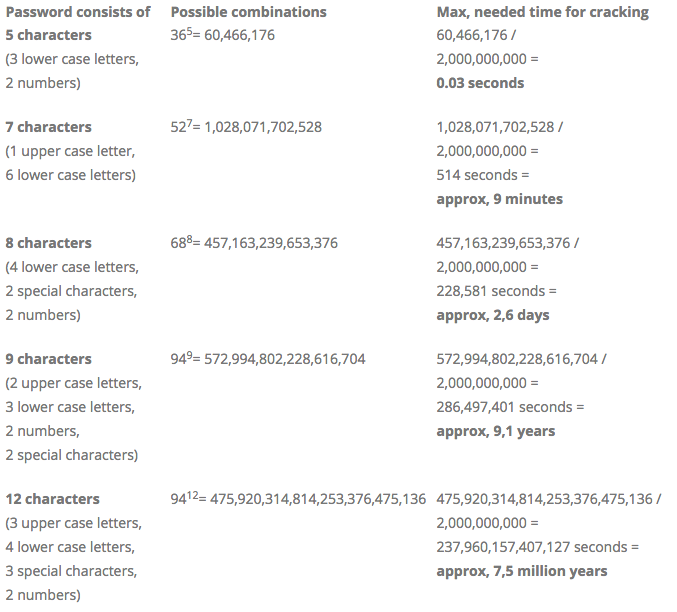
Many people use simple, easy-to-remember passwords like "password123" or their pet's name. The problem is, these are also easy for attackers to guess. Hackers use automated programs that can try billions of password combinations in seconds. A simple password can be cracked almost instantly.
Another common mistake is reusing the same password across multiple websites. When a single one of those sites has a data breach, your username and password can be leaked. Attackers then take that leaked list and try the same credentials on other major sites, like your email or bank. If you reuse passwords, a breach at one company can compromise your entire digital life.
Building Stronger Keys
A strong password is long, complex, and unique. Length is the most important factor. A 12-character password is exponentially harder to crack than an 8-character one. Complexity involves using a mix of uppercase letters, lowercase letters, numbers, and symbols.
But how can you remember something like Tr0ub4dor&3? A better approach is to create a passphrase. This is a sequence of random words that is easy for you to remember but hard for a computer to guess. Think of something like correct horse battery staple. It's long, nonsensical, and far more secure than a short, complex password.
A long passphrase of four or more random words is stronger and easier to remember than a short password with complex characters.
Managing Your Digital Keys
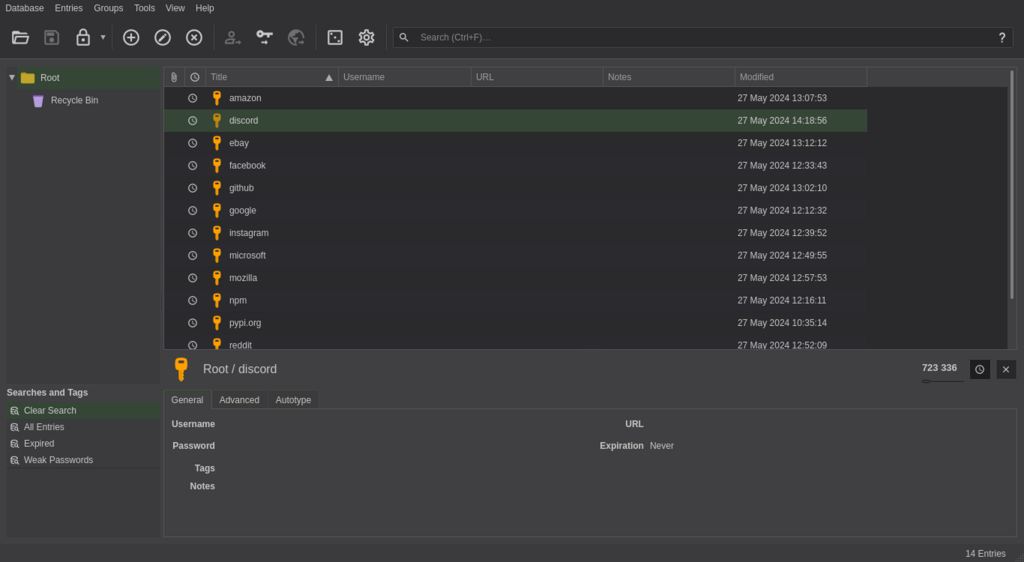
Creating a unique, strong passphrase for every single account is the goal, but remembering dozens of them is impossible. This is where password managers come in. A password manager is a secure application that generates and stores unique, complex passwords for all your accounts in an encrypted digital "vault".
If you find the thought of committing all those complicated passwords to memory intimidating, consider using a password manager, which generates, retrieves, and provides top-of-the-line passwords for each of your accounts, using strong encryption to protect them.
You only need to remember one strong master password to unlock the vault. The manager then autofills your login information on websites and apps. It solves the problem of having to remember everything while dramatically improving your security.
Adding Another Lock
Even the strongest password can be compromised if a website's security is breached. That's why another layer of security is crucial. Multi-factor authentication, or MFA, provides that extra lock on your accounts. It requires you to provide a second piece of information in addition to your password to prove it’s really you.
authentication
noun
The process of verifying the identity of a user or process.
This second factor is usually something you have, like your phone. It could be a code sent via text message, a prompt from an authenticator app, or a physical security key. Even if a hacker steals your password, they can't get into your account without also having access to your phone or physical key. Enabling MFA wherever possible is one of the single most effective things you can do to protect your online accounts.
Ready to check your understanding? This quiz will cover the key concepts of password security we've just discussed.
What is the single most important characteristic of a strong password?
What is the primary risk of using the same password for multiple online accounts?
By using strong, unique passphrases stored in a password manager and enabling multi-factor authentication, you create a powerful defense for your digital life.