Password Manager Mastery
Understanding Password Security
Your First Line of Defense
Think of your password as the key to your digital home. A simple, common password like "123456" or "password" is like leaving a key under the doormat. It’s the first place an intruder will look. Attackers use automated software to try millions of common passwords in seconds, a technique known as a brute-force attack. If your password is on one of their lists, they'll get in.
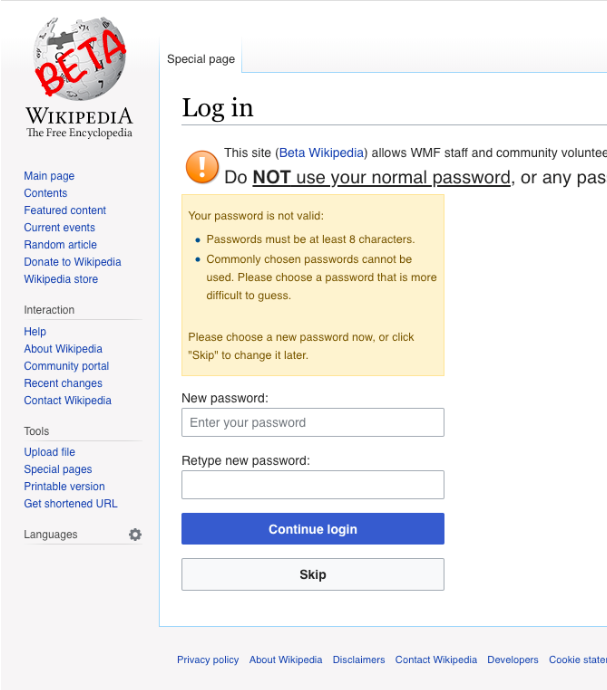
The risk isn't just about someone posting something embarrassing from your social media account. A weak password can expose your personal emails, financial information, and private messages. It’s the starting point for identity theft and can have serious real-world consequences.
Building an Unbreakable Key
So what makes a password strong? It comes down to three things: length, complexity, and unpredictability.
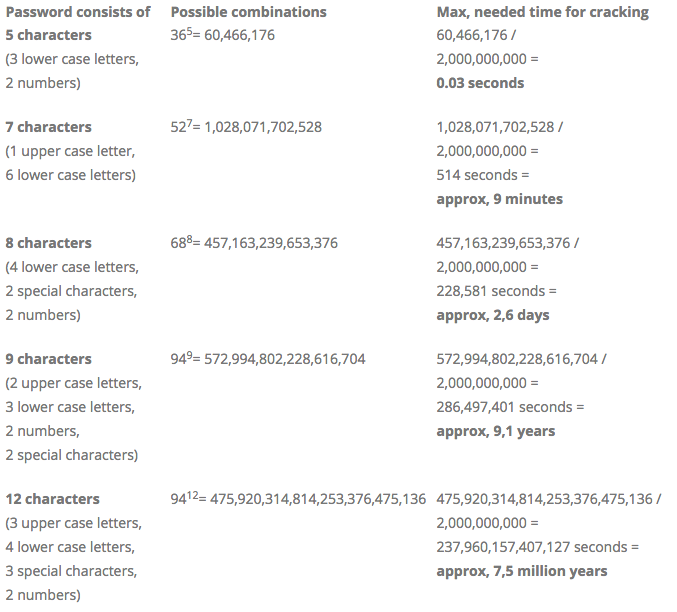
Length is crucial. Every character you add makes a password exponentially harder to crack. Aim for at least 12 characters, but more is always better.
Complexity helps. A good password mixes uppercase letters, lowercase letters, numbers, and symbols (like !, @, #). This mix dramatically increases the number of possible combinations an attacker would have to guess.
Unpredictability is key. Avoid using personal information like your birthday, pet’s name, or family names. Steer clear of dictionary words and common phrases. The best passwords look like random nonsense.
Instead of a single word, try a passphrase. A short, memorable sentence like "Correct!Horse-Battery/Staple7" is much stronger and easier to remember than "p@55w0rd!"
The difference between a simple password and a long, complex one is staggering. A short, simple password can be cracked almost instantly. A long, complex one could take computers millions of years to guess.
The Danger of a Skeleton Key
Many people simplify their digital lives by using the same password for multiple websites. This is like having a single skeleton key for your house, your car, your office, and your safety deposit box. It's convenient, but if that one key is lost or stolen, everything is compromised.
Websites get hacked. It's a fact of life online. When a company experiences a data breach, attackers often steal lists of usernames and passwords. They then use these stolen credentials to try logging into other popular services, like banking sites, email providers, and social media platforms. If you reuse passwords, a breach at one minor website you forgot you signed up for could lead to a takeover of your most important accounts.
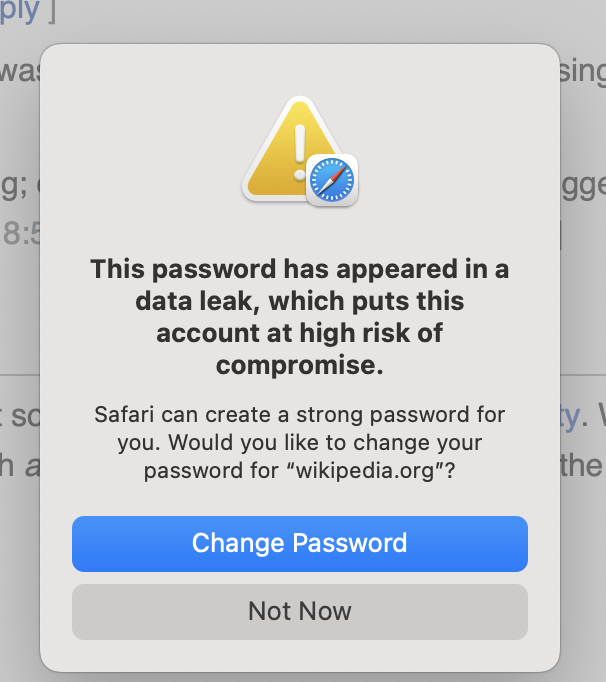
Using unique passwords for each account is vital because having different passwords for other accounts prevents a domino effect if one account is compromised.
A Vault for Your Keys
At this point, you might be thinking, "How am I supposed to create and remember a dozen different long, random passwords?" The answer is: you don't have to.
A password manager is a tool designed to solve this exact problem. It’s a secure, encrypted digital vault that stores all your login information. You only need to remember one strong master password to unlock the vault. The manager handles the rest.
Password managers can generate long, random, and unique passwords for every new account you create. They then automatically save and fill them in for you when you log in. This allows you to have unbreakable passwords for every single site without having to remember any of them. It’s the single most effective step you can take to secure your online life.
Now, let's test what you've learned about the basics of password security.
What are the three key characteristics of a strong password?
Why is reusing the same password across multiple websites a significant security risk?
Understanding these fundamentals is the first step. Next, we'll look at how to choose the right password manager for your needs.