Password Manager Mastery
Password Management Fundamentals
What Makes a Password Strong?
When it comes to passwords, length is your best friend. A short, complex password like Tr0ub4dor&3 is weaker than a long, simple passphrase like correct horse battery staple. Why? Because every extra character makes a password exponentially harder for a computer to guess.
Modern password-cracking software can try billions of combinations per second. A short password, even one with symbols and numbers, can be broken quickly. A longer one, however, can take years, centuries, or even longer to crack.
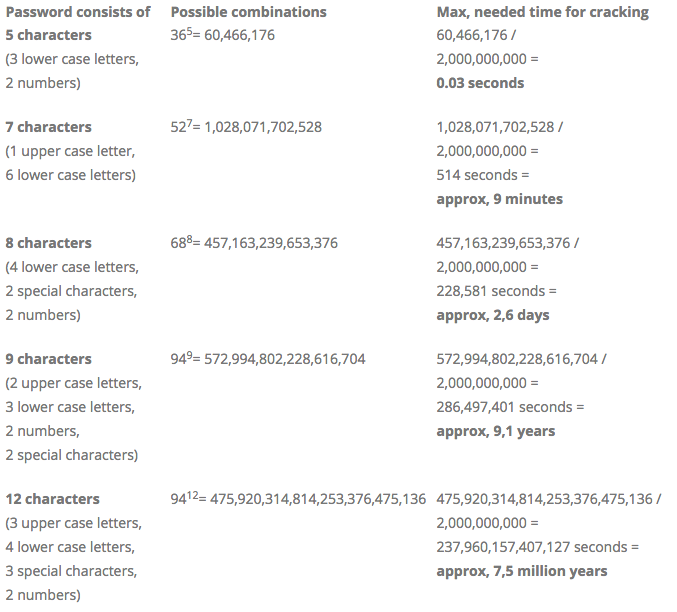
While length is most important, complexity still helps. The best passwords are both long and complex. Aim for at least 12-16 characters, and include a mix of uppercase letters, lowercase letters, numbers, and symbols. A good way to create one is to string together several random words and add some numbers and symbols.
Think of a passphrase, not just a password. It's easier for you to remember and much harder for a machine to guess.
The Danger of Reusing Passwords
Using the same password for multiple accounts is like using the same key for your house, your car, and your office. If a thief gets that one key, they have access to everything.
Data breaches are common. When a website you use gets hacked, your username and password can be stolen and posted online. Hackers then take these lists of credentials and try them on other popular sites like your email, bank, or social media accounts. This attack is called credential stuffing, and it works surprisingly often because so many people reuse passwords.
A data breach on a single, unimportant website can lead to a takeover of your most critical accounts if you reuse passwords.
Your Digital Safe
Remembering a long, unique, and complex password for every single online account is impossible for a human. That's where password managers come in. A password manager is a secure, encrypted application that stores all your login information.
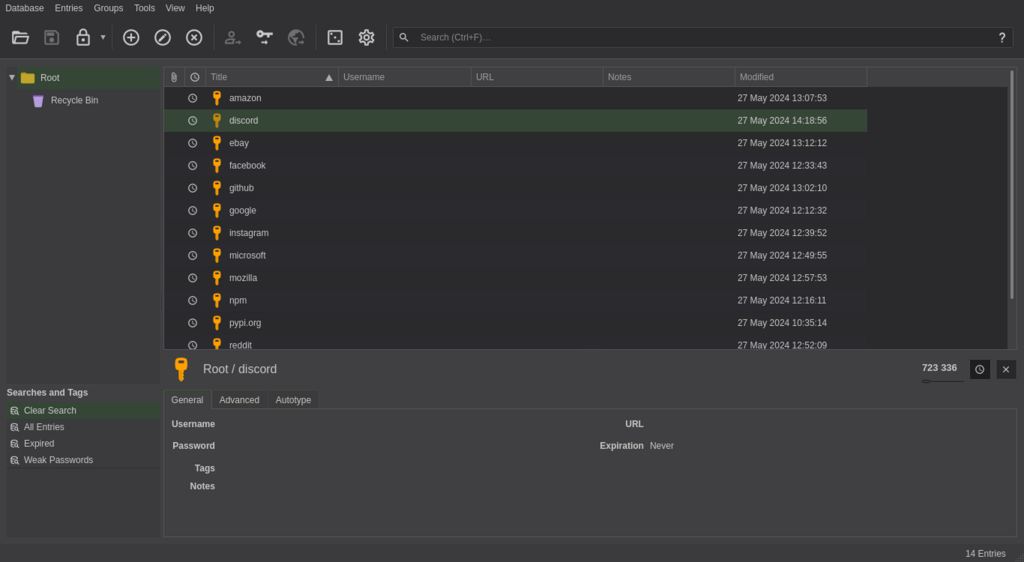
You only need to remember one thing: a single, very strong master password. This password unlocks your manager, which can then automatically fill in your credentials on websites and apps. It can also generate incredibly strong, random passwords for new accounts you create, so you don't even have to think of them yourself.
Password managers represent the gold standard for modern credential security, automating complex tasks while providing enterprise-grade protection.
Using a password manager is one of the single best steps you can take to secure your digital life.
An Extra Layer of Security
Even with a strong, unique password, your account can still be vulnerable. That's why another layer of security, called multi-factor authentication (MFA), is so important.
Authentication
noun
The process of verifying that someone is who they claim to be.
MFA requires you to provide two or more pieces of evidence to prove your identity. It's based on the idea of combining something you know (your password) with something you have (like your phone) or something you are (like your fingerprint).
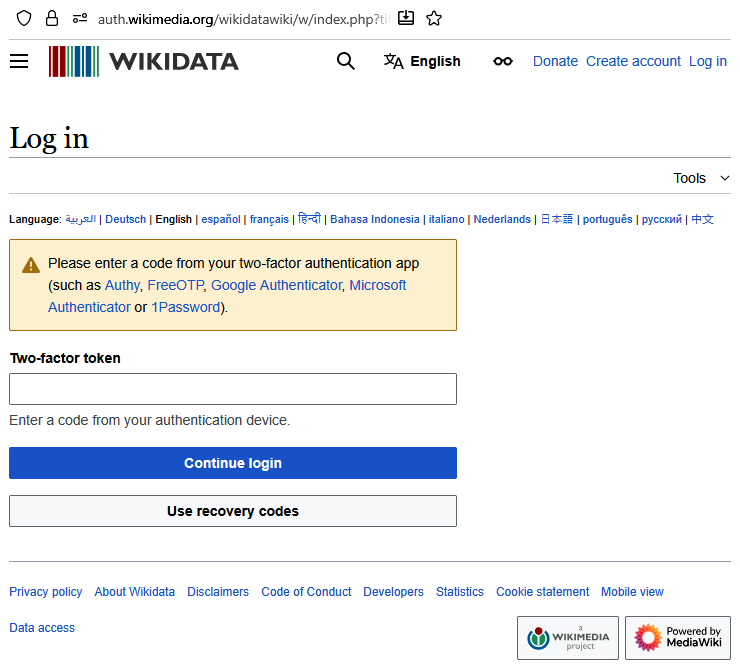
When you log in to an account with MFA enabled, you'll first enter your password. Then, you'll be asked for a second piece of information, like:
- A temporary code from an authenticator app on your phone.
- A code sent to you via text message.
- A tap on a physical security key.
- Your fingerprint or face scan.
Even if a hacker steals your password, they won't be able to access your account without this second factor. You should enable MFA on every account that offers it, especially important ones like your email and bank.
Ready to check your understanding? Let's see what you've learned.
Which of the following is the single most important factor for password strength?
The main reason to avoid reusing passwords across different websites is to protect yourself from a type of attack called ____.
By creating strong, unique passwords, storing them in a password manager, and enabling MFA, you build a powerful defense against most common online threats.