Oscilloscope Fundamentals Explained
Oscilloscope Basics
Seeing Electricity
An oscilloscope is an instrument that lets us see electricity. Think of it as a special kind of camera for electrical signals. Instead of taking a picture of a scene, it draws a graph showing how an electrical signal's voltage changes over time. This graph is called a waveform.
This tool is essential for anyone working with electronics. It helps engineers and technicians check if a circuit is working correctly, find problems, and understand the behavior of different electronic components. By visualizing a signal, you can measure its properties and see things that a simple multimeter could never show you.
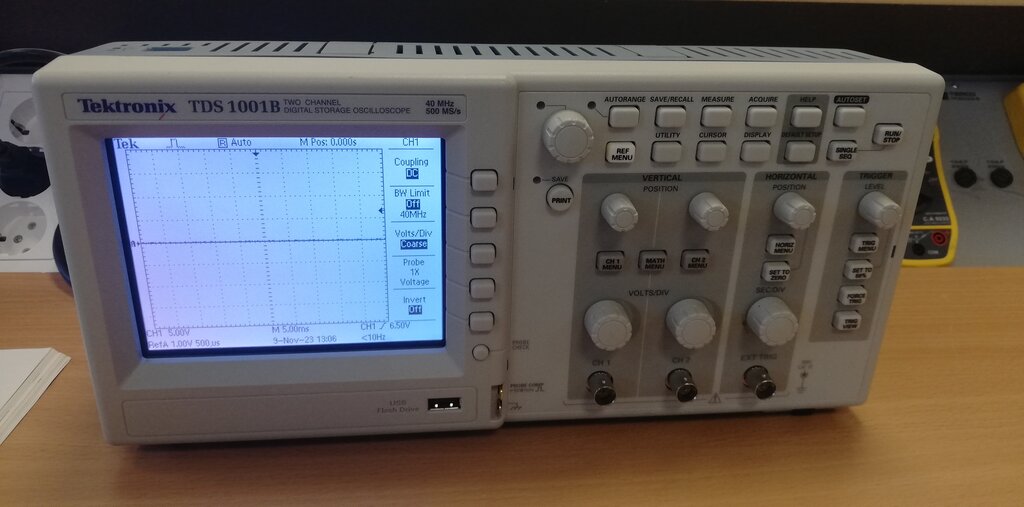
The Display Screen
The most important part of an oscilloscope is its screen. The screen displays the waveform on a grid, which is called a graticule. This grid helps you measure the signal's characteristics.
The graticule is divided into two main axes:
- The Vertical Axis: This represents voltage (often labeled VOLTS/DIV). It shows how strong the signal is. A taller wave means a higher voltage.
- The Horizontal Axis: This represents time (often labeled SEC/DIV). It shows how the signal changes as time passes from left to right.
The glowing line that moves across the screen is the signal itself. It's often called the trace or waveform.
The Main Controls
To get a useful picture on the screen, you need to adjust a few basic controls. These are typically grouped into vertical and horizontal sections on the oscilloscope's front panel.
Vertical Controls: These knobs adjust how the waveform appears vertically. The main control is the
VOLTS/DIV(Volts per Division) knob. This sets the vertical scale. For example, if you set it to 1 VOLT/DIV, each major grid line on the vertical axis represents 1 volt. Turning this knob effectively zooms in or out on the signal's amplitude.
There's also a vertical POSITION knob. This lets you move the entire waveform up or down on the screen. This is useful for aligning the bottom or center of the wave with a grid line to make measurements easier.
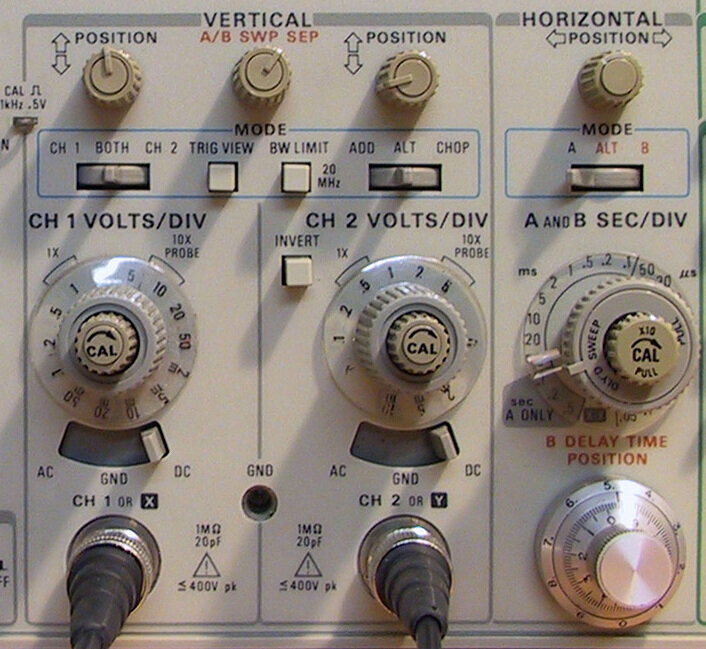
Horizontal Controls: These adjust the waveform horizontally. The most important one is the SEC/DIV (Seconds per Division) knob, also known as the timebase. This sets the time scale. If you set it to 1 millisecond/DIV, each major grid line on the horizontal axis represents 1 millisecond.
Adjusting the SEC/DIV knob is like changing the shutter speed on a camera. A faster setting (fewer seconds per division) lets you see a small slice of the signal in great detail. A slower setting shows you the signal's behavior over a longer period.
Just like the vertical controls, there's a horizontal POSITION knob. This moves the waveform left or right across the screen, allowing you to focus on a specific part of the signal.
By mastering these simple vertical and horizontal controls, you can frame almost any electrical signal on the screen to view and analyze it. This is the first and most important skill in using an oscilloscope.