Oracle Database Installation Guide
System Requirements
Preparing the Foundation
Before you can install Oracle Database, you need to make sure your server is ready for it. Think of it like building a house. You wouldn't start putting up walls without first laying a solid foundation. If the foundation is weak or improperly prepared, the entire structure is at risk. The same principle applies to a powerful database system like Oracle.
Before initiating the setup process, ensure that your system meets the necessary requirements.
Meeting these requirements isn't just about making the installer run. It's about ensuring the database performs reliably and efficiently for years to come. Let's break down exactly what your system needs in terms of hardware, software, and configuration.
Hardware Specifications
The core hardware components of your server—processor, memory, and storage—are the muscles that will power your database. Oracle provides minimum requirements, but aiming for the recommended specs is a much better long-term strategy, especially for systems that will handle significant workloads.
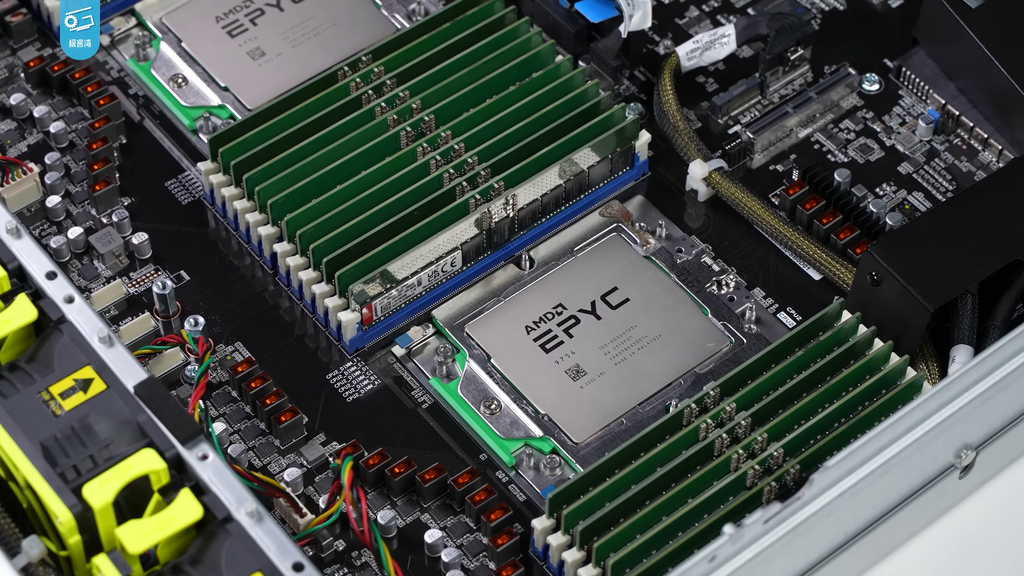
Here’s a general guide for a typical enterprise installation. Keep in mind that specific Oracle Database versions may have slightly different numbers, so always check the official documentation for the exact version you're installing.
| Component | Minimum Requirement | Recommended |
|---|---|---|
| Processor (CPU) | 2.0 GHz dual-core | Multi-core processor (4+ cores) |
| Memory (RAM) | 2 GB | 8 GB or more |
| Storage | 10 GB free space | 50 GB+, depending on data size |
Don't skimp on memory. Oracle Database loves RAM. More available memory allows the database to cache data and execute queries much faster, which is often the biggest factor in day-to-day performance.
For storage, the type of disk matters as much as the amount of space. Solid-State Drives (SSDs) offer significantly faster read and write speeds than traditional Hard Disk Drives (HDDs), leading to dramatic performance improvements. For a production database, using enterprise-grade SSDs is standard practice.
Operating System and Configuration
Oracle Database can run on various operating systems, but enterprise deployments are most common on specific versions of Linux and Windows Server. It's crucial to use a certified OS version to ensure compatibility and access to support.
Commonly supported operating systems include:
- Oracle Linux
- Red Hat Enterprise Linux (RHEL)
- SUSE Linux Enterprise Server (SLES)
- Microsoft Windows Server (64-bit versions)
On Linux systems, two areas require special attention before installation: the file system and kernel parameters.
File System: The choice of file system affects performance and features. For Oracle, file systems like
ext4orXFSare common choices on Linux. Oracle also has its own high-performance option, the Oracle ASM (Automatic Storage Management) file system, which is designed specifically for database files.
Kernel Parameters: The kernel is the core of the Linux operating system. Its parameters control how the OS manages resources like memory and processes. Oracle Database requires certain parameters to be set to specific values to function correctly. These settings ensure the database has access to enough system resources and can communicate efficiently between its various processes.
Forgetting to set these is a common cause of installation failures or poor performance down the line. Luckily, on Oracle Linux, there's a pre-install package that handles all these adjustments for you automatically. On other Linux distributions, you'll need to configure them manually by editing the /etc/sysctl.conf file.
Ready to check your understanding of these foundational concepts?
Why is it crucial to meet the server prerequisites before installing Oracle Database?
For a production Oracle Database server that requires high performance, which type of storage is the standard recommendation?
Getting the system requirements right is the first and most critical step toward a successful Oracle Database deployment. With a solid foundation, the rest of the installation process becomes much smoother.