Optimizing Jira Subtask Workflows
Subtasks versus Linked Issues
Hierarchy vs. Association
In Jira, not all tasks are created equal. When a user story or task becomes too large, you have two primary ways to break it down: subtasks and linked issues. Choosing the right one is a strategic decision that affects workflow, reporting, and team collaboration. The core difference lies in their relationship structure.
Subtasks represent a hierarchical, parent-child relationship. They are pieces of work that must be completed for their parent issue to be considered done. Think of them as a to-do list for a single, larger task. If the parent issue is "Build login page," the subtasks might be "Create UI mockups," "Develop frontend components," and "Set up backend authentication." The subtasks don't exist independently; they are fundamentally part of the parent.
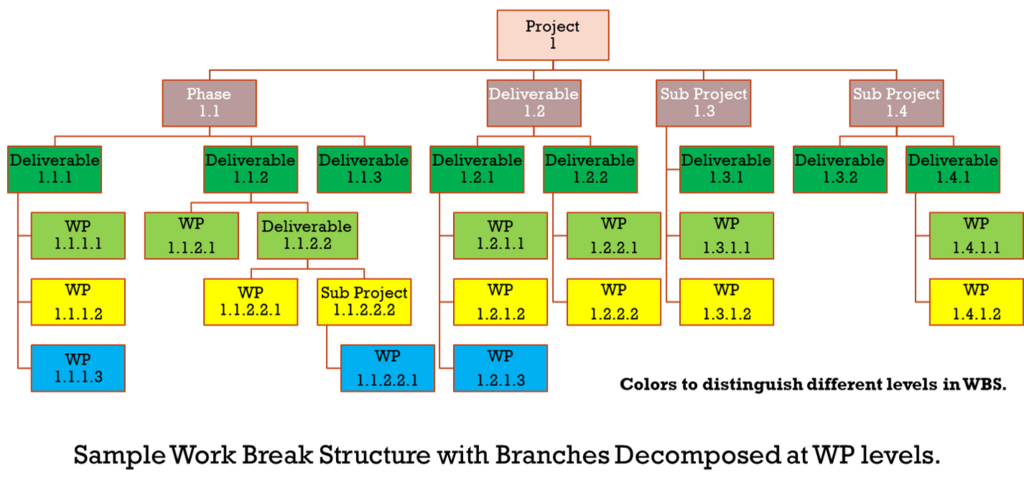
Linked issues, on the other hand, represent an association. They are separate, independent issues that have a relationship with each other. This relationship isn't about parentage but about dependency, relation, or duplication. For example, a bug in the mobile app ("iOS login fails") might be related to a backend service outage ("Authentication service is down"). These are two distinct problems tracked by different teams, but they are connected. Linking them provides context without creating a rigid hierarchy.
When to Use Subtasks
Subtasks are ideal for breaking down a single piece of work into manageable steps for one team within a single project. They help clarify the process and track progress at a granular level. A key technical constraint of subtasks is that they cannot exist outside their parent's project. This makes them unsuitable for dependencies that cross project or team boundaries.
Use subtasks when you can say, "This work is a part of that story."
This structure has a direct impact on workflows. Many teams configure their Jira projects so that a parent issue cannot be moved to "Done" until all of its subtasks are completed. This automatically enforces a thorough Definition of Done at the parent-issue level, ensuring no small technical step is forgotten before a feature is shipped. For a development team working on a user story, this is perfect. The story is the unit of value, and the subtasks are the implementation details.
Choosing Linked Issues
Linked issues provide the flexibility that subtasks lack, especially in complex environments with multiple teams. Since they are independent issues, they can be in different projects and managed by different teams. This is essential for tracking dependencies across a or organization.
Jira offers several types of links to define the relationship precisely:
- Blocks / is blocked by: Creates a clear dependency chain. Issue A cannot be started until Issue B is completed.
- Relates to: A simple association for context. Useful for connecting a bug report to a feature request.
- Duplicates / is duplicated by: Helps clean up the backlog by linking redundant reports of the same problem.
- Clones / is cloned by: Shows that an issue was copied from another, often to be worked on in a different context.
Use linked issues when you can say, "This work is related to that story."
Imagine a new marketing campaign (tracked in the Marketing Jira project) depends on a new feature being built by the engineering team (tracked in the DEV project). You can't use a subtask here. The solution is to create an issue in each project and link them with a "is blocked by" relationship. This makes the dependency visible to both project managers without cluttering either team's board with irrelevant tasks.
Reporting and Visibility
Your choice also impacts reporting. Subtasks are often aggregated into their parent issue. When viewing a sprint board or burndown chart, the total time estimated or logged for a story often includes the sum of its subtasks. This gives a complete picture of the effort for that single story.
Linked issues, being independent, are tracked separately in reports unless you create specific queries to find them. Advanced searches using are necessary to build reports that show dependencies. For example, a query could find all issues in the current project that are blocked by issues in another project.
-- Find all stories in the 'WEB' project that are blocked
-- by an issue in the 'API' project.

project = 'WEB' AND issueFunction in linkedIssuesOf('project = API', 'is blocked by')
| Feature | Subtasks | Linked Issues |
|---|---|---|
| Relationship | Parent-Child (Hierarchy) | Peer-to-Peer (Association) |
| Use Case | Breaking down one story | Connecting separate stories |
| Project Scope | Same project only | Can span multiple projects |
| Workflow Impact | Can prevent parent from closing | Independent workflows |
| Reporting | Aggregates into parent | Tracked separately |
Time to see what you've learned. This quiz will test your understanding of when to use subtasks versus linked issues.
What is the core relationship between a parent issue and its subtasks in Jira?
The engineering team (in project DEV) is building a new feature. The QA team (in project QA) needs to write and execute test cases for this feature. How should you connect these two pieces of work in Jira?
Choosing the right structure helps keep your projects organized and your dependencies clear. Subtasks are for tactical breakdown, while linked issues are for strategic connection.