Operating Systems Fundamentals
Introduction to Operating Systems
What Is an Operating System?
Think of an operating system (OS) as the general manager of a busy company. The company is your computer, with all its different departments: the CPU (central processing unit), memory (RAM), storage drives, printers, and so on. The employees are the applications you run, like a web browser or a game. The OS doesn't do the application's job, but it makes sure each application gets the resources it needs to work, without getting in each other's way.
At its core, an OS is a special kind of software that acts as an intermediary between you (and your applications) and the computer's physical hardware. You can't just tell the CPU to process some data directly. Instead, you tell your application what to do, and the application asks the OS, which then instructs the hardware. This creates a stable, predictable environment for software to run.
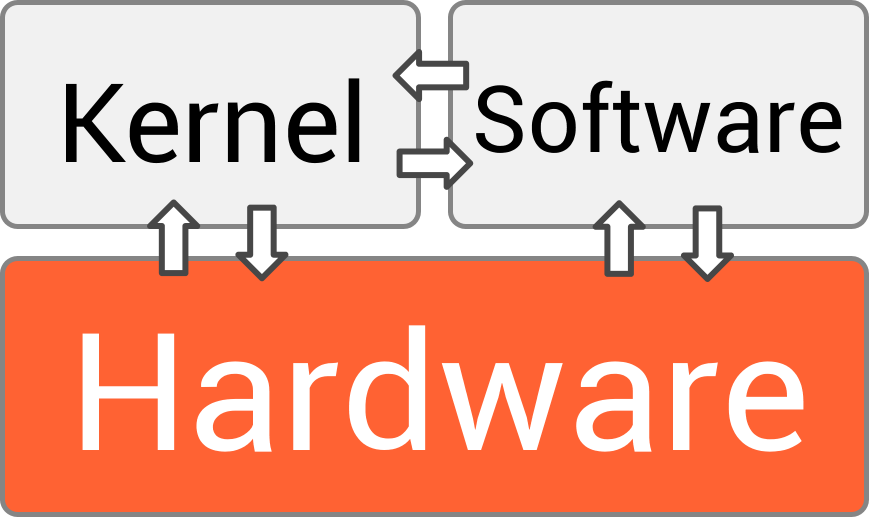
The two main functions of an operating system are:
- Managing Resources: It juggles all the hardware components. It decides which program gets to use the CPU, how memory is allocated, and how files are written to the disk.
- Providing a Platform: It offers a consistent set of services and interfaces (like APIs) that applications can use. This means a software developer doesn't need to know the specific details of every graphics card or hard drive model. They just write their program for the OS, and the OS handles the rest.
Essentially, the OS abstracts away the messy complexity of hardware, presenting a clean and simple view to the user and their applications.
How Operating Systems Are Built
Just like buildings can be designed in different styles, operating systems can have different internal structures, or architectures. The architecture determines how the different parts of the OS are organized and how they interact. This choice affects the system's performance, stability, and security.
Let's break down a few common designs.
Simple Structures Early operating systems like MS-DOS used a simple, monolithic structure. This means all the OS functionality was bundled together into one large program, called the kernel. It was straightforward and fast because components could directly call each other. However, this design had significant drawbacks. It wasn't well-protected; a bug in a device driver could crash the entire system. Adding new features was also difficult, like trying to add a new room in the middle of a house instead of as an extension.
The Layered Approach The layered approach organizes the OS into a hierarchy of levels, or layers. The bottom layer is the hardware, and the highest layer is the user interface. Each layer only uses functions and services from the layer directly beneath it. This design is much cleaner and easier to debug. If something goes wrong in a layer, you only need to look at that layer and the one below it. The downside is potential performance loss, as a request might have to pass through many layers to get to the hardware.
kernel
noun
The core component of an operating system that has complete control over everything in the system. It manages the CPU, memory, and peripherals, and it's the first part of the OS to load when the computer starts up.
Microkernels The microkernel architecture takes the opposite approach of a monolithic design. It strips the kernel down to the absolute bare essentials: usually just communication between programs and basic CPU scheduling. Everything else, like device drivers, file systems, and memory management, runs as separate processes outside the kernel.
This makes the system highly reliable and secure. If a device driver crashes, it doesn't take the whole OS down with it; that one service can just be restarted. Modern operating systems like macOS and Windows use a hybrid approach, incorporating ideas from microkernels into their otherwise monolithic designs.
Modular Designs Most modern operating systems, like Linux, use a modular design. They have a core kernel containing the most important services, but other functionality can be added via modules that are loaded as needed. For example, your OS doesn't need to have the code for every possible printer in its core. Instead, when you plug in a new printer, it loads the specific driver module for that device.
This approach offers a good compromise. It's flexible and efficient like a microkernel but maintains much of the performance of a monolithic design because modules can run directly inside the kernel.
What is the primary role of an operating system?
Which OS architecture is most susceptible to a complete system crash from a single bug in a device driver?
Understanding these fundamental structures provides the groundwork for exploring how operating systems manage the complex tasks that make our computers work.