Operating Systems Explained
Introduction to Operating Systems
The Computer's Conductor
Imagine a car factory. You have all the parts: the engine, the wheels, the chassis, and the robots to assemble them. But without a central control system to tell each robot what to do and when, you just have a warehouse full of metal. Nothing gets built.
A computer without an operating system (OS) is like that factory. It has all the physical components, called hardware—the processor, memory, and hard drive—but they can't work together. The operating system is the master program that brings everything to life, acting as the bridge between you and the physical machine.
An OS is the system software that manages computer hardware and software resources, and provides common services for computer programs.
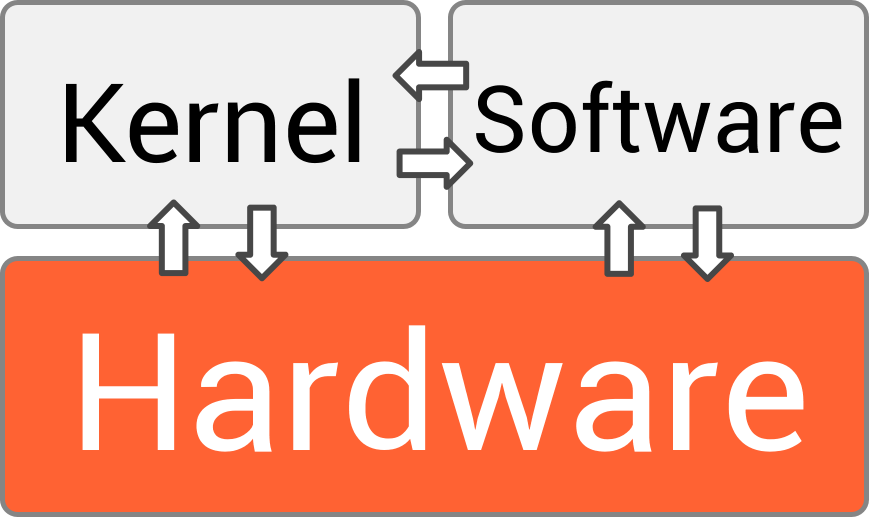
It’s the first thing that loads when you turn on your computer and the last thing to shut down. Every piece of software you run, from a web browser to a video game, relies on the OS to function.
The Four Main Jobs
The operating system is a master multitasker, constantly juggling four critical responsibilities to ensure your computer runs smoothly. Think of it as a diligent manager overseeing different departments.
1. Process Management: Ever had a web browser, a music player, and a document open all at once? The OS is what makes that possible. It manages the computer's processor (CPU), rapidly switching its attention between all the running applications, or processes. This happens so fast that it feels like everything is running simultaneously.
2. Memory Management: Your computer's Random Access Memory (RAM) is like a temporary workspace. When you open a program, the OS allocates a chunk of this memory for it to use. Crucially, it also ensures that one program can't access or corrupt the memory being used by another, preventing crashes and errors.
3. File System: Without a file system, your hard drive would be a massive, jumbled mess of data. The OS organizes this data into the familiar structure of files and folders, keeping track of where everything is stored so you can easily find, open, modify, and save your work.
4. Device Control: Your operating system acts as a universal translator for all your hardware. It uses special software called drivers to communicate with your keyboard, mouse, printer, monitor, and other devices. When you click "print," you don't need to know the specific commands for your printer model; the OS handles that translation for you.
How We Interact
All this management happens behind the scenes. What we see and interact with is the user interface (UI). It’s the visual layer—the windows, icons, menus, and pointers—that lets us give commands to the computer without needing to write code.

Early operating systems used a Command-Line Interface (CLI), where users had to type specific text commands to get the computer to do anything. Today, most personal computers use a Graphical User Interface (GUI). A GUI uses visual metaphors like a desktop, folders, and a trash can to make interacting with the computer more intuitive.
When you double-click an icon, you're using the GUI to tell the OS to start a process, allocate memory, and access files from the hard drive. The UI makes the immense power of the operating system accessible to everyone.
Ready to check your understanding?
Which statement best describes the primary role of an operating system?
When you have a web browser, a music player, and a document open at once, which core function of the OS is responsible for allocating the CPU's attention between them?
In short, the operating system is the unsung hero of your computer, a complex piece of software working tirelessly to make everything else possible.