Operating Systems Essentials
Introduction to Operating Systems
The Computer's Conductor
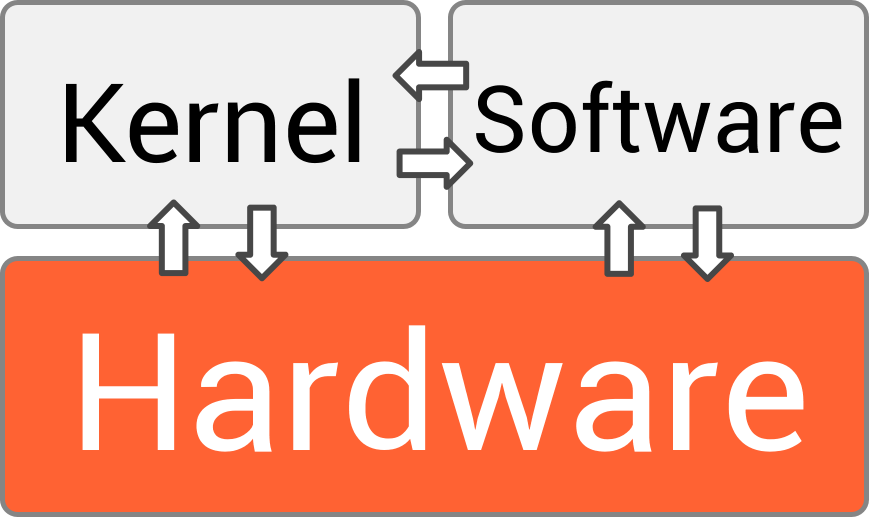
A computer is a collection of powerful but separate parts: a processor, memory, storage drives, a screen, a keyboard. Without something to coordinate them, they're just a box of silent electronics. That coordinator is the operating system (OS).
Think of the OS as the conductor of an orchestra. Each musician is an expert with their instrument, but the conductor ensures they all play together, at the right time, to create a single, coherent piece of music. The OS does the same for your computer's hardware.
It's the foundational software that acts as an intermediary. When you click an icon to open a web browser, you aren't talking directly to the processor or the hard drive. You're telling the OS what you want, and it translates your request into the millions of low-level instructions the hardware needs to execute. The OS manages all the computer's resources, from the processor's time to the bytes in memory, making the whole system usable.
The Four Core Jobs
The OS is a master multitasker, constantly juggling four main responsibilities to keep everything running smoothly. These are process management, memory management, file system management, and device management. Each is critical for a functioning computer.
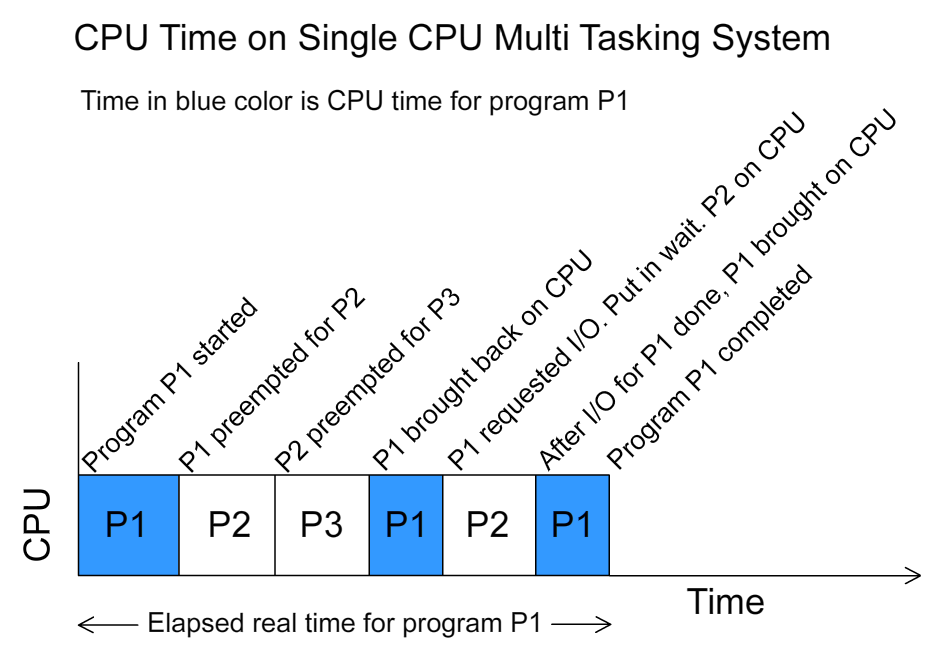
Process Management: A "process" is simply a program that is currently running. If you have a browser, a music player, and a text editor open, you have at least three processes active. Since a typical computer has only one CPU (or a few cores), it can only truly execute one instruction at a time. The OS creates the illusion of doing many things at once by rapidly switching the CPU's attention between different processes. This is called multitasking. The OS decides which process gets to run, when, and for how long, ensuring that all applications get a fair share of processor time and the system remains responsive.
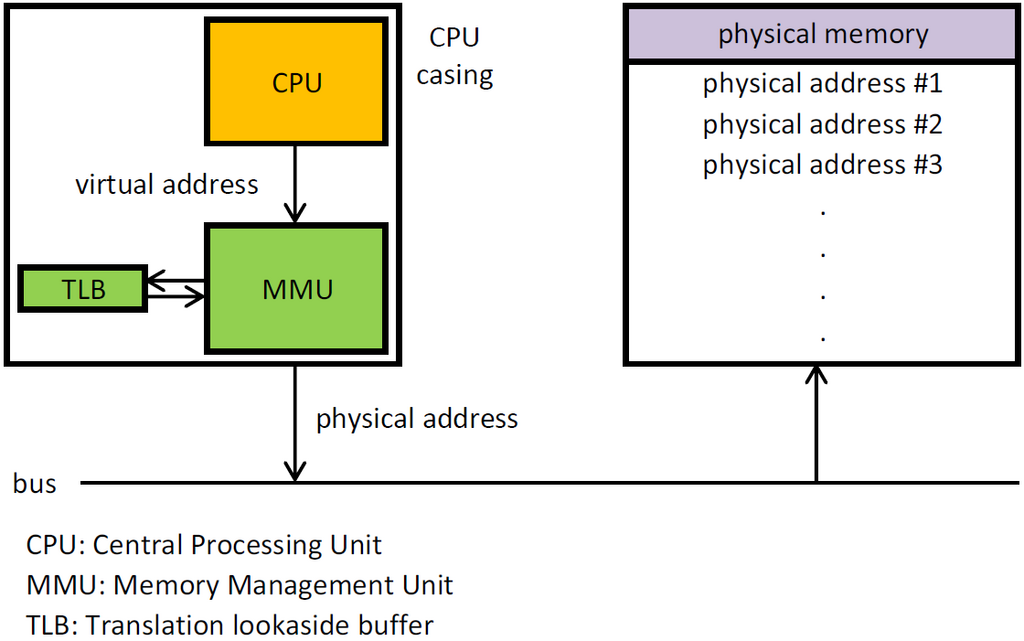
Memory Management: Your computer's main memory, or RAM (Random Access Memory), is like a temporary workspace. It's where active programs and their data are held for quick access by the CPU. The OS is the sole manager of this workspace. It allocates blocks of memory to processes when they start and reclaims that memory when they close. This is crucial. Without careful management, one program could accidentally write over another program's data, causing crashes and chaos. The OS keeps each process in its own protected memory space, preventing interference and ensuring stability.
File System Management: While RAM is for temporary work, long-term storage happens on hard drives or solid-state drives. The OS is responsible for organizing this storage. It creates the familiar structure of files and folders that we use to save documents, photos, and applications. The file system manager keeps track of where every single piece of data is physically located on the drive, how much space is free, and who has permission to read or write each file. When you save a file, you just give it a name; the OS handles the complex task of finding empty space on the drive and recording its location.
Device Management: Your computer connects to many other pieces of hardware, or devices: printers, webcams, keyboards, mice, network cards. The OS manages the communication between your software and these devices. It uses special programs called drivers to translate generic commands (like "print this page") into the specific signals a particular model of printer understands. This abstraction is incredibly useful. An application developer doesn't need to know how to talk to thousands of different printers; they just tell the OS to print, and the OS and its drivers handle the rest.
The User's Partner
Beyond managing hardware, the OS provides the user interface (UI), which is how we interact with the machine. For decades, this was a command-line interface (CLI), where users typed text commands. Today, most people use a graphical user interface (GUI), with windows, icons, menus, and a pointer.

Whether through text or graphics, the UI is the part of the OS that accepts our instructions and presents us with output. It's the visible face of the powerful resource management happening behind the scenes. By handling all the complex, low-level details, the operating system makes powerful technology accessible to everyone.
What is the primary role of an operating system?
When you have a web browser, a music player, and a text editor open at the same time, the OS rapidly switches the CPU's attention between these tasks. What is this function called?
These core functions are the foundation of any modern computer, turning a complex machine into a useful tool.