Operating System Types Explained
Introduction to Operating Systems
The Computer's Conductor
Think of a computer's hardware—its processor, memory, and storage—as a talented orchestra. Each instrument can play beautiful music, but without a conductor, all you'd hear is noise. An operating system (OS) is that conductor. It's the master program that directs all the hardware and software, making sure everything works together harmoniously so you can get things done.
Operating System
noun
The system software that manages computer hardware, software resources, and provides common services for computer programs.
At its core, the OS is the bridge between you and the physical components of your computer. You don't need to know how to speak the language of a processor or a hard drive. The OS handles all that translation for you, creating a usable environment where you can run applications like web browsers and text editors.

The Core Jobs
An operating system is a master multitasker, juggling several critical responsibilities at once. We can group its main functions into three big categories: managing resources, providing a user interface, and running applications.
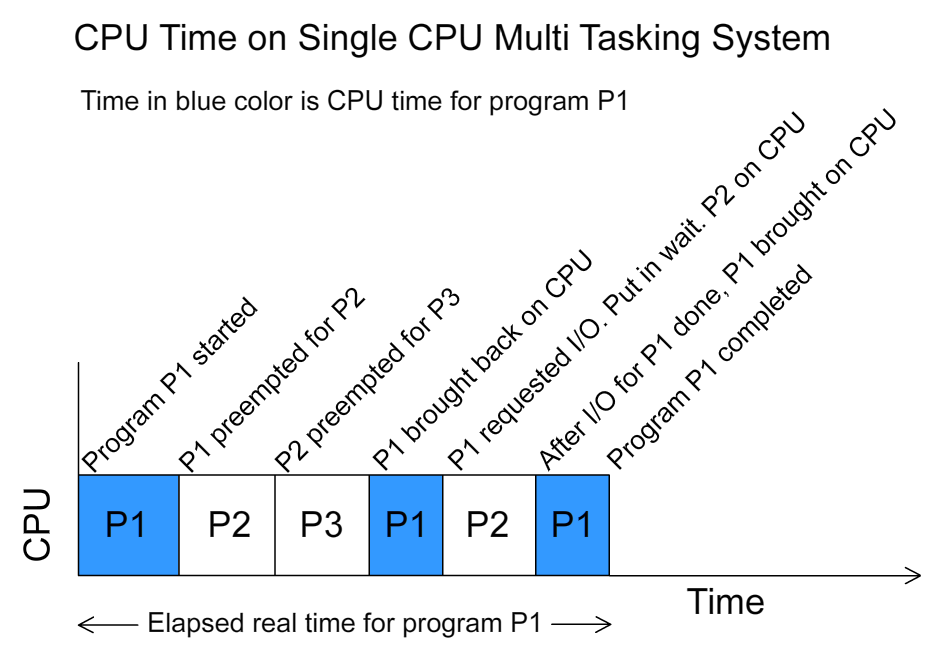
Resource Management: The OS is in charge of all the computer's resources. This includes the Central Processing Unit (CPU), memory (RAM), storage drives, and connected devices like printers and keyboards. It decides which programs get to use the CPU and for how long, allocates memory to each application, and manages files on your hard drive. Without this careful management, programs would crash into each other, and the system would grind to a halt.
User Interface: The OS provides the look and feel of your computer—it’s how you interact with the machine. This can be a Graphical User Interface (GUI), with windows, icons, and menus that you click with a mouse. Think of Windows or macOS. Or it could be a Command-Line Interface (CLI), where you type text commands. This is common on servers and for developers using systems like Linux.

Application Execution: Finally, the OS creates the stage for your applications to run. When you double-click an icon, the OS loads the program into memory, gives it the resources it needs, and manages its execution. It provides services that all applications need, such as reading from a file or sending data to a network. This way, the application developer doesn't have to write code for every single piece of hardware; they can just ask the OS to do it.
Familiar Faces
You use operating systems every day, even if you don't think about them. They power everything from your laptop to your smartphone to the servers that host your favorite websites.
| Device | Common Operating Systems |
|---|---|
| Desktops/Laptops | Microsoft Windows, Apple macOS, Linux |
| Mobile Phones | Google Android, Apple iOS |
| Servers | Linux (various distributions), Windows Server |
While they all perform the same core functions, each OS is designed with different priorities. Some focus on ease of use, others on security and stability for running critical infrastructure. But underneath the surface, they are all working as that essential conductor, making modern computing possible.
Now, let's test your understanding of these fundamental concepts.
What is the primary role of an operating system in relation to the user and the computer's hardware?
The way a user interacts with a computer, using elements like windows, icons, and menus, is called a ____.