Operating System Types Explained
Introduction to Operating Systems
The Computer's Manager
Think of a computer's hardware—the processor, memory, and hard drive—as a team of talented but very specialized workers. They're great at their jobs, but they can't coordinate with each other. They need a manager.
That manager is the operating system (OS). It's the master program that directs all the hardware and software on your device. Without an OS, your computer would just be a box of silent, inactive parts. It's the essential software that bridges the gap between you and the physical machine, translating your clicks and keystrokes into actions.
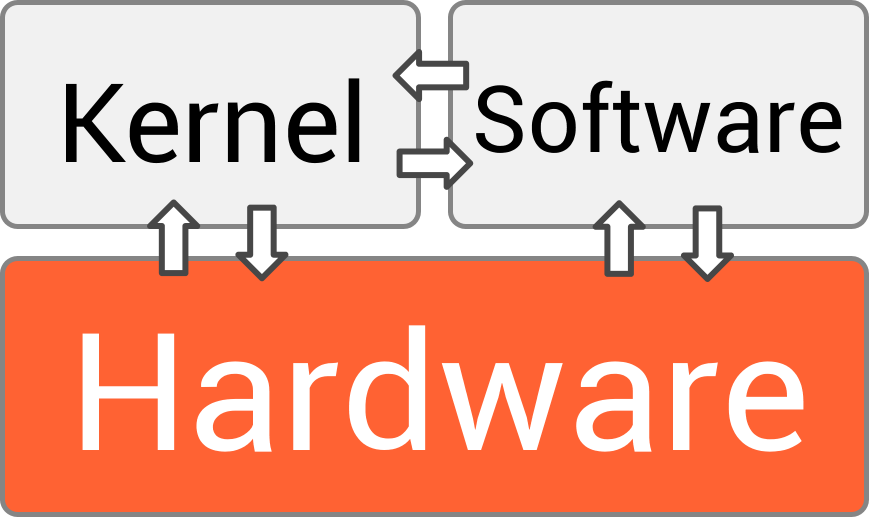
Every computer, tablet, and smartphone has an operating system. It’s the first thing that loads when you turn the device on and the last thing to shut down. You interact with it constantly, whether you're opening an app, saving a file, or plugging in a USB drive.
The OS's Main Jobs
An OS juggles several critical tasks at once to keep everything running smoothly. These are its core functions.
Process Management When you have multiple applications open—like a web browser, a music player, and a word processor—the OS is in charge of sharing the computer's processor (CPU) among them. It switches between tasks so quickly that it seems like they're all running simultaneously. This is called multitasking. The OS ensures each program gets its fair share of processing time and prevents them from interfering with one another.
Next, the OS must manage the computer's memory.
Memory Management Think of your computer's RAM (Random Access Memory) as a temporary workspace. When you open a program, the OS allocates a portion of this workspace for it. When you close the program, the OS frees up that space for other tasks. This careful management ensures that active programs have the memory they need to run efficiently without stepping on each other's toes.
The OS is also responsible for long-term storage.
File Systems Your data, from documents to photos, needs to be stored in an organized way. The OS manages this through a file system, which is like a giant digital filing cabinet. It keeps track of where every file is located on your hard drive or SSD, allowing you to create, delete, and find your files through a structure of folders and directories.
Finally, the OS handles all the extra hardware you connect.
Device Management Your computer communicates with many other devices, such as keyboards, mice, printers, and monitors. The OS acts as a universal translator, using special software called drivers to communicate with each piece of hardware. This way, your applications don't need to know the specific details of how to operate a particular printer; they just tell the OS to print, and the OS handles the rest.
Common Operating Systems
You've likely used several different operating systems, even if you didn't think about it. Each is designed with different priorities, but they all perform the same core functions.
| Operating System | Common Use |
|---|---|
| Windows | The most popular OS for desktop and laptop computers, known for its broad hardware and software compatibility. |
| macOS | The OS for Apple's Mac computers, praised for its user-friendly interface and integration with other Apple devices. |
| Linux | An open-source OS known for its stability and flexibility. It powers everything from servers and supercomputers to smart devices. |
| Android & iOS | These are the dominant operating systems for mobile devices, designed for touchscreens and battery efficiency. |
While they look different on the surface, all these systems are constantly managing processes, memory, files, and devices behind the scenes to provide a seamless user experience.
Ready to check your understanding?
Using the analogy of a computer's hardware being a team of specialized workers, what is the role of the operating system?
Which of the following is NOT a core function of an operating system?
Understanding the role of the operating system is the first step in seeing how a computer truly works. It's the invisible force that makes modern computing possible.