Operating System Types Explained
Introduction to Operating Systems
The Computer's Conductor
Think of an operating system (OS) as the general manager of a busy restaurant. You, the customer, just want to order and eat your meal. The applications you use are your orders. You don't need to know how the kitchen is run, who is washing the dishes, or where the ingredients are stored. That's the manager's job.
The operating system is that manager for your computer. It's the core software that handles all the basic, behind-the-scenes tasks. Without it, your computer's hardware—the processor, memory, and storage—would just be a collection of parts. Your apps wouldn't know how to talk to them. The OS acts as the crucial intermediary, translating requests from your software into actions for your hardware.
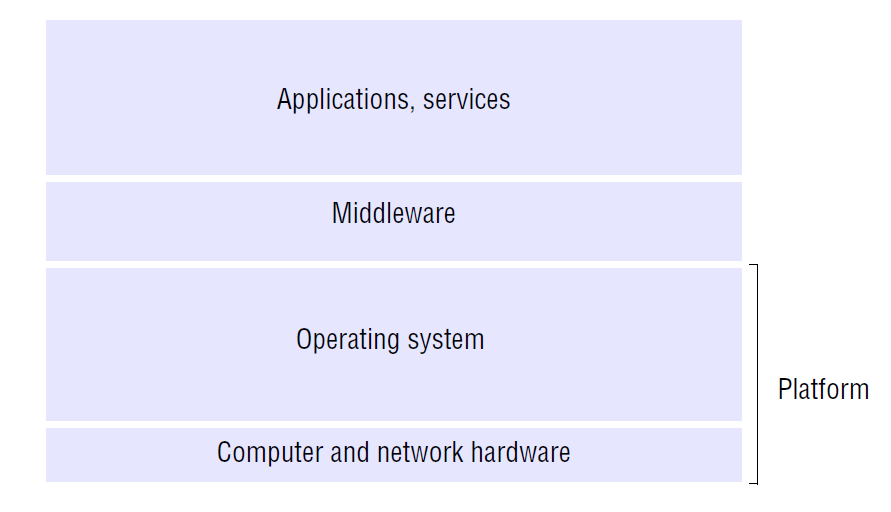
Its main purpose is to make the computer easy to use and to manage its resources efficiently. It creates an environment where different programs can run without interfering with each other, ensuring everything operates smoothly.
The Five Core Jobs
The OS juggles several critical responsibilities at once. We can break its main duties down into five key areas.
Process Management: A process is any program that is running. When you have multiple applications open, like a web browser, a music player, and a word processor, the OS's central processing unit (CPU) can only truly do one thing at a time. Process management is the art of rapidly switching the CPU's attention between these tasks. It gives each process a tiny slice of time, creating the illusion that they're all running simultaneously.
Memory Management: Your computer's main memory, or RAM, is like a temporary workspace. When you open a program, the OS allocates a chunk of this memory for it. When you close the program, the OS frees up that space for others to use. Memory management ensures that programs don't accidentally write over each other's data, which would cause crashes.
File System Management: This is how the OS organizes data for long-term storage on your hard drive or SSD. It creates a structure of files and folders, keeping track of where everything is located, who has permission to access it, and how much space is available. Every time you save a document or download a picture, the file system manager is at work.
Device Management: Your computer connects to many devices: keyboards, mice, printers, monitors, and webcams. The OS communicates with all of them through special software called drivers. It handles all the input and output, making sure that when you press a key, the right letter appears on the screen, or when you click print, the document goes to the correct printer.
Security: The OS is also your computer's first line of defense. It controls who can access the system and what they're allowed to do. This includes things like requiring a password to log in and managing permissions for files and applications to prevent unauthorized access or malicious software from causing harm.
Different Systems for Different Needs
Not all operating systems are built the same way. They are often designed for specific tasks and environments.
| Type | Key Characteristic | Common Use Case |
|---|---|---|
| Batch | Processes jobs in large groups, without user interaction. | Mainframe computers processing payroll or bank statements overnight. |
| Time-Sharing | Allows many users to interact with the system simultaneously. | Servers that provide computing resources to multiple users at once. |
| Real-Time | Must process data and respond instantly, with no delays. | Medical devices, industrial control systems, and car engines. |
| Distributed | Manages a group of independent computers and makes them appear as one. | Large-scale scientific computing or data processing across many machines. |
| Network | Runs on a server and manages network resources like files and printers. | Shared office networks where users need to access common files. |
Each type represents a different strategy for managing resources, tailored to the job at hand. From the simple, one-job-at-a-time approach of batch systems to the complex, interconnected web of a distributed system, the fundamental goals remain the same: manage hardware, run software, and provide a stable platform for users.
Ready to check your understanding? This quiz covers the core functions and different types of operating systems we've discussed.
Using the analogy of a busy restaurant, what role does the operating system play?
What is the primary goal of an operating system?
Understanding the role of the operating system is the first step in seeing how a computer truly works. It's the invisible force that brings the machine to life.