Operating System Fundamentals
Introduction to Operating Systems
What Is an Operating System?
Think of an operating system (OS) as the general manager of a computer. It's the core software that handles all the basic functions, from managing the hardware to running your applications. Without an OS, your computer would just be a collection of silent, inactive parts. You wouldn't be able to write an email, browse the web, or play a game.
At its core, an operating system (OS) is the software that manages computer hardware and software resources, and provides common services for computer programs.
The OS acts as the crucial intermediary. It translates your clicks and keystrokes into actions the hardware can understand. It also manages all the computer's resources, like the central processing unit (CPU), memory (RAM), and storage, making sure that all the different programs can share them without causing conflicts.

This management role is the primary purpose of an OS. It provides a stable and consistent environment for software to run on. Developers don't need to write code for every specific type of hard drive or mouse; they just write for the OS, which handles the rest. This creates a platform where users can easily install and run applications, confident that the OS is handling the complex details behind the scenes.
Different Systems for Different Jobs
Not all operating systems are built the same way. They're designed with different goals in mind, tailored to specific tasks and environments. Understanding these types helps clarify why your phone's OS feels different from the one in your car.
Batch System
noun
An early type of operating system that processed jobs in groups, or batches, without any direct user interaction. Users would submit a job, and the computer would execute it later, one at a time.
This was one of the first forms of OS. Think of it like a laundromat where you drop off a bag of clothes and come back later to pick it up. There's no back-and-forth; you submit a task, and the system completes it when it can.
Time-Sharing Systems: These systems allow many users to interact with a single computer at the same time. The OS achieves this by rapidly switching between each user's tasks, giving each one a small slice of CPU time. This happens so fast it creates the illusion that everyone has the computer's full attention. This is the foundation of most modern desktop and server operating systems, like Windows, macOS, and Linux.
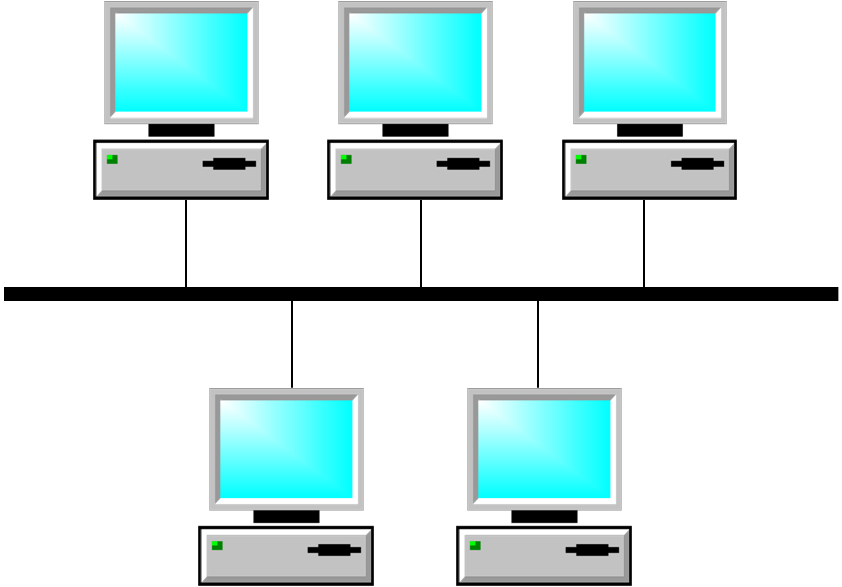
A Distributed Operating System takes this a step further. It manages a group of independent computers and makes them appear to be a single computer. When you use a search engine, you're interacting with a massive distributed system that uses thousands of machines to find your answer in a fraction of a second. The goal is to pool resources for more power and reliability.
Finally, we have Real-Time Operating Systems (RTOS). These are used when the timing of a response is critically important. It's not about being fast, but about being predictable. An RTOS guarantees that a task will be completed within a strict deadline. You find them in systems where a delay could be catastrophic, such as in a car's airbag deployment system, an airplane's flight controls, or industrial robots. The response must happen at exactly the right moment, every single time.
The User Interface
The operating system doesn't just work behind the scenes; it's also what you see and interact with. This is handled by the user interface. For decades, the primary way to interact with a computer was through a Command-Line Interface (CLI).
# This is a simple CLI command on a Linux system
# It lists the files in the current directory in a detailed format
ls -l
In a CLI, the user types text commands to tell the computer what to do. It’s powerful and efficient for technical users but can be intimidating for beginners. Today, most people use a Graphical User Interface (GUI), which uses windows, icons, menus, and a mouse or touchscreen to navigate and issue commands. It’s visual, intuitive, and made computers accessible to a much broader audience.

Whether you're typing a command or clicking an icon, it's the operating system's job to provide that interface and translate your actions into tasks for the hardware to perform. It's the silent partner in everything you do on a computer.
Ready to test your knowledge? Let's see what you've learned about operating systems.
What is the primary role of an operating system?
Which of the following systems would most likely require a Real-Time Operating System (RTOS)?