Operating System Fundamentals
Operating System Basics
The Computer's Manager
Think of a computer's hardware, its processor, memory, and drives, as a kitchen full of powerful appliances. You, the user, want to create a meal, which is your application or task. But you don't want to operate every single appliance manually. You need a head chef to coordinate everything.
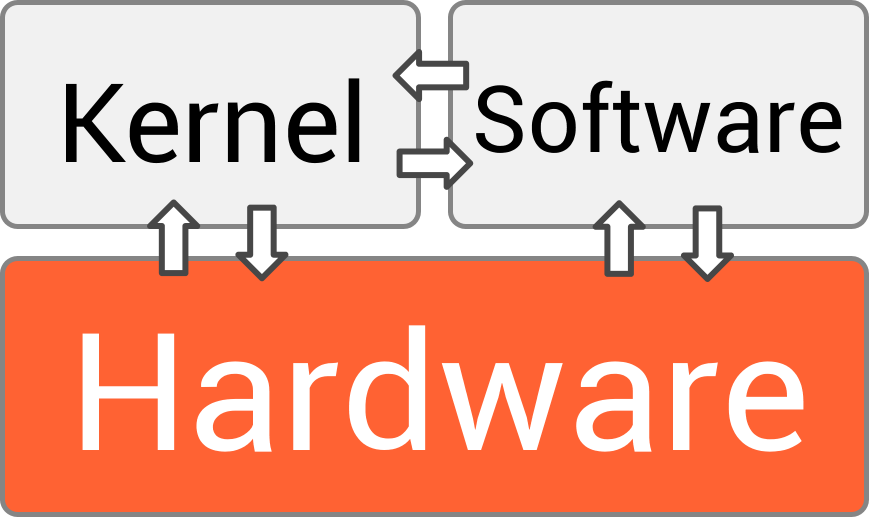
That head chef is the operating system (OS). It's the essential software that manages all the hardware and software resources. Without an OS, your computer would just be a collection of silent, inactive parts. It provides a stable, consistent way for applications to deal with the hardware, without having to know the specifics of every component.
An operating system is a program that controls the execution of application programs and acts as an interface between the user of a computer and the computer hardware.
The OS is the bridge that connects you and your software to the physical machine, translating your clicks and commands into actions the hardware can understand.
Different Systems for Different Jobs
Not all operating systems work the same way because they are designed for different tasks. Over the years, several main types have emerged.
Batch Systems were among the first. They worked like a simple to-do list. An operator would gather all the jobs, group them into a batch, and feed them to the computer. The computer would then run one job at a time, with no user interaction. It was efficient for repetitive tasks but not very interactive.
Time-Sharing Systems changed everything. These systems allow multiple users to use a computer simultaneously. The OS does this by dividing the processor's time into tiny slices and giving each user a slice in turn. It happens so fast that it feels like you have the computer all to yourself. Modern operating systems like Windows, macOS, and Linux are all time-sharing systems.
Real-Time Systems are for tasks where timing is absolutely critical. Think of the computer in a car's airbag system or in a medical device. The OS must respond to input within a strict, guaranteed timeframe. A delay of even a fraction of a second could be disastrous. These systems are designed for reliability and predictability above all else.
| System Type | Key Feature | Example Use Case |
|---|---|---|
| Batch | Processes jobs sequentially without user interaction | Payroll processing, bank statements |
| Time-Sharing | Allows multiple users to interact at once | Desktop computers, web servers |
| Real-Time | Responds to input within strict time limits | Car engines, industrial control systems |
The Core Functions
Every modern OS, regardless of its type, juggles three essential tasks to keep things running smoothly. Let's go back to our head chef analogy.
Process Management: The chef decides which cook gets to use the stove and for how long. The OS does the same with the CPU, deciding which program gets to run and when. It ensures that all the applications you have open get their fair share of processing time.
This management prevents a single program from hogging all the resources and making the entire system unresponsive. The OS starts, stops, and manages all the running programs, known as processes.
Memory Management: The chef keeps track of all the ingredients in the pantry, making sure there's enough space for everything. The OS manages the computer's memory (RAM). When you open an application, the OS finds and allocates a block of memory for it. When you close it, the OS frees up that memory so another program can use it.
This prevents programs from overwriting each other's data and ensures that there is enough memory to go around for all the active processes.
File Systems: The chef organizes the pantry so ingredients are easy to find. The OS manages how data is stored and retrieved from your hard drive or SSD. It organizes countless files into a structure of directories and folders, keeping track of where everything is located.
Without a file system, your storage drive would be a chaotic, unusable jumble of data. The OS provides the structure that allows you to save, find, and open your files easily.
These three functions are the foundation of any modern operating system, working together to create a powerful and user-friendly computing experience. Now, let's check your understanding of these core concepts.
Based on the 'head chef' analogy, what is the primary role of an operating system?
Which type of operating system is designed for tasks where timing is absolutely critical, such as in a car's airbag system?