Operating System Fundamentals Challenge
Process Management
Juggling Tasks on the CPU
Your computer's CPU is incredibly fast, but it can only execute one instruction at a time. To create the illusion of multitasking—running your web browser, music player, and word processor all at once—the operating system has to be a master juggler. It rapidly switches the CPU's attention between different processes, each getting a tiny slice of time. The logic that decides who gets the CPU next, and for how long, is called a scheduling algorithm.
The goal is to keep the CPU busy and make the system feel responsive. Let's look at a few classic strategies for managing this high-speed juggling act.
First-Come, First-Served (FCFS) is the simplest approach. It's like a line at a grocery store: the first process to arrive is the first one to get the CPU. It runs until it's completely finished or needs to wait for something like a file to load.
While fair in a sense, FCFS can lead to a big problem called the convoy effect. If a very long, computationally intensive process gets the CPU, a bunch of short, quick processes might get stuck waiting behind it, even though they only need a millisecond of CPU time. The entire system feels sluggish because small tasks are held up by one big one.
To fix this, we could use Shortest Job Next (SJN). This algorithm looks at all the processes ready to run and gives the CPU to the one that will take the least amount of time. This is provably optimal for minimizing the average waiting time. Shorter tasks get processed quickly, so they don't get stuck behind long ones.
But SJN has a dark side: starvation. If a steady stream of short jobs keeps arriving, a long job might never get a chance to run. It's perpetually pushed to the back of the line. The system prioritizes quick wins, but some tasks might be starved of resources indefinitely.
A more balanced approach is Round-Robin (RR) scheduling. It gives each process a small, fixed amount of time on the CPU, called a time quantum (or time slice). When the time is up, the process is paused, and the CPU moves to the next process in the queue. This ensures every process gets a turn, preventing starvation and keeping the system responsive.
Processes in Conversation
Processes often need to work together. A web server might hand off a request to a database process, which then returns the results. This coordination requires Inter-Process Communication (IPC), a set of mechanisms that let processes talk to each other and share data.
There are two main models for IPC: shared memory and message passing.
Shared Memory is like two people working on the same whiteboard. The operating system sets aside a block of memory that both processes can access. One process writes data into this shared space, and the other reads it. It's very fast because there's no need to copy data around. However, it's also dangerous. If both processes try to write to the same spot at the same time, the data can become corrupted. They need to coordinate carefully.
Message Passing is like sending letters. One process packages its data into a message and sends it to the other through the operating system. This is safer because the OS manages the communication, preventing processes from interfering with each other directly. It's more structured but generally slower than shared memory because data has to be copied from one process to the OS, and then from the OS to the other process.
Keeping Things in Sync
Whether using shared memory or managing shared files, processes often access the same resources. This can lead to a race condition, where the outcome depends on the unpredictable timing of different processes. Imagine two processes trying to update a bank account balance at the same time. One tries to deposit $100, the other to withdraw $50. If they don't coordinate, the final balance could be wrong.
To prevent this chaos, we use synchronization tools. These tools ensure that only one process can access a critical section—a piece of code that manipulates shared data—at any given time.
Semaphore
noun
A synchronization tool that acts as a counter to control access to a shared resource. It has two primary operations: wait (or P) and signal (or V).
A semaphore is like the key to a single-occupancy restroom. A process must acquire the key (wait()) before entering. If the key is already taken, the process has to wait. When it's done, it releases the key (signal()), allowing another waiting process to enter. This ensures orderly access.
Another powerful tool is a monitor. A monitor is a higher-level programming construct that bundles shared data with the procedures that operate on it. It automatically ensures that only one process can be active within the monitor at any time. This simplifies synchronization by making mutual exclusion implicit, reducing the risk of programmer error that can occur with semaphores.
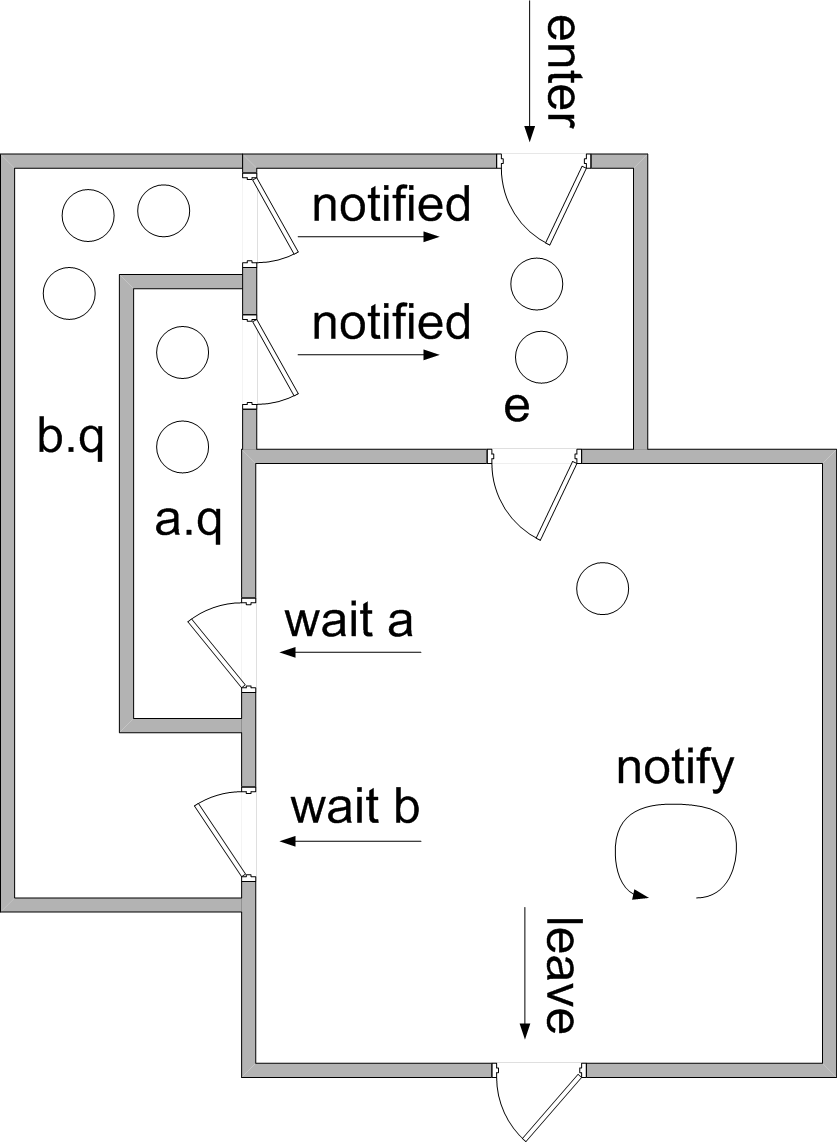
By using schedulers to manage time, IPC to communicate, and synchronization tools to prevent conflicts, an operating system can create a powerful and stable environment where many complex processes run together seamlessly.
Let's check your understanding of these advanced concepts.
What is the primary problem associated with the First-Come, First-Served (FCFS) scheduling algorithm?
Which scheduling algorithm minimizes average waiting time but carries the risk of starving longer processes?
Managing processes is a fundamental and complex task for any operating system, balancing fairness, efficiency, and safety.