Operating System Fundamentals
Operating System Basics
What Is an Operating System?
Think of an operating system (OS) as the general manager of your computer. It’s the essential software that directs all the hardware and other software. Without an OS, your phone, laptop, or desktop computer would just be a collection of silent, lifeless parts. It wouldn't know how to run your apps, connect to the internet, or even display anything on the screen.
The OS acts as a crucial intermediary. It translates your requests—like opening a file or printing a document—into instructions the hardware can understand. It also manages all the computer's resources, like the central processing unit (CPU), memory, and storage, making sure every program gets what it needs to run smoothly without interfering with others.
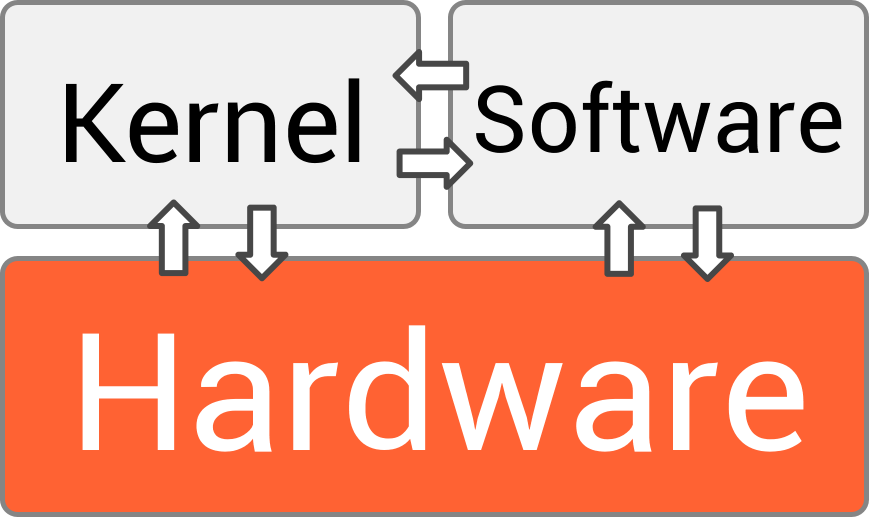
In short, the OS is the foundation that allows you to interact with your device and run applications, handling all the complex logistics behind the scenes.
A Quick Tour Through OS History
Operating systems weren't always as interactive as the ones we use today. The earliest computers didn't have them at all. Programmers had to manually input instructions, a slow and painstaking process.
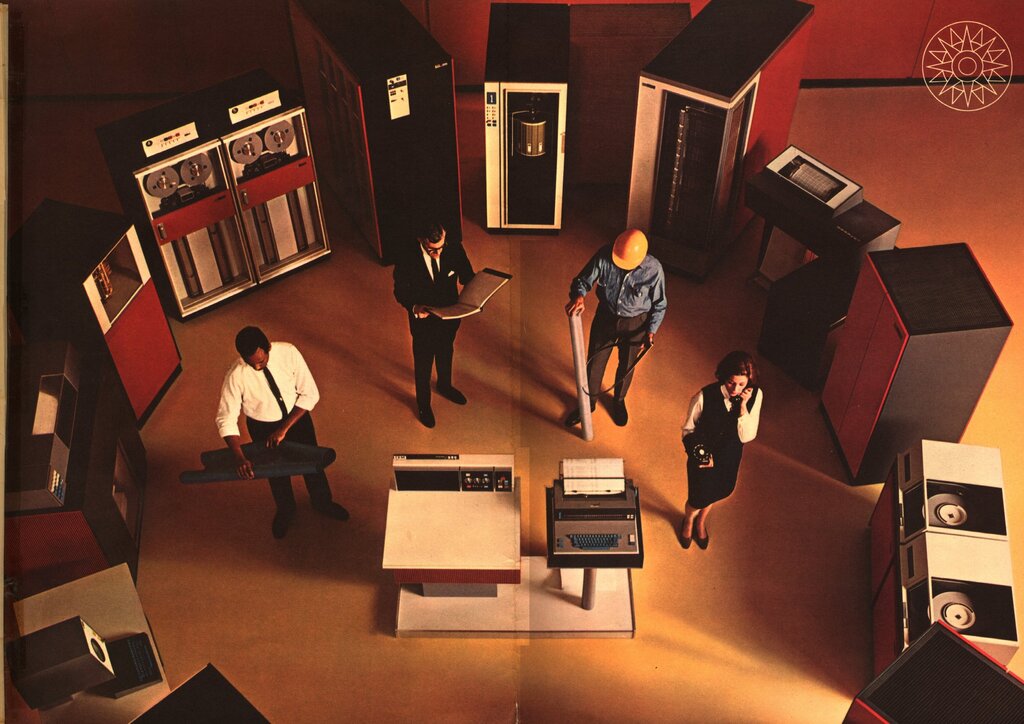
Then came batch systems in the 1950s and '60s. These early operating systems processed jobs in large groups, or batches. A user would prepare a job on punch cards, hand it to an operator, and come back later for the results. There was no direct interaction with the computer.
The 1970s brought time-sharing systems, a major leap forward. These systems allowed multiple users to interact with a single computer simultaneously. The OS would rapidly switch between user tasks, giving each a small slice of CPU time. This created the illusion that each person had the computer's full attention.
Today, we live in the era of distributed systems. This type of OS manages a group of independent computers and makes them appear to be a single system. Cloud computing services like Google Drive or Microsoft Azure are great examples. They harness the power of many machines working together to store your data and run powerful applications.
| OS Type | Key Feature | Example Era |
|---|---|---|
| Batch | Processes jobs in groups without user interaction | 1950s–1960s |
| Time-Sharing | Allows multiple users to interact with one computer at once | 1970s–1980s |
| Distributed | Manages multiple computers as a single system | 1990s–Present |
Core Components
Modern operating systems are incredibly complex, but they are all built around a few key components that work together. Understanding these parts helps clarify how the OS does its job.
Kernel
noun
The central component of an operating system that manages the operations of the computer and hardware. It is the core that provides all the essential services for the OS.
The kernel is the heart of the OS. It has complete control over everything in the system. When a program needs to use a piece of hardware, it sends a request to the kernel. This component is responsible for managing memory, deciding which programs get to use the CPU, and handling input from devices like your keyboard and mouse.
Next, there's the API, or Application Programming Interface. The API is a set of rules and tools that allow different software applications to communicate with each other and with the operating system. It's like a menu in a restaurant: you don't need to know how the kitchen works to order your food, you just pick an item from the list. Similarly, a developer doesn't need to know the kernel's inner workings; they just use the API to request services like file access or network communication.
Finally, the User Interface (UI) is the part of the OS you actually see and interact with. This can be a Command-Line Interface (CLI), where you type text commands, or a Graphical User Interface (GUI), which uses icons, windows, and menus. The UI's job is to make the computer accessible and easy to use.
Together, these components form the operating system that makes modern computing possible.
Ready to check your understanding? Let's see what you've learned about the fundamentals of operating systems.
What is the core component of an operating system that has complete control over everything in the system?
Which early operating system model introduced the ability for multiple users to interact with a single computer at the same time by rapidly switching between tasks?
Understanding these core concepts provides a solid foundation for exploring the more intricate parts of how an operating system works.