Operating System Fundamentals
Operating System Basics
The Computer's Conductor
Think of an orchestra. You have dozens of musicians, each with a different instrument, all needing to play in harmony. Without a conductor, you'd just have noise. The conductor tells everyone when to start, when to stop, and how loudly to play, turning chaos into music.
An operating system (OS) is the conductor for your computer. It’s the master software that manages all the hardware components (like the processor, memory, and storage) and coordinates all the software applications you run. Without an OS, your web browser, games, and spreadsheets would have no way to use the computer's physical parts.
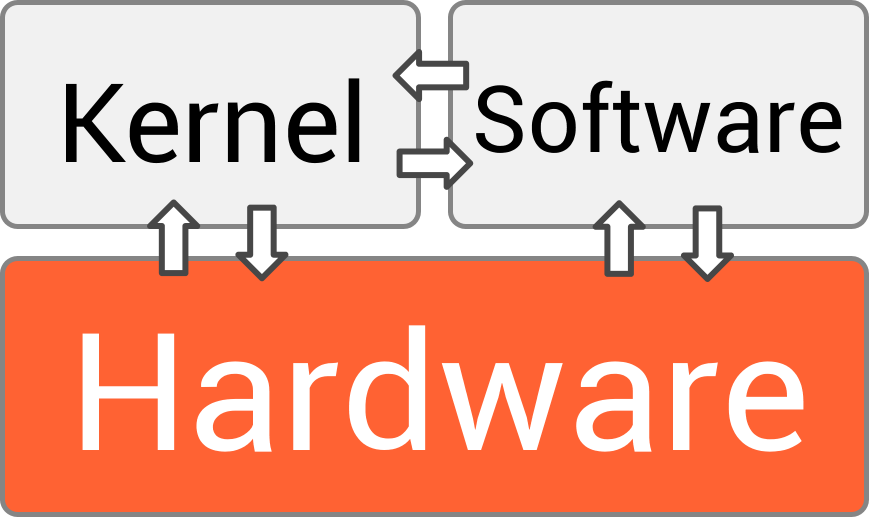
At its core, an operating system is the intermediary. It allows your software to communicate with your hardware, creating a functional, usable machine.
Inside the Machine
An operating system isn't a single, monolithic thing. It’s made up of several key components that work together. Let's look at the three most important ones.
kernel
noun
The core component of an operating system that has complete control over everything in the system. It manages the CPU, memory, and peripheral devices.
The kernel is the heart of the OS. It’s the bridge between applications and the actual data processing done at the hardware level. When an application needs to do something, like read a file from the hard drive, it doesn't access the drive directly. Instead, it asks the kernel, and the kernel handles the request.
But how does the kernel talk to all the different kinds of hardware out there? Through device drivers. A device driver is a small piece of software that acts as a translator for a specific piece of hardware, like a graphics card, printer, or mouse. It tells the OS how to operate that device. This modular approach means you can add new hardware without having to redesign the entire operating system.
Finally, there's the part you interact with: the user interface (UI). This is how you give commands to the computer. Early UIs were command-line interfaces (CLIs), where you had to type out precise text commands. Today, most devices use a graphical user interface (GUI), with icons, windows, and pointers that you can manipulate with a mouse or a touch.

A System for Every Task
Just as there are different tools for different jobs, there are different types of operating systems designed for specific tasks. Their architecture depends on the job they need to do.
Batch Systems: These were among the earliest OS types. Users would prepare their jobs on punch cards and submit them to the computer operator. The OS would then run these jobs in a large group, or "batch," one after another, without any user interaction. It's efficient for repetitive tasks but not interactive at all.
Time-Sharing Systems: This is what you're likely using right now. A time-sharing OS allows many users to use a computer simultaneously. It does this by dividing the CPU's time into tiny slices and giving each user's program a slice in turn. The switching happens so fast that it feels like you have the computer all to yourself.
Real-Time Systems: These are used when timing is absolutely critical. Think of the systems that control a car's anti-lock brakes, a factory robot, or a spacecraft's navigation. In these cases, a command must be processed within a strict, guaranteed timeframe. A delay of even a few milliseconds could be disastrous. Real-time operating systems (RTOS) are built for this kind of precision and reliability.
Making the Call
So, an application needs the kernel to do something, like create a file or send data over the network. How does it make that request? It uses a system call.
A system call is the mechanism that a program uses to request a service from the operating system's kernel. It’s like a special function call that crosses the boundary from a user program into the protected space of the OS. This is a crucial security feature. It prevents applications from directly accessing hardware or critical memory, which could crash the entire system.
Every time you save a document, open an application, or even move your mouse, system calls are happening in the background. They are the fundamental way that software interacts with the computer's resources in a safe and orderly fashion, all managed by the operating system.