Operating System Fundamentals
Introduction to Operating Systems
The Computer's Manager
An operating system, or OS, is the master software that runs a computer. Think of it as the general manager of a busy hotel. The manager doesn't check in guests or clean rooms, but they coordinate everything. They tell the front desk staff how to handle bookings, direct the cleaning crew, and make sure the kitchen has the supplies it needs. Without the manager, the hotel would be chaos.
Similarly, an OS manages all the computer's resources. It handles the hardware, like the processor (CPU), memory (RAM), and storage drives. It also manages all the software, from your web browser to the games you play. Its main job is to be the intermediary, ensuring that hardware and software can work together smoothly and efficiently.
The operating system (OS) is a fundamental software layer that manages all the hardware resources in a computer system.
Without an operating system, every application developer would have to write code to directly control the hardware. Imagine if every video game company had to write specific instructions for every single type of graphics card, keyboard, and mouse. It would be a nightmare. The OS provides a stable, consistent platform so developers can focus on creating their applications, not on managing the nitty-gritty hardware details.
From Punch Cards to Touchscreens
Early computers didn't have operating systems as we know them. Programmers interacted directly with the hardware using punch cards or switches. These were batch systems, where jobs were grouped together and run one after another without any user interaction. It was efficient for processing large amounts of data, like payroll or scientific calculations, but incredibly slow from a human perspective. You'd submit your job and come back hours, or even days, later for the result.
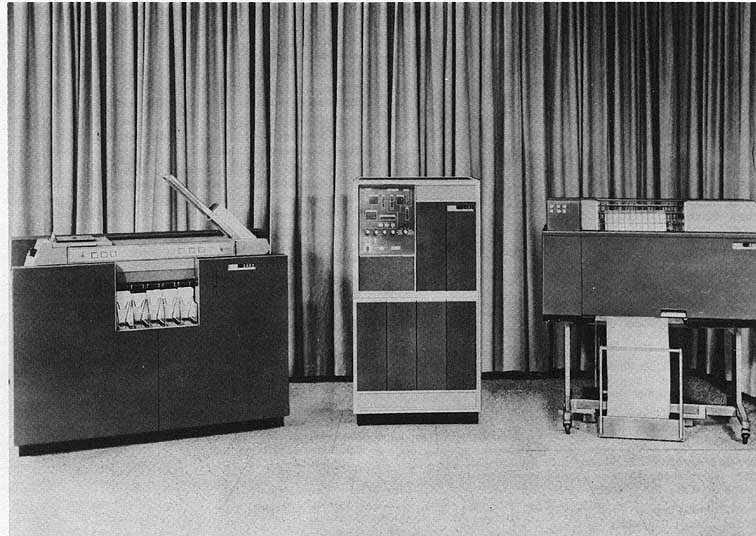
The 1960s brought a major breakthrough: time-sharing systems. These operating systems could juggle multiple users and programs at once. The computer would give each user a tiny slice of its processing time, switching between them so quickly that it felt like everyone had the machine to themselves. This innovation paved the way for interactive computing and the personal computers we use today.
As computers became more specialized, other types of operating systems emerged. Real-time systems are designed for tasks where timing is absolutely critical. Think of the software running a car's anti-lock brakes or a factory robot. These systems must respond to events within a strict, guaranteed timeframe. A delay of even a few milliseconds could be catastrophic.
| OS Type | Primary Goal | Example Use Case |
|---|---|---|
| Batch | Maximize hardware utilization | Processing a company's payroll overnight |
| Time-Sharing | Provide interactive use for many users | A university mainframe used by students |
| Real-Time | Guarantee timely response to events | An airplane's autopilot system |
Inside the OS
While operating systems can be incredibly complex, they generally consist of a few key components that work together. At the very center is the kernel.
kernel
noun
The core component of an operating system that has complete control over everything in the system.
The kernel is the heart of the OS. It manages the CPU's time, allocates memory, and handles all communication between software and hardware. It's the most privileged part of the system, acting as the ultimate authority.
Surrounding the kernel are other essential pieces. System libraries provide a set of standard functions that applications can use. For example, when an application wants to open a file, it doesn't talk to the hard drive directly. Instead, it calls a function from a system library, which then asks the kernel to perform the operation. This keeps applications from having to reinvent the wheel for common tasks.
Finally, there's the user interface (UI). This is the part of the OS that you actually interact with. It can be a command-line interface (CLI), where you type text commands, or a graphical user interface (GUI), with windows, icons, and pointers. The UI's job is to translate your actions, like clicking an icon, into commands that the kernel can understand and execute.
These components work in concert to create a functional, usable computing environment. The OS hides the immense complexity of the hardware, presenting a clean and manageable system for both users and their applications.
Let's check your understanding of these fundamental ideas.
What is the primary role of an operating system?
What was the main innovation of time-sharing systems over earlier batch systems?
Understanding the role and structure of an operating system is the first step toward understanding how modern computers work. It's the foundational software that makes everything else possible.