Operating System Fundamentals
Operating System Basics
What Is an Operating System?
Think of an operating system (OS) as the general manager of your computer. It’s the essential software that coordinates all the hardware and software. Without it, your computer would just be a box of parts. The OS is the bridge that lets you interact with your device and run applications like web browsers and games, without needing to know the complex details of how the hardware works.
At its core, an operating system (OS) is the software that manages computer hardware and software resources, and provides common services for computer programs.
Every computer, tablet, and smartphone has one. You've likely used some of the most common ones, like Windows, macOS, Linux, iOS, or Android. Their primary job is to manage resources, making sure every application gets the CPU time, memory, and storage it needs to run smoothly.
Core Components
An operating system isn't a single program but a collection of components working together. Let's look at the three main parts.
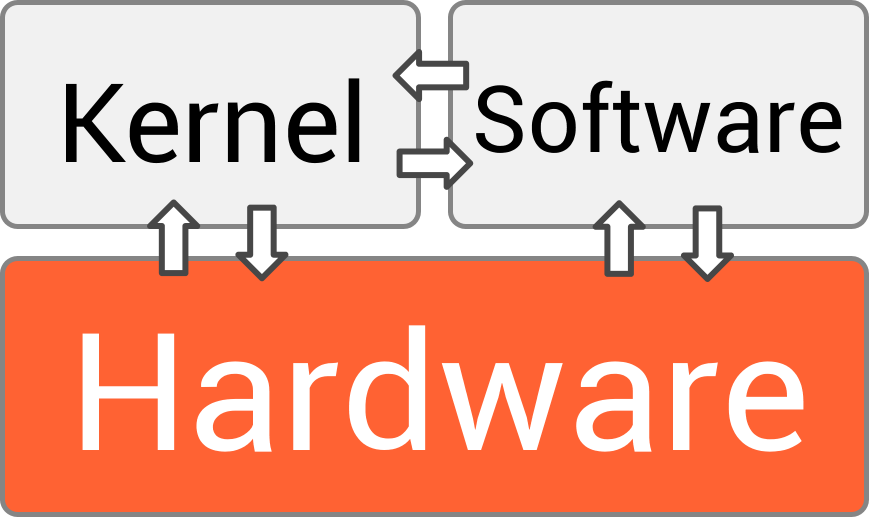
The Kernel is the heart of the operating system. It’s the first program loaded when you turn on your device, and it manages everything else. The kernel has complete control over the system, handling tasks like deciding which program gets to use the processor and for how long. It's the direct link to the computer's hardware.

The User Interface (UI) is the part you see and interact with. It's how you give commands to the computer and receive feedback. There are two main types:
- Command-Line Interface (CLI): Users type text commands to tell the computer what to do. It's powerful and efficient for technical tasks but can be intimidating for beginners.
- Graphical User Interface (GUI): This is the familiar interface with windows, icons, menus, and pointers (like your mouse cursor). GUIs make computers much more accessible and intuitive for the average person.

System Libraries are collections of pre-written code that applications can use to perform common tasks. Think of them as a toolkit for developers. Instead of writing new code to, for example, open a file or draw a button on the screen, a program can simply call on a function from a system library. This makes developing software faster and more consistent.
Types of Operating Systems
Operating systems can be designed for different purposes, leading to several distinct types.
| Type | Description | Example |
|---|---|---|
| Batch OS | Early systems that processed jobs in batches without direct user interaction. The user would submit a job (e.g., on punch cards) and come back later for the results. | Payroll systems that run overnight to process employee salaries. |
| Time-Sharing OS | Allows multiple users to interact with the computer simultaneously. The OS rapidly switches between users, giving each a slice of CPU time, creating the illusion that everyone has the computer to themselves. | Mainframe computers used in universities or large corporations, where many users connect through terminals. |
| Distributed OS | Manages a group of independent computers and makes them appear to be a single computer. This allows for sharing resources and computational power across a network. | Modern cloud computing platforms like Amazon Web Services (AWS) or Google Cloud. |
| Real-Time OS | Designed for systems where tasks must be completed within a strict time frame. A delay could cause a critical failure. | Systems controlling industrial robots, airplane autopilots, or medical equipment. |
Most modern operating systems, like the one on your laptop or phone, are a hybrid of these types, especially incorporating time-sharing principles to allow you to run multiple applications at once.
What is the primary function of an operating system?
A user who prefers typing text commands to perform technical tasks would be using which type of interface?