Operating System Essentials
Introduction to Operating Systems
The Computer's Conductor
Think of a computer's hardware—the processor, memory, and storage drives—as a talented but chaotic orchestra. Each component is powerful, but they don't speak the same language. Without a conductor, all you'd get is noise. The operating system (OS) is that conductor. It's the master software that translates your requests into actions the hardware can understand, and it ensures all the different parts work together in harmony.
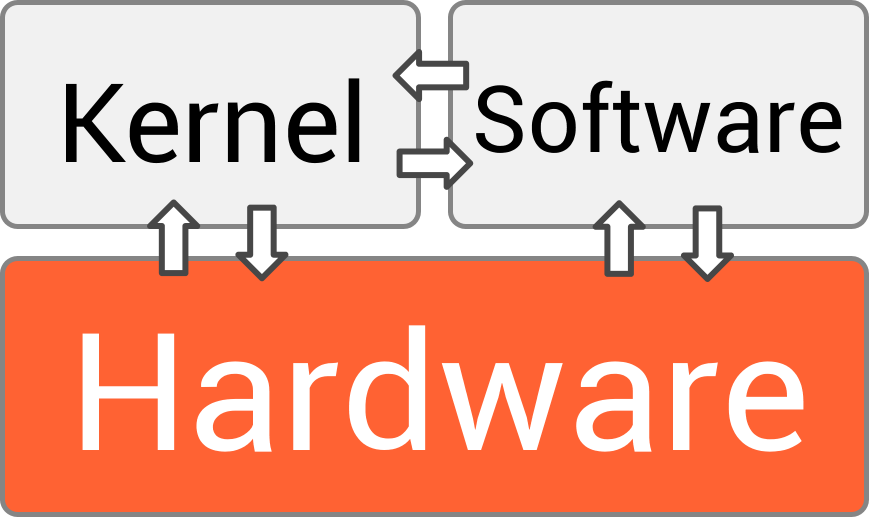
At its core, an OS has two main goals. First, it makes the computer usable for you and your applications. You don't need to know how to write instructions for the CPU or retrieve data from a specific sector on a hard drive; the OS handles all that complexity behind the scenes. Second, it manages the computer's resources efficiently. It decides who gets to use the processor when, how memory is allocated, and how files are stored. This management is crucial for letting you run multiple programs at once without them interfering with each other.
An operating system (OS) serves as the critical interface between computer hardware and the user, managing system resources and providing services to programs.
The Four Core Jobs
To achieve its goals, every operating system performs four fundamental functions. These jobs are happening constantly, whether you're browsing the web, playing a game, or just staring at your desktop.
Process
noun
A program that is currently running or executing on a computer.
1. Process Management: When you open an application, you're starting a process. If you open a web browser, a music player, and a text editor, you have three processes running. The OS is responsible for starting, stopping, and managing all of them. It rapidly switches the CPU's attention between these processes, creating the illusion that they're all running simultaneously. This is how you can listen to music while typing a document.
2. Memory Management: Your computer's RAM (Random Access Memory) is like a temporary workspace. When you run a program, the OS carves out a piece of RAM for it to use. When you close the program, the OS reclaims that memory so it can be used for something else. This management is vital. The OS ensures that one program doesn't accidentally access or overwrite the memory being used by another, which would cause crashes and errors.
3. File System Management: All your data—documents, photos, applications—is stored in files. The OS provides a file system, which is a structure for organizing these files in directories (or folders). It keeps track of where everything is physically located on your hard drive or SSD. When you save a file, the OS finds an empty spot to store it. When you open a file, the OS retrieves it for you. It also handles permissions, controlling who can read, write, and delete files.
4. Device Management: Your computer has many devices attached to it, like a keyboard, mouse, monitor, printer, and network card. The OS communicates with all of them through special software called drivers. It manages the input from your mouse and keyboard and sends output to your screen and printer, ensuring data flows correctly between your computer and its peripherals.
How We Interact
An operating system wouldn't be very useful if we couldn't tell it what to do. The way we interact with the OS is through its user interface. There are two primary types you'll encounter.
A Graphical User Interface (GUI) uses icons, windows, and menus. You interact with it using a mouse to point and click. This visual approach is intuitive and what most people are familiar with from systems like Windows and macOS.
A Command-Line Interface (CLI) requires you to type text-based commands to perform tasks. While less visual, it can be faster and more powerful for certain operations, especially for developers and system administrators.

Both interfaces are just different ways of communicating with the same underlying OS. Whether you click a trash can icon or type rm file.txt, the result is the same: you're telling the OS's file management system to delete a file.
Ready to test your understanding of these core concepts? Let's see what you've learned.
Using the orchestra analogy, what is the primary role of an operating system?
When you are typing a document while simultaneously streaming music, which core OS function is primarily responsible for rapidly switching the CPU's attention between the text editor and the music player?
Understanding these functions is the first step to seeing how computers really work. The OS is the invisible, essential software that makes everything else possible.