Operating System Essentials
Introduction to Operating Systems
The Computer's Conductor
Think of a computer's hardware—its processor, memory, and drives—as a talented orchestra. Each instrument can play beautiful music, but without a conductor, all you'd get is noise. The operating system (OS) is that conductor. It's the master program that directs all the hardware and software, making sure every part works together in harmony.
An operating system is the software that manages a computer's resources, acting as the bridge between your applications and the physical hardware.
Without an OS, you'd have to write code just to get your computer to recognize a key press or display an image. The OS handles all these complex background tasks, letting you and your programs focus on the bigger picture.
The Core Jobs
An operating system juggles several critical responsibilities at once. Think of it as wearing four different hats.
Process
noun
A program that is currently running or executing. When you double-click an application icon, you create a process.
Process Management: If you have a web browser, a music player, and a word processor all running, you have three active processes. The OS acts like a traffic cop for your computer's processor (CPU). It decides which process gets to use the CPU and for how long, switching between them so quickly it feels like they're all running simultaneously.
Memory Management: Your computer's RAM is like a shared workspace. When a process needs to work, the OS assigns it a section of memory. It ensures that one process can't access or corrupt another's dedicated space, preventing chaos and crashes. When you close an application, the OS cleans up that workspace, making it available for the next process.
File Systems: The OS organizes data on your hard drive or SSD. Without a file system, your storage would be one giant, jumbled mess of data. The OS creates the structure of files and folders we're all familiar with, keeping track of where everything is so you can find it easily.
I/O Operations: I/O stands for Input/Output. This is how the OS manages communication between your computer and its many devices, like your keyboard, mouse, monitor, and printer. When you type on your keyboard, the OS takes that input and sends it to the right application. When a program wants to print a document, it tells the OS, which then handles the communication with the printer.
Kinds of Operating Systems
Operating systems have evolved over time to meet different needs. While they all share the same core jobs, they specialize in how they manage them.
| Type | Description | Example |
|---|---|---|
| Batch | Early systems that ran jobs in batches, one after another, with no user interaction. | A system processing payroll checks overnight. |
| Multiprogramming | An evolution of batch systems that could keep several jobs in memory at once, switching to another job if one had to wait for I/O. | A mainframe running different data analysis tasks. |
| Multitasking | Allows a single user to run multiple applications at the same time, sharing the CPU. This is the standard for modern personal computers. | Listening to music while browsing the web on your laptop. |
| Distributed | Manages a group of independent computers and makes them appear to be a single computer. | The search engine infrastructure at Google. |
Most operating systems you use today, like Windows, macOS, and Linux, are multitasking systems. The concepts from multiprogramming are what allow them to efficiently juggle all the tasks you throw at them.
Inside the OS
An operating system isn't a single, monolithic thing. It's made of several key components that work together.
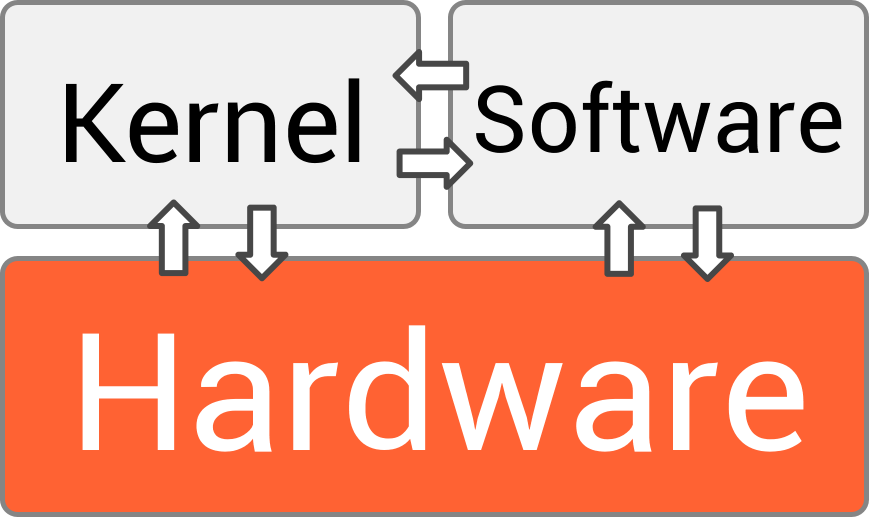
At the very heart is the kernel. This is the core of the OS, with complete control over everything in the system. It handles the most critical tasks, like process and memory management. It's the first part of the OS to load when your computer boots up and it remains running the entire time.
Next are device drivers. These are small pieces of software that act as translators. Each piece of hardware, like a printer or a graphics card, speaks its own unique language. A device driver translates the generic requests from the kernel into specific commands that the hardware can understand.
Finally, there's the user interface (UI). This is the part of the OS you actually interact with. It can be a Graphical User Interface (GUI), with windows, icons, and menus, like you see in Windows or macOS. It can also be a Command-Line Interface (CLI), where you type text commands, which is common on servers and for developers using systems like Linux.
Ready to check your understanding of these foundational concepts? Let's see what you've learned.
What is the primary role of an operating system, using the orchestra analogy?
When you have multiple applications running simultaneously, the OS rapidly switches the CPU's attention between them. This function is known as ______.
Understanding these basic building blocks is the first step to seeing how modern computers perform their digital magic. Every click, every keystroke, and every pixel on your screen is managed by this powerful, unseen software.