Operating System Essentials
Introduction to Operating Systems
The Computer's Conductor
Think of a computer's hardware—the CPU, memory, storage drives, and keyboard—as a talented orchestra. Each component is a skilled musician, capable of performing amazing feats. But without a conductor, all you'd have is noise. The operating system (OS) is that conductor. It's the master program that directs all the individual parts, ensuring they work together harmoniously to perform the symphony you request, whether that's browsing the web, writing an email, or playing a game.
An operating system is a program that controls the execution of application programs and acts as an interface between the user of a computer and the computer hardware.
At its core, the OS is a layer of software that sits between you and the physical machine. You don't directly tell the CPU what to do; you interact with an application, and the application asks the OS for resources. The OS then translates those requests into instructions the hardware can understand. This setup frees application developers from needing to know the specific details of every possible hardware configuration.

Core Responsibilities
The OS isn't just a simple messenger. It's a busy manager juggling several critical tasks at once to keep your computer running smoothly and efficiently. We can break its main duties down into four key areas.
- Process Management
- Memory Management
- File Systems
- Input/Output (I/O) Operations
Let's look at each of these jobs more closely.
Juggling Programs
When you run a program, you create a process. If you're listening to music while writing a document and receiving email alerts, you have at least three processes running simultaneously. The OS is in charge of managing all of them.
Process
noun
A program that is currently being executed by the computer.
The CPU can only execute one instruction at a time, so how can you do multiple things at once? The OS performs a clever trick. It rapidly switches the CPU's attention between different processes, giving each one a tiny slice of time. This happens so fast—thousands of times per second—that it creates the illusion of multitasking. This job of deciding which process gets to run and for how long is called scheduling. It’s a crucial function for ensuring your system feels responsive.
Managing Resources
Next up is memory management. Your computer's main memory, or RAM, is like a temporary workspace. When you open an application, the OS finds an empty spot in RAM and allocates it to that process. This is where the program's instructions and the data it's working on are stored for quick access by the CPU.
The OS has two primary goals here. First, it must keep track of which parts of memory are in use, by which process, and which are free. Second, and more importantly, it must protect processes from each other. The OS sets up boundaries so that your web browser can't accidentally interfere with your word processor's memory, which would cause crashes and instability.
This memory protection is a cornerstone of modern operating systems, preventing a single faulty program from bringing down the entire system.
The OS also handles your computer's long-term storage through its file system. A file system is the structure the OS uses to organize data on a storage device like a hard drive or SSD. Think of it as a library's card catalog. It keeps track of where every file is located, who has permission to access it, and other details like its name and size. Without a file system, your drive would just be a massive, jumbled collection of data with no way to find anything specific.
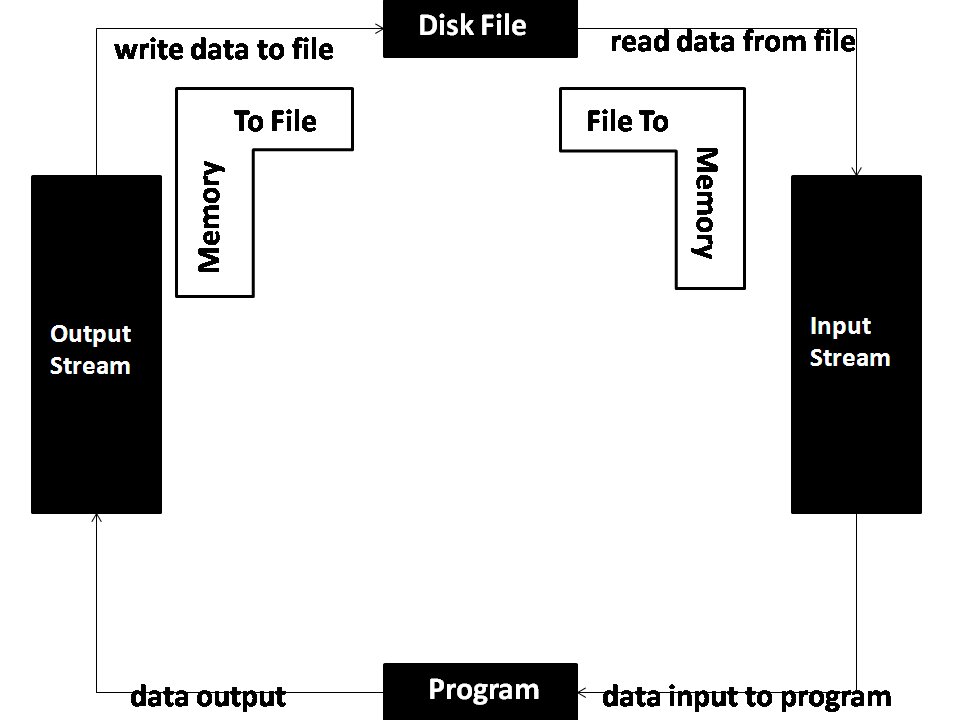
Finally, the OS manages all input and output (I/O) operations. Every time you type on your keyboard, move your mouse, or print a document, the OS is working behind the scenes. It uses special programs called drivers to communicate with each piece of hardware. This abstracts away the complexity of the hardware. Your word processor doesn't need to know how to talk to every model of printer in the world; it just tells the OS, "print this," and the OS figures out the rest.
What is the primary role of the operating system (OS) in a computer?
The operating system creates the illusion of multitasking by rapidly switching the CPU's attention between different processes. This management task is known as __________.
The operating system is the unsung hero of computing. By managing processes, memory, files, and hardware, it provides a stable and consistent platform that allows software to run and users to get their work done, all without needing to know the complex details happening under the hood.