Operating System Essentials
Introduction to Operating Systems
What Is an Operating System?
Think of an operating system, or OS, as the general manager of your computer. It’s the essential software that directs all the hardware and other software. Without an OS, a computer is just a collection of silent, inactive parts. It wouldn't know how to start up, run your favorite app, or even save a file.
An Operating System (OS) is a system software that manages computer hardware, software resources, and provides common services for computer programs.
The OS acts as a crucial intermediary. You tap an icon on your phone, and the OS translates that tap into instructions the hardware can understand. It tells the processor what to do, pulls the app's data from memory, and displays the result on your screen. Every single action, from typing a letter to connecting to Wi-Fi, is managed by the operating system.

The Three Main Jobs of an OS
While an OS does countless things, its responsibilities can be grouped into three main categories.
1. Resource Management: A computer has limited resources: processor time, memory (RAM), and storage space. If you have multiple applications running, the OS acts like a traffic cop. It decides which program gets to use the processor and for how long, allocates memory to each app, and manages how files are read from and written to your hard drive. This ensures that everything runs smoothly and programs don't interfere with each other.
Without this careful management, your computer might slow to a crawl or crash if one program tried to use all the memory.
2. Providing a User Interface: The OS provides the environment you see and interact with. This could be a Graphical User Interface (GUI), with its windows, icons, and menus, which is what most of us use on our desktops and phones. It could also be a Command-Line Interface (CLI), where you type text commands to get the computer to do things. The interface is your gateway to controlling the machine.

3. System Security and Control: The OS is also the system's security guard. It controls who can access the computer through user accounts and passwords. It also establishes a set of rules for what software can do, preventing a buggy or malicious program from accessing another program's memory or corrupting important system files. This separation and protection are fundamental to keeping your data safe and your computer stable.
A Quick History
The earliest computers didn't have operating systems. Programmers had to manually load their programs using punch cards or toggle switches, a slow and painstaking process. Each user had complete control of the machine for the duration of their task.
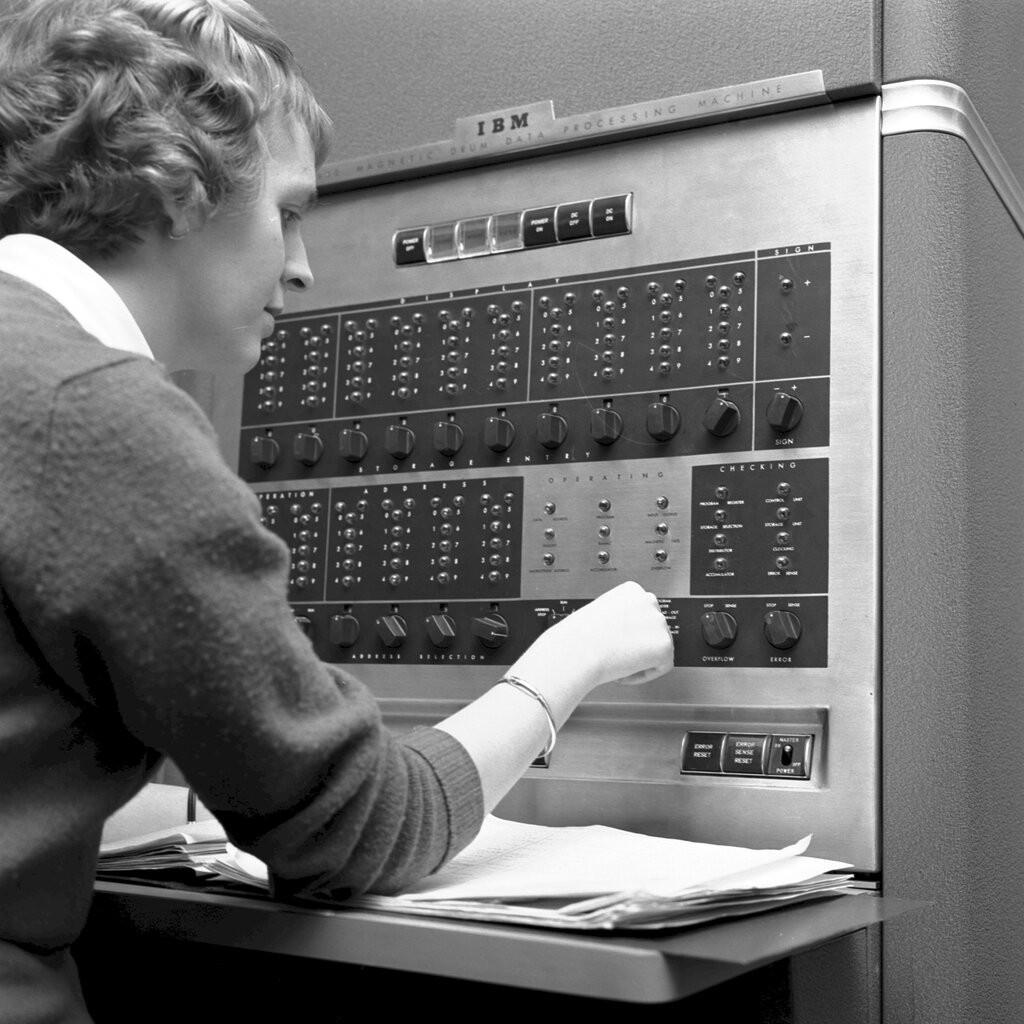
As computers became more powerful, this wasn't efficient. The first simple operating systems emerged in the 1950s to manage this workflow, automatically running one job after another in a "batch."
The big leap came with the rise of personal computing in the 1970s and 80s. Operating systems like MS-DOS provided a command-line interface for home users. Then, Apple's Macintosh and later Microsoft's Windows introduced the GUI to the masses, making computers far more intuitive and accessible.
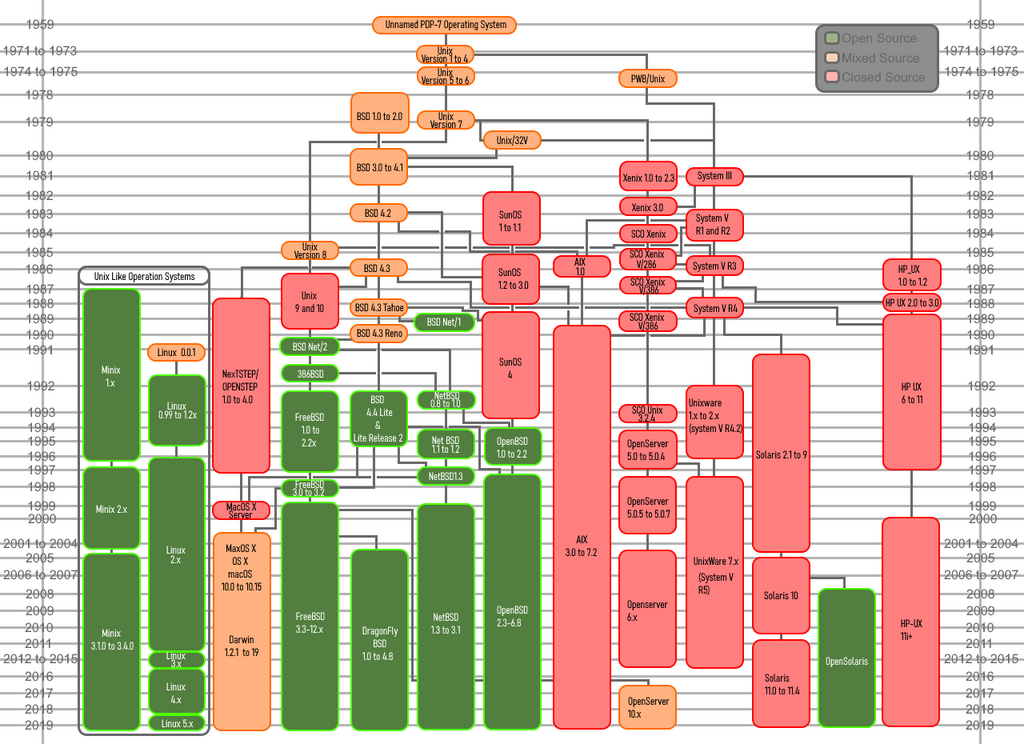
Today, operating systems are more complex and varied than ever, powering everything from massive servers to the tiny computer in your watch. They have evolved to manage networking, multitasking, and a vast ecosystem of applications.
The OS in Modern Computing
Operating systems are the invisible foundation of our digital lives. Your laptop runs an OS like Windows, macOS, or a Linux distribution. Your smartphone uses iOS or Android. But it doesn't stop there. Smart TVs, cars, gaming consoles, and even smart home devices like thermostats and refrigerators all run specialized operating systems.
In our connected world, the OS also manages network connections, synchronizes data with the cloud, and handles constant updates to keep the system secure and efficient. It's a dynamic, ever-working piece of software that makes modern computing possible.
Time to check your understanding of these core concepts.
What is the primary role of an operating system?
The very first operating systems, developed in the 1950s, were created to solve which efficiency problem?
Now you know what an operating system is and the critical role it plays in making our devices work. It's the tireless manager that turns a complex piece of hardware into a useful, interactive tool.