Operating System Essentials
Introduction to Operating Systems
The Computer's Conductor
Think of a computer's hardware—the processor, memory, and storage—as a talented orchestra. Each instrument can create amazing sounds, but without a conductor, all you'd hear is noise. An operating system (OS) is that conductor. It's the core software that directs all the hardware and software, ensuring every part works together in harmony.
An Operating System (OS) is a system software that manages computer hardware, software resources, and provides common services for computer programs.
Without an OS, every application developer would need to write code to directly control the screen, read keystrokes, and save files to a specific spot on the hard drive. This would be incredibly complex and inefficient. The OS provides a stable, consistent environment so that an application, like a web browser, doesn't need to know the specific brand of your graphics card to display a webpage. It simply asks the OS to do it.
A System of Layers
A computer system is organized into layers, with each layer building on the services provided by the one below it. At the very bottom is the physical hardware. On top of that sits the operating system, which manages the hardware. Application programs run on top of the operating system, and finally, we, the users, interact with the applications.
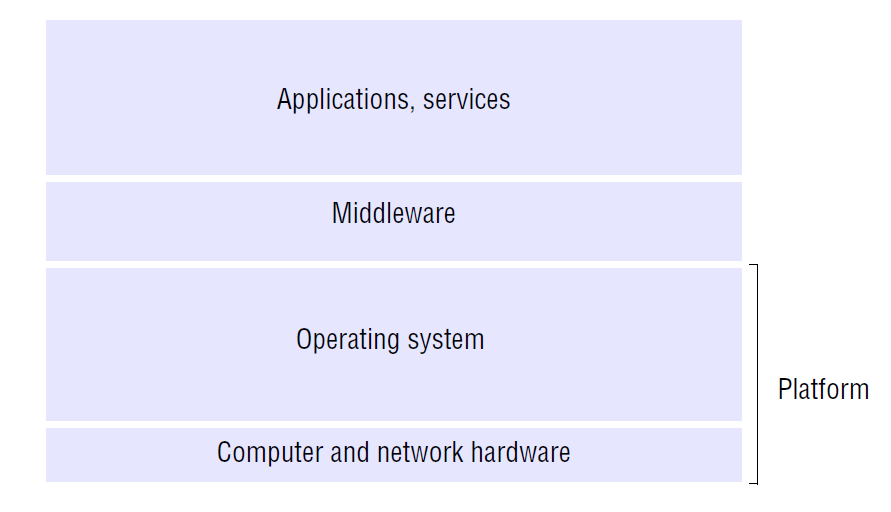
Let's break down the layers:
- Hardware: This is the physical stuff you can touch—the CPU, memory (RAM), storage drives, keyboard, and monitor. It provides the basic computing resources.
- Operating System: The OS controls and coordinates the use of the hardware among various applications and users. It's the foundational software that makes the computer usable.
- Application Programs: These are the tools you use to get things done, like word processors, web browsers, games, or spreadsheets. They solve specific problems for the user.
- Users: People, machines, or other computers that interact with the applications.
Each layer uses the services of the layer below it, creating a chain of command from the user down to the physical hardware.
The Resource Manager
A computer has limited resources: a certain amount of processing power, a finite amount of memory, and a fixed amount of storage space. One of the OS's most important jobs is to act as a resource manager, deciding how these resources are allocated to different programs and users. It's like a traffic cop at a busy intersection, directing the flow to prevent chaos and ensure fairness.
When you run multiple applications at once, like listening to music while writing an email, the OS is rapidly switching the CPU's attention between them. This happens so fast that it seems like they're running simultaneously. The OS also manages memory, ensuring that the email application doesn't accidentally overwrite the data being used by the music player. It keeps track of every file on your storage drives and controls all your devices, from the printer to your webcam.
In the analogy of a computer system as an orchestra, what role does the operating system play?
True or False: Without an operating system, application programs would need to include code to directly control specific hardware components like the graphics card.
In short, the operating system creates a usable computer. It provides the essential bridge between the powerful but complex hardware and the applications we use every day.