Operating System Development
Bootloader Foundations
The First Spark of Life
When you press the power button on your computer, you set off a chain of events. Before any operating system like Windows, macOS, or Linux starts, a more fundamental program takes control. This program is the BIOS, and it lives on a special chip on the motherboard.
BIOS
noun
Short for Basic Input/Output System. It's the first software your computer runs. Its job is to wake up the hardware components, test them to make sure they're working, and then hand over control to the operating system.
The BIOS performs a quick health check on your system called the Power-On Self-Test (POST). It checks your memory, processor, and other critical hardware. You might see a manufacturer's logo or some text flash on the screen during this phase.
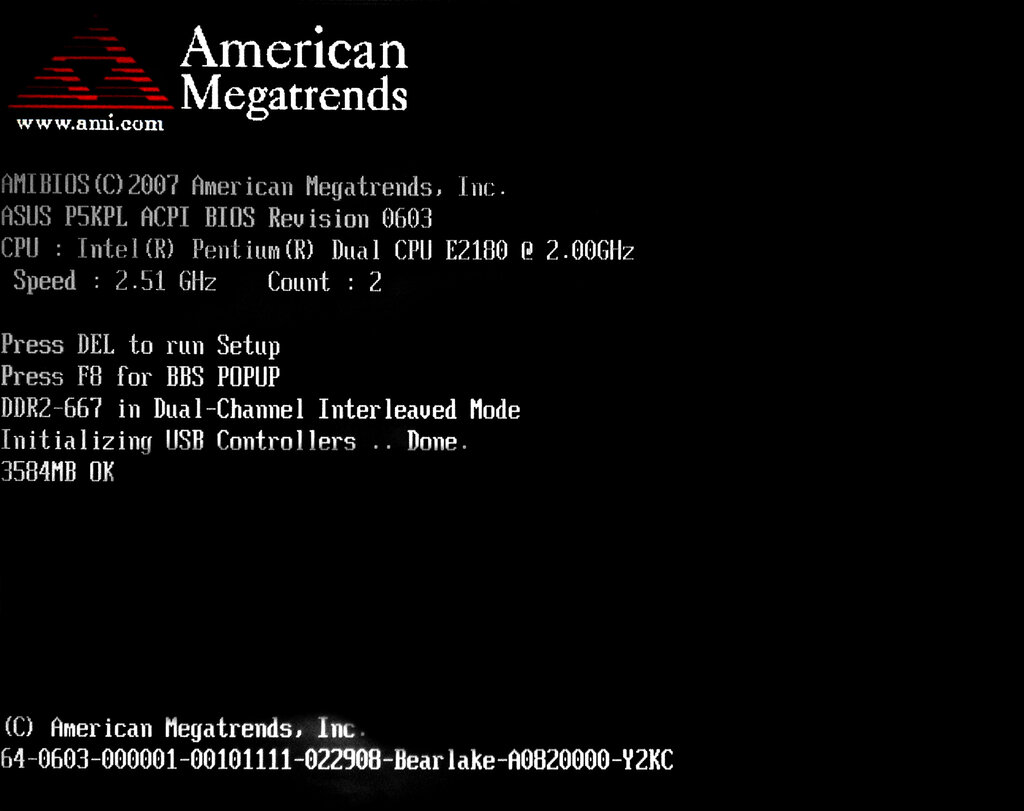
Once the POST is complete, the BIOS has one final, crucial job: find something to boot. It scans your storage devices—hard drives, SSDs, or USB drives—in a pre-set order, looking for a special program that can continue the startup process.
The Master Boot Record
The BIOS looks for a very specific thing: a Master Boot Record or MBR. The MBR is a tiny section, just 512 bytes, located at the very beginning of a storage device. Think of it as the front door to all the software on your drive. Because it's so small, its code has to be incredibly efficient.
How does the BIOS know if a drive contains a valid MBR? It checks the very last two bytes of that 512-byte sector. If these two bytes contain the value 0xAA55 (a specific number in hexadecimal), the BIOS trusts it. This is often called a "magic number" or a boot signature. If the number is correct, the BIOS copies the MBR's code into memory and tells the CPU to start running it. If not, it moves on to the next device.
Waking Up in Real Mode
When our bootloader code begins to run, the computer's processor is in a very primitive state called . This is a backward-compatible mode that makes a modern CPU behave like the very early Intel 8086 processor from the 1970s. In Real Mode, the CPU can only access 1 megabyte of memory. That's it. There is no memory protection, and multitasking isn't possible.
To address memory in this limited state, the CPU uses a system of segments and offsets. A physical memory address is calculated by taking a segment value, multiplying it by 16, and adding an offset.
This is the world our bootloader is born into. We have 512 bytes of space, 1MB of memory to work with, and a CPU that's not yet running at its full potential. So, how do we do anything useful, like printing a message to the screen?
Talking to the Hardware
We can't just write to a screen location directly. In Real Mode, our only way to communicate with hardware is through BIOS interrupts. These are a set of services that the BIOS provides for basic tasks. You can think of them as a limited API for the hardware. An interrupt tells the CPU to pause what it's doing, jump to a special BIOS routine, perform a task, and then return to our code.
mov ah, 0x0e   ; Tell the BIOS we want to write a character
mov al, 'H'    ; The character to write
int 0x10       ; Call the video services interrupt

mov al, 'i'    ; The next character
int 0x10       ; Call the interrupt again
The most common interrupt for screen operations is int 0x10. By loading specific values into the CPU's registers before calling int 0x10, we can tell the BIOS to do things like move the cursor or, in this case, print a single character. By calling this interrupt repeatedly, we can print a whole string. This allows us to give the user feedback before our full operating system kernel is even loaded.
What is the first program that runs when you power on your computer, before the operating system loads?
How does the BIOS verify that a storage device contains a valid Master Boot Record (MBR)?