OpenShift Container Platform Essentials
Introduction to Containers
The “It Works on My Machine” Problem
Every developer knows the feeling. You finish a piece of software, test it thoroughly on your computer, and everything runs perfectly. Then you hand it over to a colleague or deploy it to a server, and suddenly, it breaks. This is often followed by the classic excuse: “But it works on my machine!”
The problem is that different computers have different environments. Your machine might have a specific version of a programming language, a certain library installed, or a unique configuration setting that the server doesn't. These small differences can cause big problems.
For decades, this was a huge headache in software development. Then, an idea from a much older industry provided a solution: standardization.
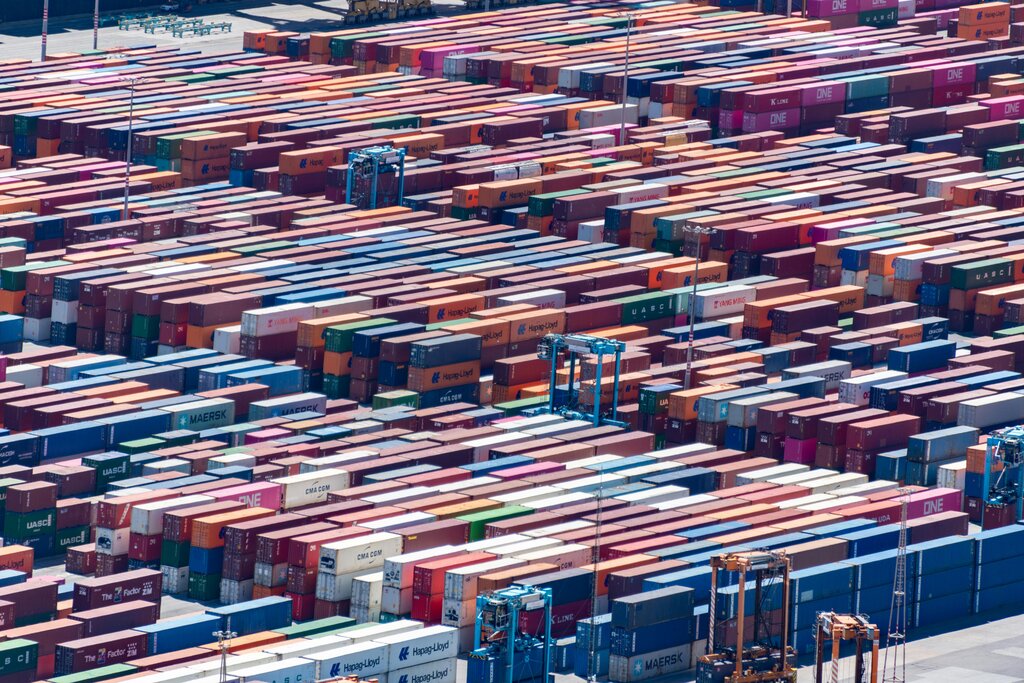
Before the 1950s, shipping goods was a chaotic process. Goods of all shapes and sizes were loaded onto ships individually. It was slow, inefficient, and expensive. The invention of the standardized shipping container changed everything. Now, goods are packed into identical boxes that can be easily moved between ships, trains, and trucks.
Software containers do the same thing for applications.
A container is a standard unit of software that packages up code and all its dependencies so the application runs quickly and reliably from one computing environment to another.
This package includes everything the application needs to run: the code itself, system tools, libraries, and settings. By bundling everything together, the container creates a small, isolated environment. It doesn't matter if you're moving it from a developer's laptop to a testing server or a production cloud environment; the application will run the same way every time.
Why Use Containers?
Containers offer several major advantages over traditional ways of deploying software. They are lightweight, portable, and efficient.
Think about the old way of solving the environment problem: Virtual Machines (VMs). A VM is an entire computer system emulated in software. It has its own operating system, which takes up gigabytes of space and can be slow to start. If you have five applications, you might need five separate VMs, each with its own guest OS.
Containers, on the other hand, share the host machine's operating system kernel. They don't need a full guest OS, which makes them much smaller and faster. You can run many containers on the same machine that could only handle a few VMs.
| Feature | Virtual Machines (VMs) | Containers |
|---|---|---|
| Isolation | Full OS isolation | Process-level isolation |
| Size | Gigabytes | Megabytes |
| Startup Time | Minutes | Seconds |
| Resource Usage | High (full guest OS) | Low (shared host OS kernel) |
| Portability | Less portable | Highly portable |
This efficiency leads to key benefits:
- Consistency: The “it works on my machine” problem is solved. An application in a container runs the same way everywhere.
- Scalability: Need to handle more traffic? Just launch more identical containers. It's fast and simple.
- Resource Efficiency: Because they're so lightweight, you can run more applications on the same hardware, saving costs.
Introducing Docker
While the idea of containers has been around for a while, a company called Docker made them easy to use and accessible to everyone. Docker is an open-source platform for building, shipping, and running applications inside containers.
Docker is a pivotal technology in the world of DevOps, enabling developers to create, deploy, and run applications in containers.
Docker simplifies the entire process with a few key concepts. The two most important are images and containers.
An image is a template, like a blueprint or a recipe. It's a read-only file that contains all the instructions for creating a container. It specifies the code, libraries, and settings needed.
A container is a runnable instance of an image. When you run an image, you create a container. You can create many containers from the same image, just like you can bake many cookies from the same recipe.
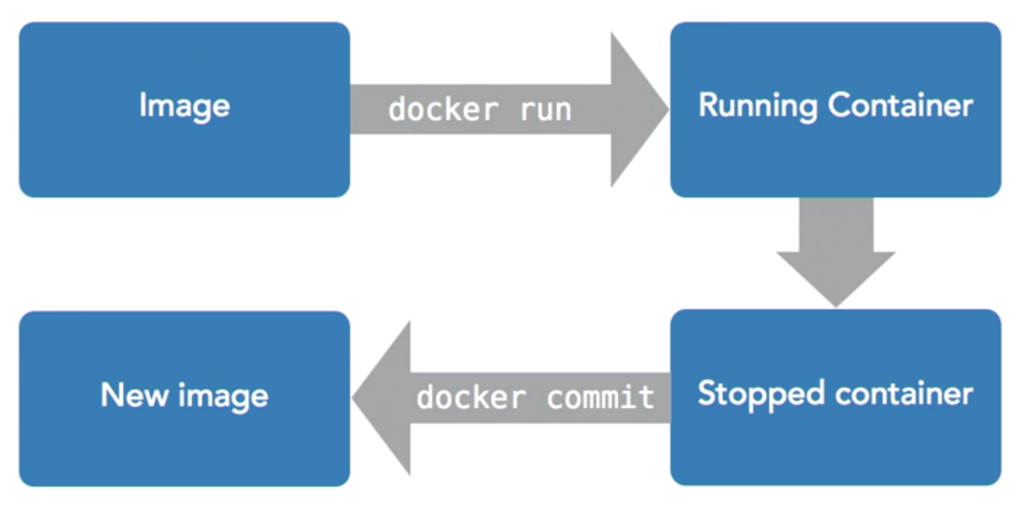
The tool that manages all of this is the Docker Engine. It’s a client-server application that builds and runs containers. The developer uses simple commands to interact with the Docker Engine, which does all the heavy lifting.
Now it's time to check what you've learned.
What is the primary cause of the “it works on my machine” problem in software development?
What is the key architectural difference between a software container and a Virtual Machine (VM)?
By packaging applications into these standardized, portable units, containers and tools like Docker have fundamentally changed modern software development.