OAuth 2.0 for Mobile Apps and SAML
Introduction to OAuth 2.0
The Valet Key for Your Data
Imagine you're at a fancy hotel. You hand the valet your car key, but it's a special valet key. It can unlock the doors and start the engine, but it can't open the trunk or the glove compartment where you keep your valuables. You've given the valet limited permission to do a specific job: park your car.
OAuth 2.0 works on a similar principle. It's a framework that allows third-party applications to access your data from another service without you having to hand over your username and password. Instead of giving away the master key to your entire digital life, you grant specific, limited permissions.
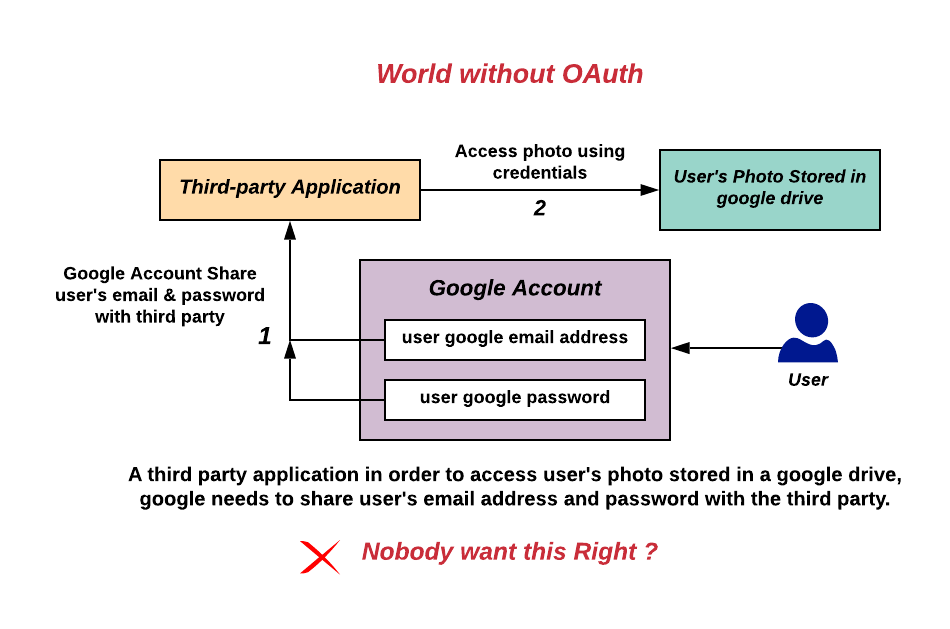
This process is called delegated authorization. You, the user, are delegating the authority to access certain resources to a third-party application. The app never sees your credentials. It just gets a temporary token that acts like that valet key, with a clear set of limitations on what it's allowed to do.
The Key Players
The OAuth 2.0 process involves four main roles. Understanding each one helps clarify how the whole system works together to keep your data secure.
| Role | Description | Example |
|---|---|---|
| Resource Owner | The person who owns the data. | You, the user. |
| Client | The application that wants to access the data. | A photo-editing app that wants to access your Google Photos. |
| Authorization Server | The server that asks the Resource Owner for permission and issues access tokens. | The "Sign in with Google" pop-up window. |
| Resource Server | The server that hosts the protected data. | The Google Photos API. |
These four parties communicate in a specific sequence to ensure that access is granted securely.
How Permission is Granted
Not all applications need to request access in the same way. OAuth 2.0 defines several methods, called "grant types," for different scenarios. These are the main patterns an application can follow to get an access token.
Authorization Code: This is the most common and secure method. It's used by web and mobile apps. The application receives a temporary, one-time-use code from the authorization server and then exchanges it for an access token. This happens on the back end, so the token is never exposed to the user's browser.
Implicit: A simpler but less secure flow designed for applications running entirely in a web browser (single-page applications). The access token is sent directly to the browser. This grant type is now considered outdated and has largely been replaced by the Authorization Code flow with an extension called PKCE.
Resource Owner Password Credentials: In this flow, the user provides their username and password directly to the client application, which then uses them to get an access token. This should only be used for highly trusted, first-party applications, as it defeats the main purpose of OAuth, which is to avoid sharing credentials.
Client Credentials: This grant type is for machine-to-machine communication where there's no user involved. The client application is accessing its own resources on a server, not a user's. For example, an application might use this to access its own data via an API.
Defining the Limits
When an application requests access, it doesn't just ask for a blank check. It has to specify exactly what it wants to do. This is handled by scopes.
Scopes are strings that define the specific permissions the application is requesting. For example, a calendar app might request the calendar.readonly scope to view your appointments and the calendar.write scope to create new ones. You, the resource owner, get to see these requested scopes and approve or deny them.
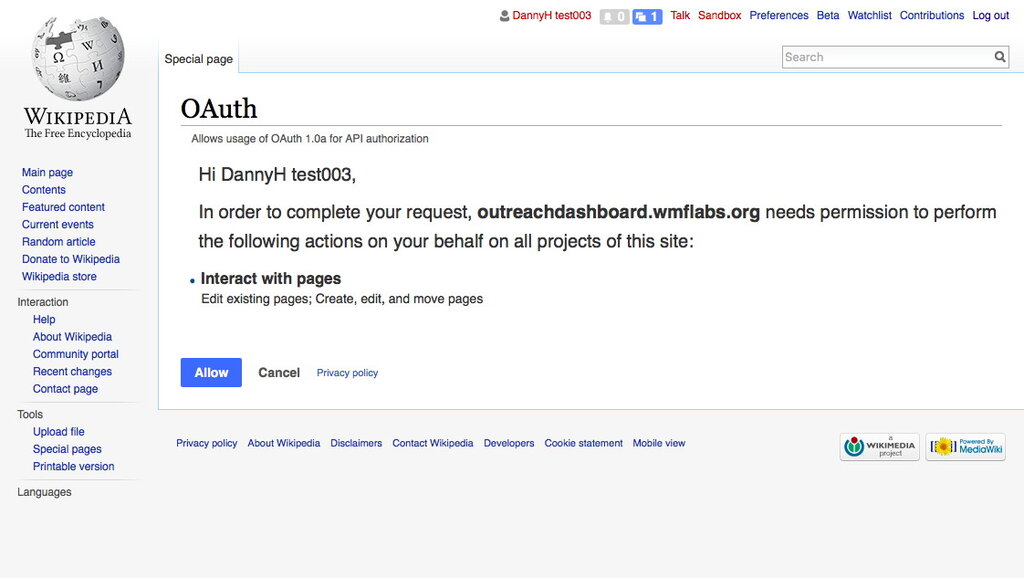
This is the final piece of the puzzle. Scopes ensure that even if you authorize an app, its access is limited to only what's necessary for it to function. The valet can park your car, but they can't access your personal belongings in the trunk.
What is the primary principle that OAuth 2.0 is built upon?
In the valet key analogy, what does the valet key itself represent?
By using these roles, grant types, and scopes, OAuth 2.0 provides a secure and flexible way for applications to interact without compromising user credentials.