Notion for Non-Profit Event Management
Introduction to Notion
What is Notion?
Think of Notion as a single, digital workspace where you can keep everything organized. Instead of jumping between different apps for notes, spreadsheets, and task lists, Notion brings it all together. For a non-profit managing event spaces, this means you can track bookings, manage client details, and plan events all in one place.
Notion has emerged as a powerful all-in-one workspace that combines the functionality of notes, databases, kanban boards, calendars, and more—all in a single, customizable interface.
The platform is built on a few simple but powerful concepts: pages, databases, and templates. Let's break down what each one does.
Your Digital Binder
The most basic building block in Notion is a page. A page is like a blank sheet of paper where you can type notes, add images, create checklists, and more. It's incredibly flexible.
You can also put pages inside other pages, creating a nested structure much like folders on a computer or dividers in a binder. This allows you to create a clean, organized hierarchy for all your information. For instance, you could have a main page called "Event Bookings" and then create a separate sub-page for each month or each client.

Databases Are Your Command Center
While pages are great for freeform information, databases are what make Notion truly powerful for management. A Notion database is essentially a collection of pages, organized like a spreadsheet but with far more capabilities.
Each row in a database is its own Notion page, where you can store all the detailed information about that item. The columns are called properties, which help you categorize and track specific data for each entry.
For managing a rental space, you could create a database with properties like:
- Event Name: The title of the event.
- Date: When the event will take place.
- Client Contact: Name and email of the organizer.
- Status: A tag like "Pending," "Confirmed," or "Canceled."
- Venue: Which room or space is booked.
- Rental Fee: The cost of the rental.
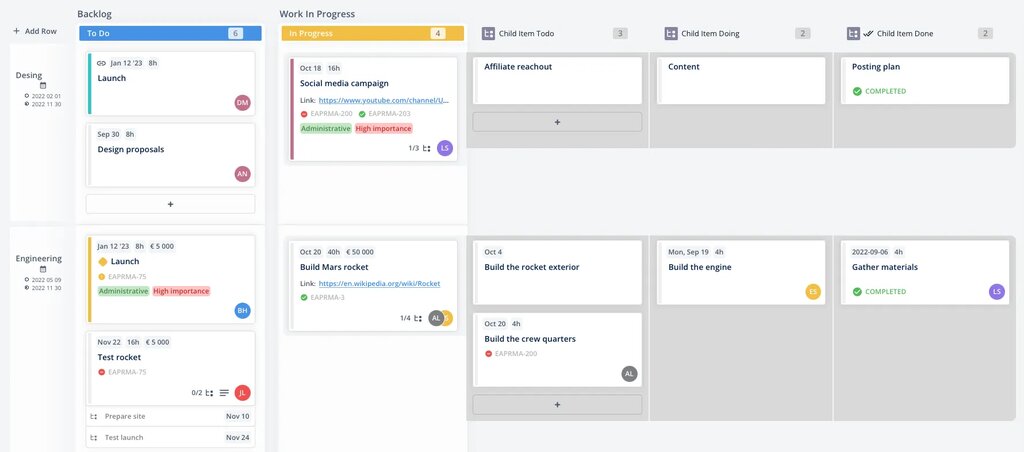
One of the best features is that you can view the same database in different ways. You can see your bookings as a standard table, a visual calendar, or a Kanban board to track their status from inquiry to completion. The underlying data stays the same, you just change how you look at it.
Templates Save You Time
You don't have to build everything from scratch. Notion offers templates, which are pre-built pages and databases designed for specific purposes. This helps you get started quickly and ensures consistency across your team's work.
Templates are a smart way to save time and keep consistency in Notion.
For example, you could create a "New Event Inquiry" template. Whenever you get a new request, you can instantly create a new page with all the necessary fields ready to be filled out, like client name, requested date, and event type. This streamlines your workflow and makes sure you don't miss any important details.
You can use Notion’s built-in templates or create your own to perfectly match your organization's needs.
Now you have a basic grasp of Notion's core components. It's time to put this knowledge to the test.
What is the most basic building block in Notion, often compared to a blank sheet of paper where you can add notes, images, and checklists?
True or False: In a Notion database, each row is its own separate Notion page.