Node.js Daemons in OpenClaw
Persistent Node Lifecycle
From Script to Service
When you run a simple Node.js script, it executes from top to bottom and then exits. The process ends. But an AI agent like OpenClaw can't just run once and stop. It needs to operate 24/7, waiting for commands from platforms like Discord or Telegram. This requires transforming the Node.js process from a temporary script into a persistent, long-running service, often called a daemon.
The secret to this persistence lies at the very core of Node.js: the event loop . Think of the event loop as a diligent manager who never goes home. It continuously checks a queue for new tasks to perform. As long as there's a potential task waiting somewhere in the future—like an incoming web request or a scheduled timer—the event loop keeps the process alive. It's the reason a Node.js web server doesn't shut down after serving a single page.
The Event Loop is the heart of the Node.js runtime.
For OpenClaw, this means the initial script sets up listeners for messaging platforms. These listeners register callbacks with the event loop, essentially telling it, "Hey, if a message ever comes in from Discord, run this function." With that work registered, the main part of the script might finish, but the event loop knows it has pending work, so it keeps the process running indefinitely.
The Boot Sequence
When OpenClaw starts, it performs a critical bootstrap sequence. This isn't just about running code; it's about setting up the agent's entire environment. The first step is loading configuration. Sensitive information like API keys for an LLM or a Telegram bot token aren't hardcoded. Instead, they're stored as environment variables.
Node.js makes these variables accessible through the global process.env object. A bootstrapping script will read values like process.env.OPENAI_API_KEY to configure its connections to external services. This keeps secrets out of the codebase and allows for different configurations in development and production.
// A simplified look at loading configuration
const { OpenAIApi } = require('openai');

// Load the API key from environment variables
const apiKey = process.env.OPENAI_API_KEY;

if (!apiKey) {
  console.error('API key not found!');
  process.exit(1); // Exit if config is missing
}

// Use the key to establish a connection
const openai = new OpenAIApi({ apiKey });

console.log('LLM connection configured.');
Once configured, OpenClaw initializes its connections. It establishes a link to the chosen LLM backend and opens persistent connections (like WebSockets or long polling) to messaging platforms. Each successful connection adds another pending task to the event loop, further ensuring the agent stays alive and ready to receive input.
Foreground vs. Background
If you run node index.js in your terminal, you're running a foreground process . Your terminal is occupied, and you can see logs printed directly to the screen. If you close the terminal window, the process is terminated. This is great for development and debugging but not for a production service.
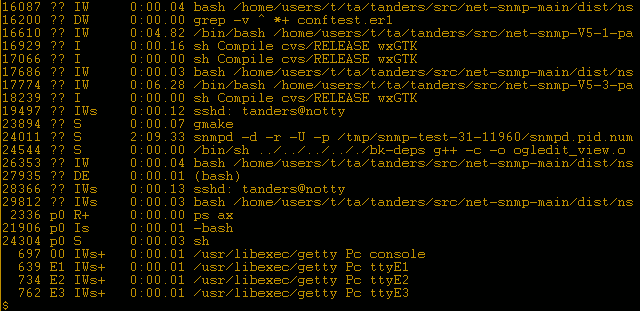
For 24/7 operation, OpenClaw must run as a background process or . A daemon runs independently of any terminal session. It's started by the operating system or a process manager and continues to run even if you log out. This ensures the AI agent is always on, listening for triggers. Tools like PM2 or systemd are commonly used to manage Node.js daemons. They handle starting the process automatically on system reboot, restarting it if it crashes, and managing logs.
Use a process manager like PM2 to keep Node.js apps running continuously, auto-restart on crashes, and start on reboot using pm2 startup and pm2 save.
This transition from a simple script to a managed background service is the key to creating a robust, persistent AI agent. The event loop provides the lifeblood, the boot sequence gives it purpose, and a process manager gives it resilience.
What is the key mechanism in Node.js that allows an application like an AI agent to run continuously instead of exiting after its initial script execution is complete?
How should sensitive information, like a Telegram bot token, be managed in a production Node.js application?