No-Code Website Remake
Website Basics
What Makes a Website?
At its core, a website is just a collection of files stored on a computer called a server. When you type an address into your web browser, you're telling the browser to go find those files and display them for you. Think of it like a digital document or a book. The main purpose is to share information, whether that's text, images, videos, or interactive tools.
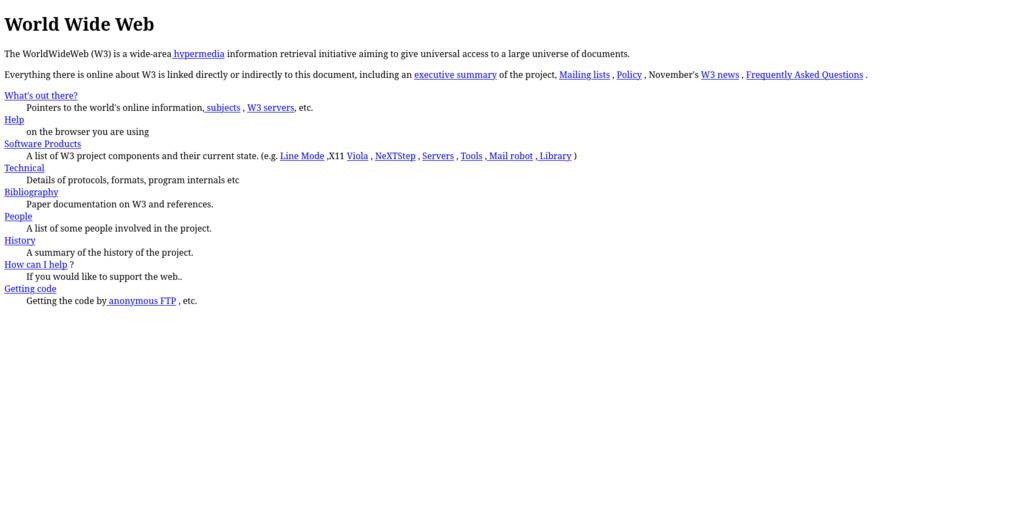
But what are these files made of? Websites are built using three core languages that work together. Understanding what each one does is the first step to understanding how the web works, even if you plan to use a no-code builder.
The Three Languages of the Web
A great way to think about these languages is to imagine building a house.
- HTML (HyperText Markup Language) is the structure. It's the foundation, the walls, the roof, and the doorways. It defines the different parts of your house, like a kitchen, a bedroom, and a bathroom.
- CSS (Cascading Style Sheets) is the decoration and style. It's the paint color, the furniture, the flooring, and the pictures on the wall. It makes the house look good.
- JavaScript (JS) provides the functionality. It's the electricity and plumbing. It lets you turn on the lights, open the garage door, or run water from the faucet. It makes the house interactive.
All three are needed to create a modern, functional website.
Let's look at a quick example. First, HTML provides the raw content and structure.
<h1>Welcome to My Site</h1>
<p>This is a paragraph of text.</p>
<button>Click Me</button>
On its own, that code looks very plain. Next, we add some CSS to give it color and change the layout.
h1 {
  color: navy;
}

button {
  background-color: skyblue;
  border: none;
  padding: 10px;
}
Now it looks better, but the button doesn't do anything. Finally, we add a little JavaScript to make the page interactive.
// This code is simplified for the example.

const button = document.querySelector('button');

button.addEventListener('click', () => {
  alert('Thanks for clicking!');
});
When you put all three together, you get a styled, interactive piece of a website.
From Files to Your Screen
So you have these files, but how do they get from a server to your computer and turn into a visual webpage? That's the job of two key things: a web host and a web browser.
A web host is a company that owns and manages servers, which are powerful computers that are always connected to the internet. You rent space on these servers to store your website's files. Think of this as the plot of land your house is built on.
Your domain name (like google.com or wikipedia.org) is the address to that plot of land. It's a unique, easy-to-remember name that points to the specific server where your files are stored.
When you type a domain name into your browser, it's like putting an address into a GPS. The browser uses the address to find the server and ask for the website's files.
Once the server sends the HTML, CSS, and JavaScript files back, your web browser (like Chrome, Firefox, or Safari) reads and interprets them. It follows the HTML for structure, applies the CSS for style, and runs the JavaScript for interactivity, rendering the final, visual website on your screen. This whole process happens in seconds.
No-code website builders are powerful because they handle all of this for you. They write the code, manage the hosting, and help you register a domain. But by understanding these core pieces, you'll have a much better sense of what's happening behind the scenes and how to make the most of the tools you use.
Ready to check your understanding? Let's try a few questions.
Using the analogy of building a house, what part of a website does CSS represent?
Which of the following tasks would be primarily handled by JavaScript?
With these fundamentals in mind, you're ready to explore how to bring your own ideas to life on the web.