Next.js for Beginners
Introduction to Web Development
How Websites Work
When you type a website address into your browser and hit Enter, you're kicking off a conversation. Your computer, acting as a client, sends a request out over the internet. This request travels to a powerful computer called a server, which is where the website's files are stored. The server finds the right files and sends them back to your browser. This all happens in a flash.
Think of it like a massive digital library. The server is the library building, storing all the books (websites). Your browser is a friendly robot that you send to fetch a specific book using its unique address (the URL). The internet is the network of roads that your robot travels on. The book it brings back is the webpage you see.

The files the server sends back are written in a few core languages that your browser understands. These languages work together to build the webpage you see and interact with.
The Building Blocks
Nearly every website you visit is built using three fundamental technologies: HTML, CSS, and JavaScript. They each have a distinct job, and it's helpful to think of them using a house analogy.
HTML is the foundation and walls, the structure of the house. CSS is the paint, furniture, and landscaping, the style and appearance. JavaScript is the electricity and plumbing, the interactive features.
Let's look at what each one does.
HTML for Structure
HTML stands for HyperText Markup Language. Its job is to give a webpage its structure and meaning. It tells the browser what kind of content it's looking at, whether it's a heading, a paragraph, a list, or an image. HTML uses tags to define these different pieces of content, which are called elements.
<!DOCTYPE html>
<html>
<head>
  <title>My First Page</title>
</head>
<body>

  <h1>Welcome!</h1>
  <p>This is a paragraph of text.</p>

</body>
</html>
In this example, <h1> tells the browser "this is a top-level heading," and <p> says "this is a paragraph." This is the skeleton of the page. Without it, you just have a jumble of text.

CSS for Style
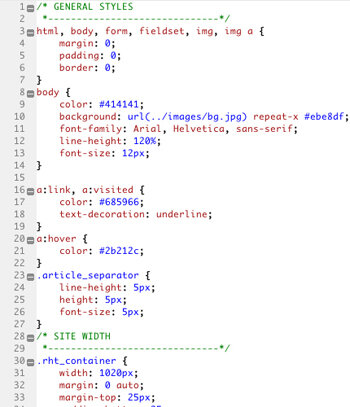
CSS, or Cascading Style Sheets, is the language for describing the presentation of a webpage. If HTML is the what, CSS is the how it looks. It handles colors, fonts, spacing, layout, and even simple animations. You write CSS rules to select HTML elements and apply styles to them.
body {
  font-family: sans-serif;
  background-color: #f0f0f0;
}

h1 {
  color: #005a9c;
  text-align: center;
}

p {
  font-size: 16px;
  line-height: 1.5;
}
This CSS code tells the browser to make the <h1> element blue and center it, and to set the font size for the <p> elements. By separating the styling from the structure, you can change the entire look of a site without touching the HTML.
JavaScript for Interactivity
JavaScript is a programming language that brings websites to life. While HTML and CSS create static pages, JavaScript makes them interactive. It allows you to create dynamic content, control multimedia, animate images, and much more. If you've ever clicked a button that revealed more content, or filled out a form that gave you instant feedback, you've seen JavaScript in action.
// Get the button element from the HTML
let myButton = document.querySelector('button');

// A function to run when the button is clicked
function showAlert() {
  alert('Hello, world!');
}

// Tell the button to run the function on click
myButton.onclick = showAlert;
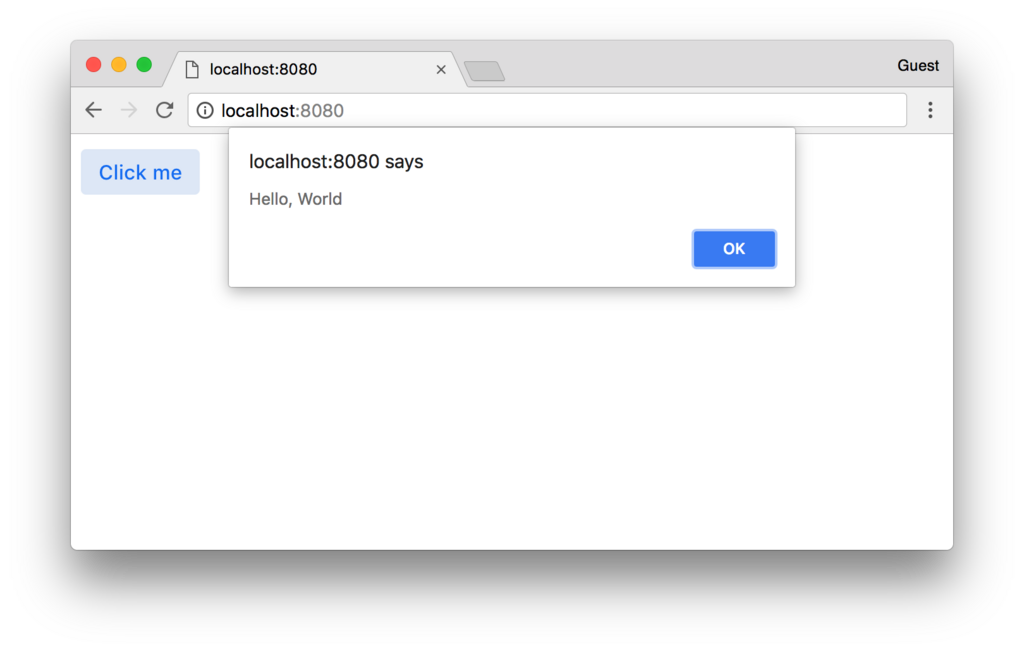
This simple script finds a button on the page and tells it to show a pop-up message when clicked. It's this ability to respond to user actions that makes modern web applications so powerful.
Putting It All Together
So, how does the browser take these three languages and turn them into a webpage? The process is called rendering.
First, the browser reads the HTML file to understand the page's structure, creating something called the Document Object Model (DOM). Think of the DOM as a family tree of all the elements on the page.
Next, it parses the CSS. The browser takes all the style rules and figures out which ones apply to which elements in the DOM.
Finally, it runs the JavaScript code. The JavaScript can interact with both the content (DOM) and the styles, changing them on the fly in response to user actions.
The browser then paints the final, styled, and interactive page onto your screen.
Understanding these core components is the first step on the path to web development. Every complex web application, from social media sites to online stores, is built on the foundation of HTML, CSS, and JavaScript working together in your browser.
What is the primary role of a server when you visit a website?
Using the 'house' analogy, what part of a webpage does HTML represent?