Networking Hardware Switches vs Routers Explained
Networking Basics
What Is a Network?
At its core, a computer network is simple: it’s two or more computers connected so they can share resources. Think of it like a conversation. For a conversation to happen, people need a way to connect and a common language to speak. Computers are the same.
This connection allows them to share things like files, printers, or a single internet connection. The group of computers in your office or the devices connected to your home Wi-Fi are both examples of networks.

Making this happen requires two key ingredients: physical hardware to create the connections and a set of rules, or protocols, that govern how the computers talk to each other. Without both, you just have a room full of silent machines.
The Hardware
Every device on a network needs a piece of hardware to connect. This is usually a Network Interface Card, or NIC. It's the physical port on your computer where you plug in a network cable or the internal chip that allows it to connect to Wi-Fi.
Network Interface Card
noun
A hardware component that connects a computer to a computer network.
These NICs are then connected, often with Ethernet cables, to central devices like switches. A switch is a box with many ports that acts like a traffic cop for devices on the same local network. It makes sure a message sent from your computer gets to the printer, and not to your coworker’s laptop.
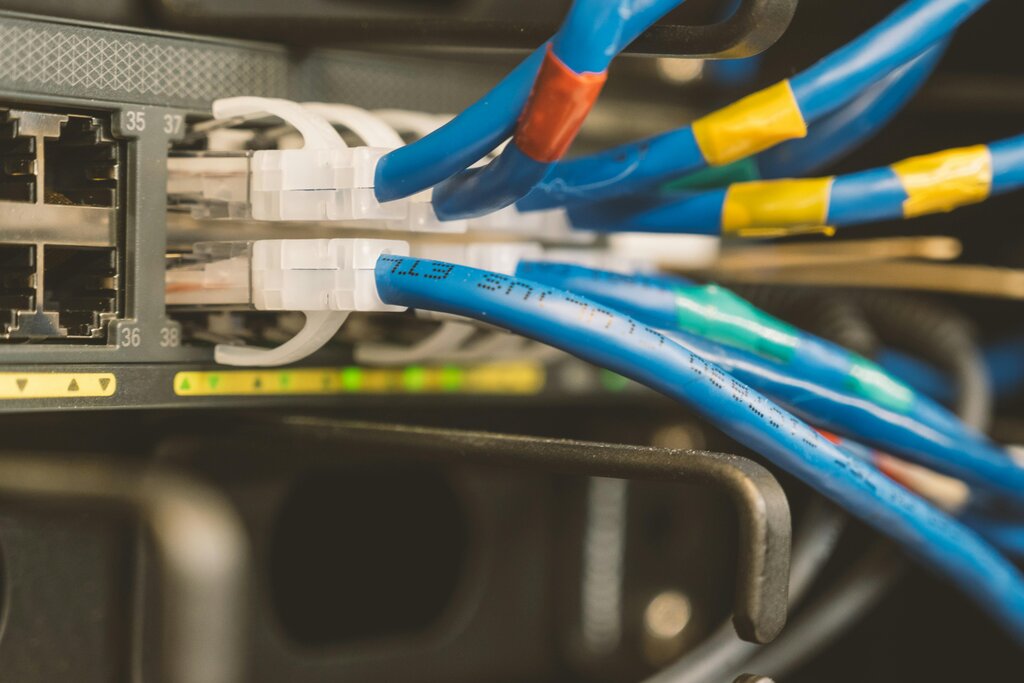
But what if you want to send a message to a computer on a different network, like a website on the internet? That's where a router comes in. A router's job is to connect different networks together. These hardware pieces are the physical foundation of any network.
A Framework for Communication
With all this hardware connected, how does data actually get from point A to point B? To standardize this complex process, engineers created the Open Systems Interconnection (OSI) model. It’s a conceptual framework that breaks down the job of network communication into seven distinct layers.
Think of it like building a car. You have different teams working on the engine, the chassis, and the electronics. Each team focuses on their specific job, but they all work together to create a functioning car. The OSI model does the same for networking. Each layer has a specific task, and it provides services to the layer above it while using services from the layer below it.
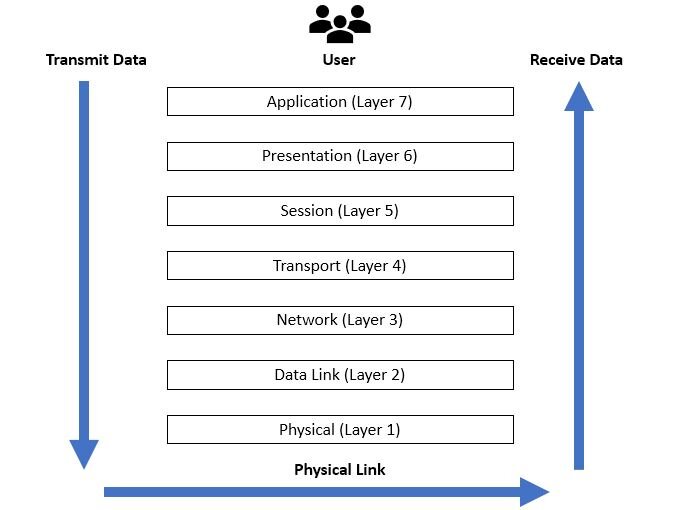
We won't dive into all seven layers, but to understand switches and routers, we need to focus on two: Layer 2 and Layer 3.
Layer 2 The Data Link Layer
The Data Link Layer is all about communication between devices on the same local network. Its primary job is to handle the physical addressing of devices. Every Network Interface Card has a unique, hard-coded address called a MAC (Media Access Control) address. It's like a serial number for your network hardware.
The Data Link Layer uses MAC addresses to send data between devices on the same network.
At this layer, data is organized into units called frames. When your computer wants to send data to another device on the local network, it creates a frame containing the recipient's MAC address and sends it to the switch. The switch reads this MAC address and forwards the frame only to the port connected to the destination device. This is why network switches are considered Layer 2 devices. They make decisions based on MAC addresses.
Layer 3 The Network Layer
The Network Layer takes a bigger-picture view. Its job is to move data between different networks. This is the layer where routing happens, and it's what makes the internet possible.
Instead of physical MAC addresses, the Network Layer uses logical addresses called IP (Internet Protocol) addresses. Unlike a MAC address, an IP address isn't tied to the hardware. It's assigned to a device and can change. Part of the IP address identifies the network the device is on, and the other part identifies the device itself.
The Network Layer uses IP addresses to route data between different networks.
Data at this layer is organized into packets. When you want to visit a website, your computer creates a packet with the website's IP address. This packet is sent to your router. The router, a Layer 3 device, examines the destination IP address and determines the best path to send the packet along to get it to the correct network. It might hop through several other routers on the internet before reaching its final destination.
| Layer | Name | Primary Function | Address Used | Key Device |
|---|---|---|---|---|
| Layer 2 | Data Link | Communication on the same network | MAC Address | Switch |
| Layer 3 | Network | Communication between different networks | IP Address | Router |
Understanding the distinction between these two layers is the key to understanding networking. Layer 2 handles local conversations, while Layer 3 manages the long-distance calls that connect networks all over the world.
What is the primary purpose of a computer network?
A network switch operates at Layer 2 of the OSI model and makes forwarding decisions based on which type of address?