Navigating Online Learning Platforms
Understanding Online Learning Platforms
Your Learning Hub
Most online courses live on a website called a Learning Management System, or LMS. Think of it as your digital campus. When you log in, the first thing you'll likely see is the dashboard. This is your command center.
The dashboard gives you a bird's-eye view of your learning world. It typically shows all the courses you're enrolled in, important announcements from instructors, and a calendar with upcoming deadlines. It’s designed to help you get organized and see what needs your attention at a glance.
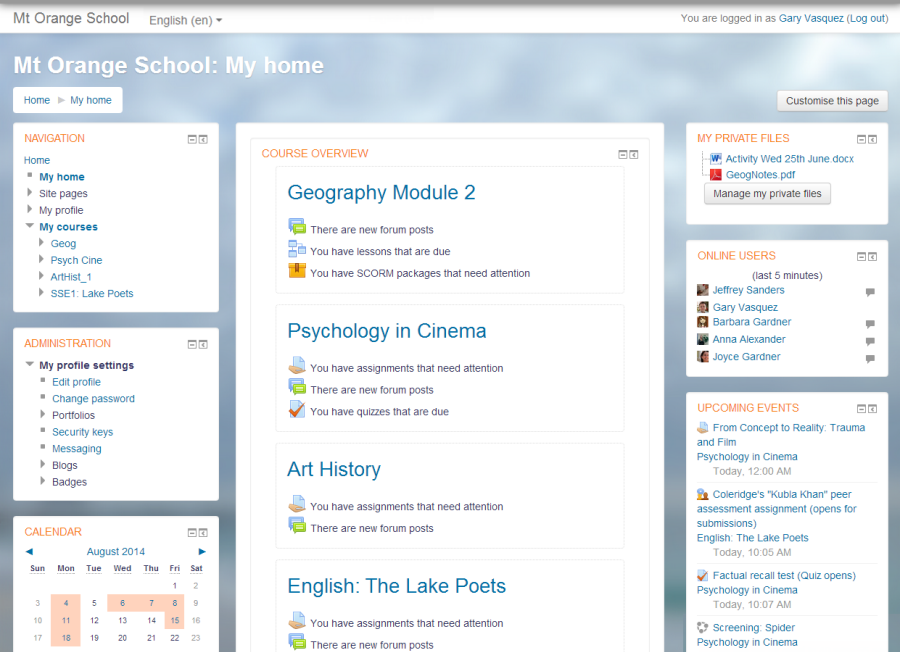
From the dashboard, you can jump into any of your courses. Once inside a course, you'll need to find your way around to access lessons, assignments, and other resources.
Finding Your Way Around
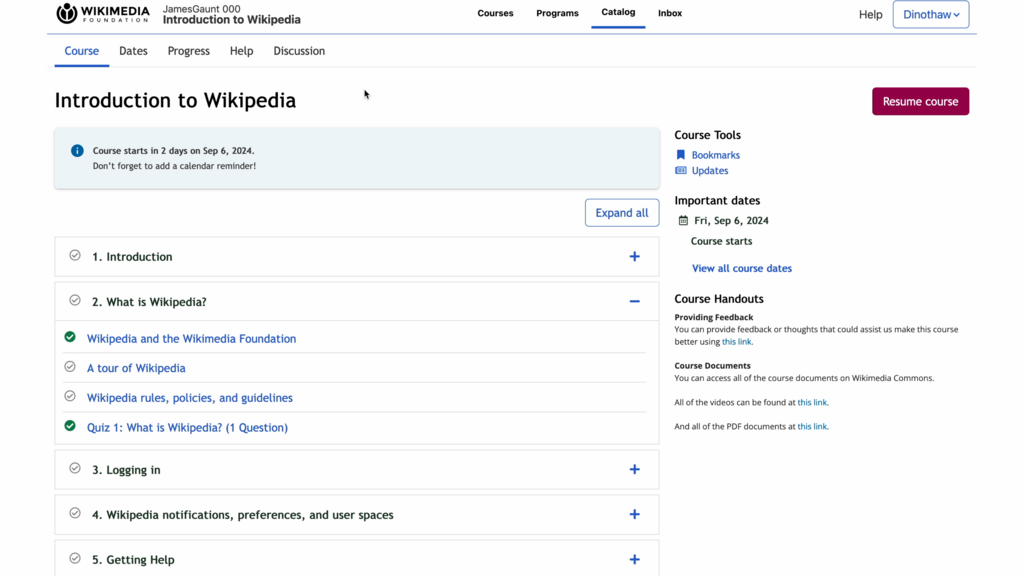
Every online course has a navigation menu to guide you. This menu acts like a table of contents, laying out the structure of the course. You might find it at the top of the page or along the side.
While the exact layout varies, these menus usually contain links to key areas:
- Course Content: This is where you'll find your lessons, often organized into modules, weeks, or topics.
- Assignments: A dedicated section for submitting your work and seeing due dates.
- Grades: Check your performance on quizzes and assignments.
- Discussions: A forum to interact with your instructor and fellow learners.
- Announcements: Important updates about the course.
Tracking Your Progress
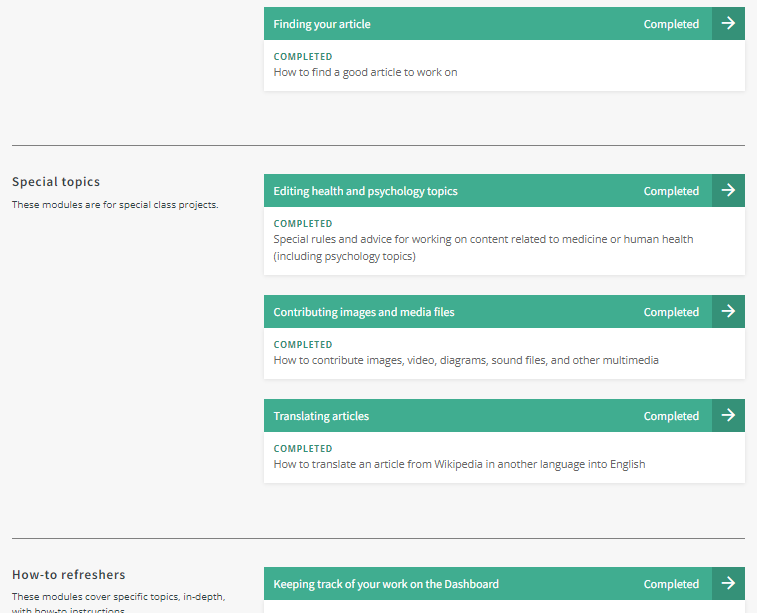
Online platforms make it easy to see how far you've come. Progress tracking is a built-in feature that shows you what you've completed and what's next. This helps you stay motivated and manage your time effectively.
This is often visualized with:
- Progress bars: A bar that fills up as you complete more of the course.
- Percentages: A number showing what percent of the course you've finished.
- Checkmarks: A simple check appears next to lessons or activities you've completed.
Beyond the core content, instructors often include links to outside resources. These external links are designed to provide extra context, supplementary reading, or helpful tools. They usually open in a new browser tab, so you won't lose your place in the course. Think of them as helpful signposts pointing to more information on the web.
Providing users with contextual guidance and educational resources is vital for a positive user experience.
Now, let's test your understanding of these core features.
What is the primary function of the LMS dashboard?
The main navigation menu in an online course acts like a __________, laying out the structure and key areas of the course.
Understanding these basic elements will help you navigate any online learning platform with confidence.