N8N Workflow Automation
Introduction to Workflow Automation
What Is Workflow Automation?
Think about the first thing you do in the morning. Maybe you make coffee. That's a workflow: a series of steps to get something done. You grind the beans, add water, press a button, and wait. You do this every day.
Now, imagine a coffee maker with a timer. You set it up the night before, and it starts brewing automatically at 7 AM. That's automation. You've taken a manual, repeatable process and made it happen on its own.
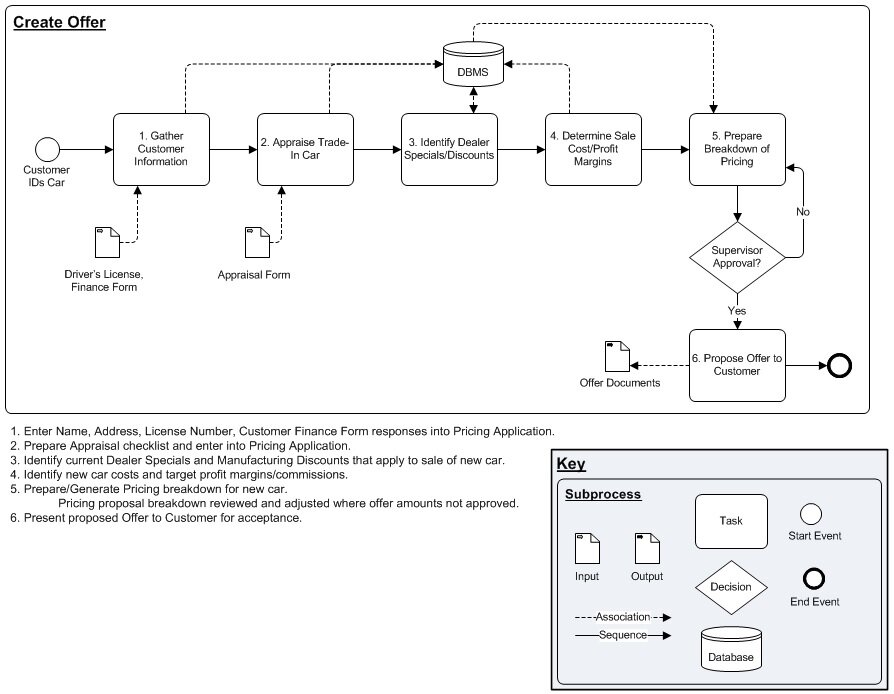
Workflow automation is the same idea, but for business tasks. It uses software to connect different apps and services, letting them work together to complete a process without anyone needing to step in manually. It’s about setting up a sequence of actions that are triggered by a specific event.
At its core, workflow automation takes the robotic, repeatable tasks out of your hands so you can focus on work that requires a human touch.
Why It Matters
Automating tasks isn't just about convenience. It has a real impact on how work gets done. The most obvious benefit is saving time. When software handles repetitive chores, people are free to tackle bigger, more creative problems.
It also drastically reduces human error. We all make mistakes, especially when we're bored or doing the same thing over and over. A computer, on the other hand, will perform the exact same task perfectly every single time. This leads to more reliable, consistent results.
This boost in efficiency means teams can get more done without working longer hours. Processes that used to take days of back-and-forth emails can be completed in minutes. It streamlines communication, ensures steps aren't missed, and keeps work moving forward smoothly.
Automation in Action
Workflow automation isn't limited to one department or industry. It's a versatile tool that can be applied almost anywhere. You've likely already experienced it without realizing it.
In marketing, automation helps nurture leads. When you download an ebook and get a follow-up email a day later, that’s an automated workflow. In human resources, it streamlines onboarding. A new hire signs their contract, and a workflow automatically creates their company accounts and schedules their orientation.
Even in customer support, automation plays a key role. When you submit a help request through a website form, a workflow can instantly create a ticket, assign it to the right person, and send you a confirmation email.
| Department | Manual Task | Automated Workflow |
|---|---|---|
| Sales | A salesperson manually adds new leads from a web form into the CRM. | When a form is submitted, a new lead is automatically created in the CRM. |
| Finance | An accountant manually sends reminder emails for unpaid invoices. | The system automatically sends payment reminders 3 days before the due date. |
| IT Support | A support agent reads an email and manually creates a support ticket. | An email sent to support@company.com automatically generates a new ticket. |
Making this happen relies on workflow automation tools. These platforms act as a bridge between your different applications, like your email, your customer database, and your project management software. They allow you to build these automated processes using visual interfaces, often without needing to write a single line of code.
What is the core concept of workflow automation?
In the coffee maker analogy, manually grinding beans, adding water, and pressing the 'start' button each morning represents a workflow.
Understanding these fundamentals is the first step toward seeing opportunities for automation in your own work.