MySQL GUI Tools Compared
Introduction to MySQL GUIs
Beyond the Command Line
Working with databases through a command-line interface (CLI) is powerful. You type a command, the database responds, and you get exactly what you asked for. But it requires you to know the precise syntax for every single action you want to take.
Imagine you're building a complex piece of furniture. The command line is like having a complete set of raw tools: saws, drills, and sanders. You can build anything, but you need to know exactly how to use each tool. A Graphical User Interface (GUI) is like getting a pre-packaged kit with instructions and labeled parts. It guides you through the process visually.

A MySQL GUI is a software application that provides a visual way to interact with your databases. Instead of typing commands into a black-and-white terminal, you use your mouse to click buttons, navigate menus, and see your data laid out in familiar formats like tables and forms.
Why Bother With a GUI?
If the command line works, why use something else? The main reasons are clarity, convenience, and speed.
Enhanced Visualization Databases can be complex webs of interconnected tables. A GUI can display the structure of your database as a visual diagram. You can see tables as boxes and the relationships between them as lines. This makes it much easier to understand how your data is organized than by listing tables in a terminal.
Ease of Use
GUIs significantly lower the learning curve. You don't have to memorize commands like CREATE TABLE or ALTER USER. Instead, you can right-click and select "Create New Table" from a menu, then fill out a form to define its columns. This is less error-prone and much more approachable for beginners.
Increased Productivity
For everyday tasks, GUIs are often faster. Need to change a single value in a record? Instead of writing an UPDATE statement, you can just click into a cell in a grid and type the new value. This direct manipulation makes quick edits and data exploration a breeze.
GUIs trade the universal power of the command line for a more intuitive, visual, and often faster workflow for many common database tasks.
Common Features
While different GUI tools have their own unique designs, most share a core set of features designed to make your life easier.
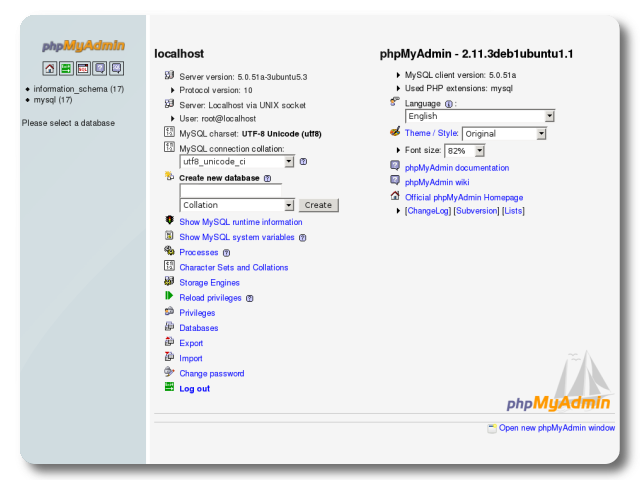
A query builder is a common tool that lets you construct SQL queries visually. You can drag and drop tables, select columns, and define conditions using forms. The GUI then generates the correct SQL syntax for you. This is fantastic for building complex queries without making typos.
Many GUIs also include data modeling and design tools. These allow you to plan and create your entire database schema visually before writing any code. You can create tables, define relationships, and adjust your design all within a graphical editor.
Finally, GUIs excel at administrative functions. Tasks like managing user accounts and permissions, backing up and restoring data, and monitoring server performance are often simplified into point-and-click operations. This saves you from having to look up and type long, complex commands for essential maintenance.
Let's test your understanding of these core concepts.
According to the provided text's analogy, using a command-line interface (CLI) to work with a database is most similar to what?
Which of the following is NOT listed as a primary reason for using a database GUI over a CLI?