monday.com and Outlook Integration
Introduction to monday.com and Outlook
What is monday.com?
Think of monday.com as a digital workspace where your team can manage everything from simple to-do lists to complex projects. It's often called a Work Operating System (Work OS) because it provides a flexible platform to build custom workflows. You can track projects, manage client work, and organize team tasks all in one place.
The core of monday.com is the 'board.' A board is a customizable grid where you can lay out your project's tasks, timelines, and owners. You can view the same information in different ways, like a Kanban board, a calendar, or a Gantt chart. This flexibility helps teams see project status at a glance and keeps everyone aligned on what needs to happen next.
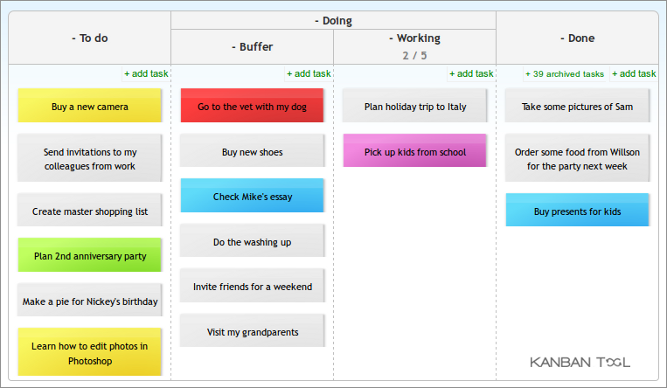
It's built for collaboration, allowing team members to comment on tasks, share files, and get notifications when something changes. This keeps all project-related communication in one spot, rather than scattered across emails and chat messages.
The Role of Outlook
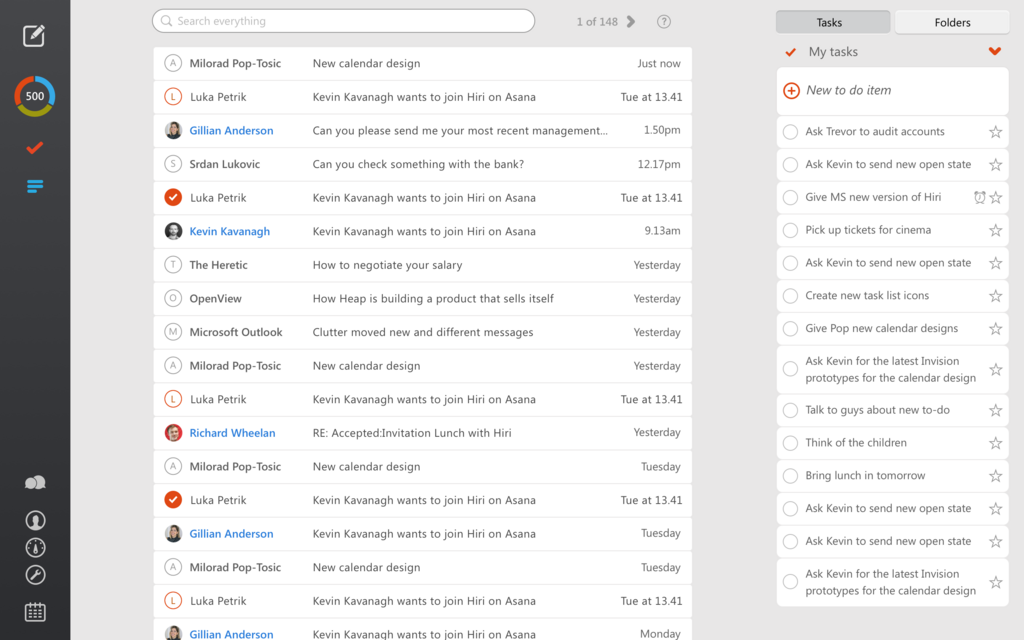
Microsoft Outlook is the central hub for professional communication. At its heart, it's an email client, but it's also a powerful tool for managing your time and tasks.
Beyond sending and receiving emails, Outlook features a robust calendar for scheduling meetings and appointments. You can also create personal task lists to keep track of your individual responsibilities. For many, it's the first application they open in the morning and the last one they close at night. It organizes conversations, manages schedules, and helps prioritize the workday.
Connecting Your Workspace
So, monday.com manages the team's projects, and Outlook manages your personal communication and schedule. On their own, they are powerful. But switching back and forth between them can be a drag. You might miss an important email while focused on a project board, or forget to update a task status after a meeting.
Integrating the two bridges this gap. It's like creating a direct line between your team's project hub and your personal command center. The goal is to automate the flow of information, ensuring that important updates from one system appear in the other without manual effort.
This connection turns two strong tools into a single, streamlined workflow, reducing the need to constantly switch contexts.
By linking them, you can automate repetitive tasks. For example, you can automatically create a task in monday.com from an email in Outlook or sync your monday.com deadlines with your Outlook calendar. This saves time and reduces the chance of human error.
| Challenge | Solution with Integration |
|---|---|
| Scattered information | Centralize tasks and communications in one view. |
| Manual data entry | Automate task creation from emails. |
| Missed deadlines | Sync project deadlines with your personal calendar. |
| Poor communication | Send project updates directly from monday.com via email. |
Ultimately, integrating these platforms helps ensure that your project management and personal scheduling tools are always in sync, giving you a clearer picture of your workload and deadlines.