Modern Digital Communication and Research
Query Structure
From Idea to Intent
You have a question, and the internet has billions of answers. The challenge isn't a lack of information but an excess of it. The key to finding the right answer is to stop talking to the search engine like a person and start giving it precise instructions. This means moving beyond simple keyword searches and structuring your query with clear intent.
Think of it as the difference between asking a librarian, "What do you know about space?" versus, "Show me books on orbital mechanics, but not anything about the Apollo missions." The first is a conversation starter; the second is a command. To issue effective commands, you need to understand the building blocks of a structured query. It starts with identifying the core concepts you're truly interested in.
Effective searching isn't about asking better questions. It's about giving better instructions.
The Logic of Search
At the heart of every powerful search are simple logical operators known as Boolean operators They are the grammar of your instructions, allowing you to connect, exclude, and specify keywords with precision. The three most fundamental operators are AND, OR, and NOT.
Most search engines default to using AND between your words. A search for electric car battery is implicitly electric AND car AND battery. You only get results containing all three terms.
OR is for broadening your search. If you're looking for information on either of two related topics, use OR (it often needs to be capitalized). For example, (college OR university) admissions statistics will find pages that mention either "college" or "university" along with the other terms.
NOT, often represented by a minus sign (-), is for exclusion. It refines your search by removing noise. If you want to learn about the animal jaguar but are getting results for the car, you'd search jaguar -car.
Constructing a query with search operators is like writing a program script: They allow you to precisely communicate what you are searching for, with the reward being the retrieval of more on-topic results.
Advanced Query Commands
Beyond Boolean logic, you can use special commands, or operators, to give the search engine even more specific instructions. These act like filters that target different aspects of a web page or file. While some may vary between search engines, a few are nearly universal.
| Operator | Example | Purpose |
|---|---|---|
" " | "sustainable energy sources" | Finds the exact phrase. Crucial for names, quotes, or specific terminology. |
site: | generative AI site:edu | Restricts the search to a specific domain or website. Excellent for finding official or academic information. |
filetype: | corporate earnings report filetype:pdf | Limits results to a specific file format, like PDF, PPT, or DOCX. |
* | "how to build a * for a garden" | Acts as a wildcard, standing in for any word. Useful when you can't remember a term or want to see variations. |
Combining these operators is where their real power lies. Imagine you're a student writing a paper on the psychological effects of social media. A simple search would be a mess. A structured query, however, gets right to the point.
"psychological effects of social media" filetype:pdf site:ac.ukThis query searches for an exact phrase, only within PDF documents, from academic institutions in the United Kingdom. In one line, you've filtered out blogs, news articles, commercial sites, and irrelevant file types.
The final step is choosing the right keywords. This involves anticipating the language that will be used in the documents you want to find. If you're searching for academic papers, use formal, technical language. If you're looking for a DIY guide, use simpler, more common terms. The goal is to match the language of your desired source. Don't be afraid to try several different queries, adjusting your keywords and operators based on the results you get. Each search is an opportunity to refine your approach and get closer to the information you need.
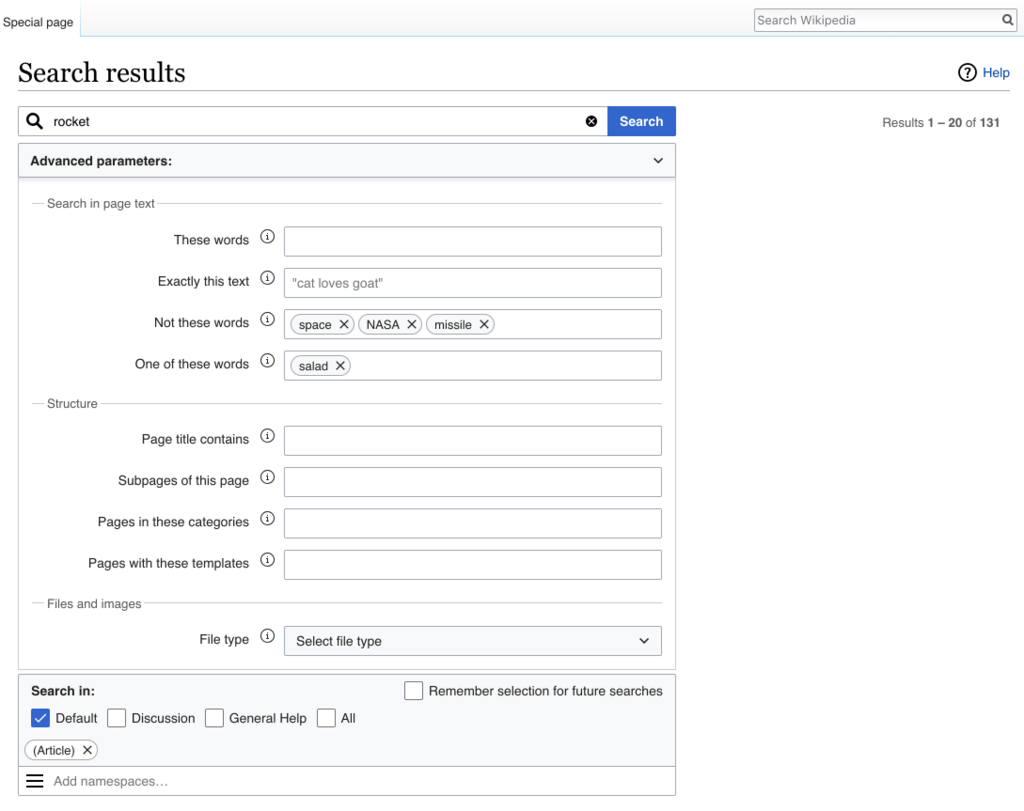
Now, let's review what we've learned.
Ready to test your knowledge?
What is the primary challenge most people face when searching for information on the modern internet?
When you search for electric car battery, how does the search engine typically interpret the query?
Mastering these techniques transforms search from a game of chance into a skill. By providing clear, logical instructions, you can navigate the vast sea of digital information with confidence and efficiency.