Modern DevOps Engineering and Automation
CI/CD Pipeline Architecture
The Blueprint for Automation
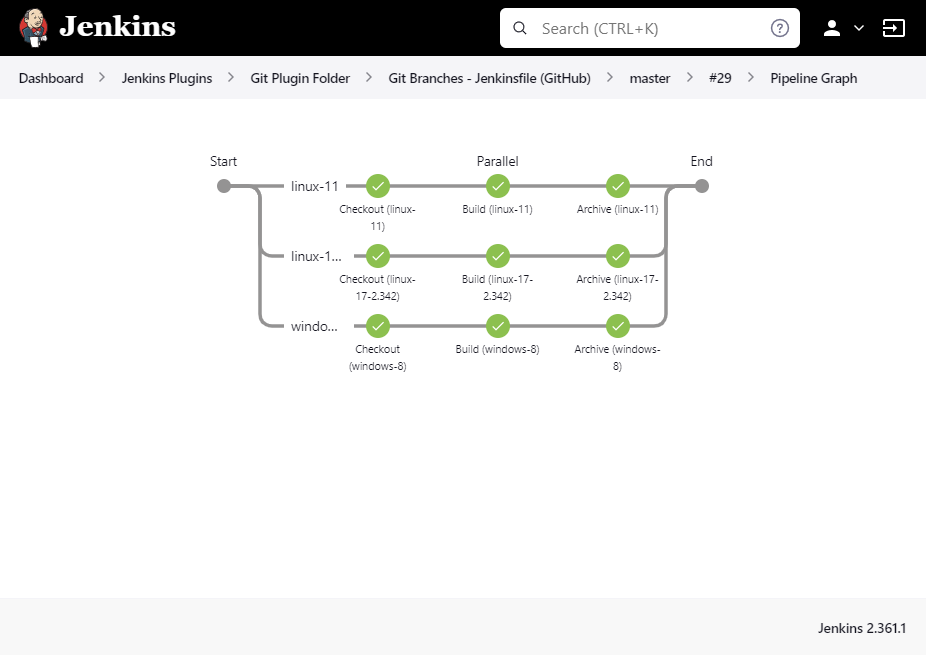
A CI/CD pipeline is more than just a series of steps; it's a workflow. The most effective pipelines are structured as Directed Acyclic Graphs, or DAGs. This sounds complex, but the idea is simple: tasks flow in one direction (directed), and you can't have loops that send you back to an earlier step (acyclic). Some tasks must happen in sequence, while others can run at the same time.
Think of it like a recipe. You can chop vegetables while the oven preheats (parallel tasks), but you must bake the cake before you can frost it (sequential tasks). The DAG structure ensures everything happens in the right order.
This structure is almost always defined using a philosophy called 'Pipeline as Code'. Instead of clicking through a graphical interface to configure your pipeline, you write a configuration file that lives alongside your application code. This file, often written in YAML, describes every stage, step, and dependency.
Storing your pipeline as code has huge advantages. It's version controlled, so you can track changes over time. It's repeatable, ensuring the same process runs every time. And it's transparent, allowing anyone on the team to understand the path from code to production.
# A simple pipeline defined as code
name: Build and Test

on: [push]

jobs:
  build:
    runs-on: ubuntu-latest
    steps:
      - uses: actions/checkout@v3
      - name: Run unit tests
        run: npm test

  lint:
    runs-on: ubuntu-latest
    steps:
      - uses: actions/checkout@v3
      - name: Run linter
        run: npm run lint
Choosing Your Platform
Defining your pipeline is one thing; you also need a platform to run it. The three most common choices each have distinct trade-offs between convenience and control.
GitHub Actions and GitLab CI are built directly into their respective platforms. This tight integration, or 'Platform Gravity', is their biggest strength. The pipeline configuration lives in the same repository as the code, and the whole experience is seamless. They handle the infrastructure for you, spinning up [{
On the other end of the spectrum is [{
| Feature | GitHub Actions | GitLab CI | Jenkins |
|---|---|---|---|
| Hosting | Cloud-hosted | Cloud or self-hosted | Primarily self-hosted |
| Configuration | YAML file in repo | YAML file in repo | 'Jenkinsfile' in repo or UI |
| Integration | Native to GitHub | Native to GitLab | Extensible via plugins |
| Maintenance | Low | Low to Medium | High |
Optimising for Speed and Safety
As projects grow, build times can become a bottleneck. Two key strategies help keep your pipelines fast: parallelisation and caching.
We saw parallelisation in the DAG example. A matrix build is a powerful form of this, allowing you to run the same job across multiple environments simultaneously. For instance, you can test your code against different versions of a programming language or on different operating systems with just a few extra lines of configuration.
# Example of a matrix build strategy
jobs:
  test:
    runs-on: ubuntu-latest
    strategy:
      matrix:
        node-version: [16.x, 18.x, 20.x]
        os: [ubuntu-latest, windows-latest]
    steps:
    - uses: actions/checkout@v3
    - name: Use Node.js ${{ matrix.node-version }}
      uses: actions/setup-node@v3
      with:
        node-version: ${{ matrix.node-version }}
    # ... rest of the test steps
Caching speeds things up by saving the results of time-consuming steps, like downloading project dependencies. The first time a pipeline runs, it fetches all the packages it needs and saves them in a cache. Subsequent runs can pull from this cache instead of downloading everything again, often shaving minutes off the total run time.
Finally, speed must be balanced with safety. The path to production shouldn't be a free-for-all. Pipelines manage this through environment promotion. A change might be automatically deployed to a development environment, then to a staging environment for more rigorous testing. The final step, deploying to production, is often protected by a manual approval gate. This requires a human to review the changes and explicitly approve the deployment, adding a critical layer of oversight.
Now that we've covered the core architectural patterns, let's test your understanding.
What does it mean for a CI/CD pipeline to be structured as a Directed Acyclic Graph (DAG)?
What is a major advantage of using an integrated CI/CD tool like GitHub Actions or GitLab CI compared to a self-hosted tool like Jenkins?
Understanding these architectural patterns allows you to design pipelines that are not only automated but also efficient, scalable, and secure.