Modern ABAP Development and SAP Cloud Mastery
Modern ABAP Tooling
The New Standard for ABAP
If you've worked with older SAP systems, your development home was likely the SE80 transaction within the SAP GUI. It was a reliable tool for its time, bundling the Object Navigator and other classic ABAP Workbench tools. But for modern, cloud-centric development on S/4HANA and the SAP Business Technology Platform (BTP), the game has changed entirely.
The classic workbench is fundamentally tied to a single, on-premise system. Modern development requires a more flexible, powerful, and integrated environment that can connect to multiple cloud and on-premise systems seamlessly. This is where the ABAP Development Tools (ADT) come in.
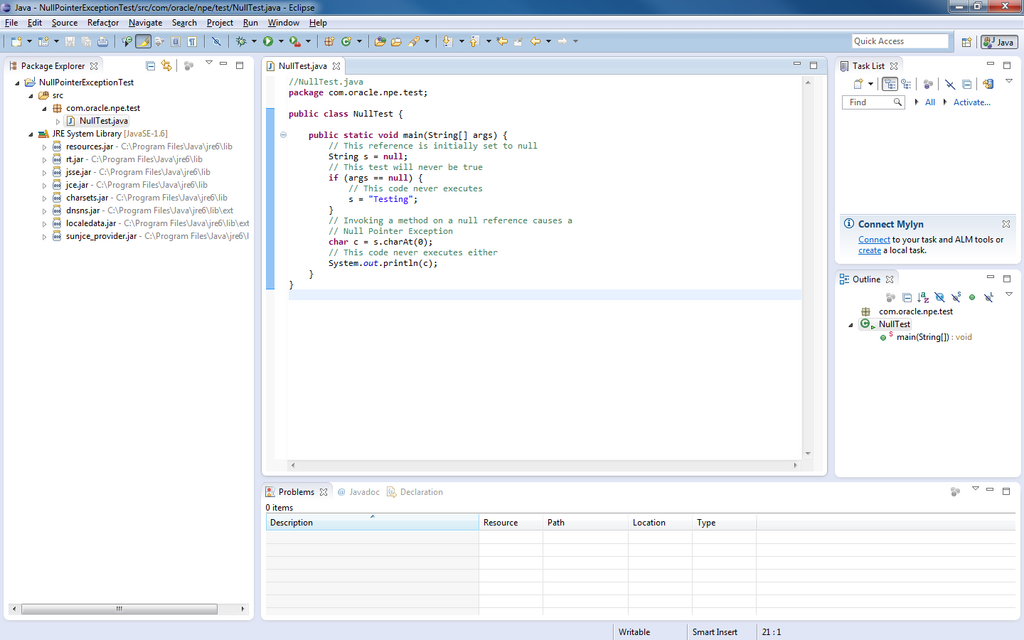
ADT is not just a replacement; it's a complete paradigm shift. It operates as a set of plugins for the open-source Eclipse IDE, bringing ABAP development into a modern, source-code-focused workflow. You get features like advanced source code editing, a powerful debugger, integrated version control, and a clean separation between your local workspace and the remote SAP system. For building cloud-ready applications, ADT isn't just recommended—it's essential.
Connecting to the Cloud
Your first step in ADT is establishing a connection to the target system. This could be an on-premise S/4HANA system or, more importantly for modern development, an ABAP environment on SAP BTP. The connection process is straightforward, managed through a wizard that prompts for system details and your credentials.
Once connected, you don't just see a list of objects. You create an ABAP Cloud Project. This project type is specifically designed for development using the modern, cloud-optimized ABAP language model. It enforces stricter syntax rules and ensures your code uses only released, stable APIs, making it upgrade-safe and cloud-ready.
The project structure will feel familiar if you've used other IDEs. Your source code, data definitions, and service bindings are organized logically under your project folder. This structure encourages a clean separation of concerns and makes navigating even large, complex applications much easier than in the classic Object Navigator.
Your AI Coding Partner
One of the most powerful features of the modern ABAP environment is the integration of AI assistance directly into the IDE. is an AI copilot that acts as your pair programmer, helping you write better code, faster. It's not just a simple autocomplete; it's a context-aware assistant that understands ABAP and your project's code.
As you type, Joule offers intelligent, multi-line code completions. It can generate entire code blocks, from method implementations to data declarations, based on the context of your comments and existing code. This drastically reduces boilerplate typing and helps you focus on the core logic of your application.
Joule's assistance doesn't stop at writing new code. You can also highlight an existing block of code and ask Joule to explain it in natural language. This is invaluable for understanding legacy code or getting up to speed on a new project. It translates complex ABAP logic into a clear, step-by-step explanation, making code reviews and debugging more efficient.
" AI-assisted code generation
" Typing the comment below can prompt Joule
" to generate the entire method body.

CLASS zcl_product_api DEFINITION PUBLIC FINAL CREATE PUBLIC.
  PUBLIC SECTION.
    INTERFACES if_oo_adt_classrun.
  PROTECTED SECTION.
  PRIVATE SECTION.
ENDCLASS.

CLASS zcl_product_api IMPLEMENTATION.
  METHOD if_oo_adt_classrun~main.
    " Select all products from the database where the
    " product category is 'Laptops' and display the name.

    SELECT product_name FROM zproducts
      WHERE category = 'Laptops'
      INTO TABLE @DATA(lt_products).

    LOOP AT lt_products INTO DATA(ls_product).
      out->write( ls_product-product_name ).
    ENDLOOP.

  ENDMETHOD.
ENDCLASS.
By combining the structured environment of ADT with the intelligent assistance of Joule, you are set up for high-velocity development. You can build, test, and deploy robust, cloud-native applications on SAP BTP with a toolset designed for the future.
Time to check what you've learned.
What is the modern development environment that replaces the classic SE80 transaction for S/4HANA and SAP BTP development?
In ADT, which project type is specifically designed for building upgrade-safe, cloud-ready applications using the modern ABAP language model?
This modern tooling provides the foundation for everything we will build throughout this course.