Mobile Phone Repair Basics
Mobile Phone Components
Inside Your Phone
A modern smartphone feels like a single, seamless device. But inside, it's a collection of specialized parts working in harmony. Understanding these core components is the first step to figuring out what's wrong when your phone acts up.
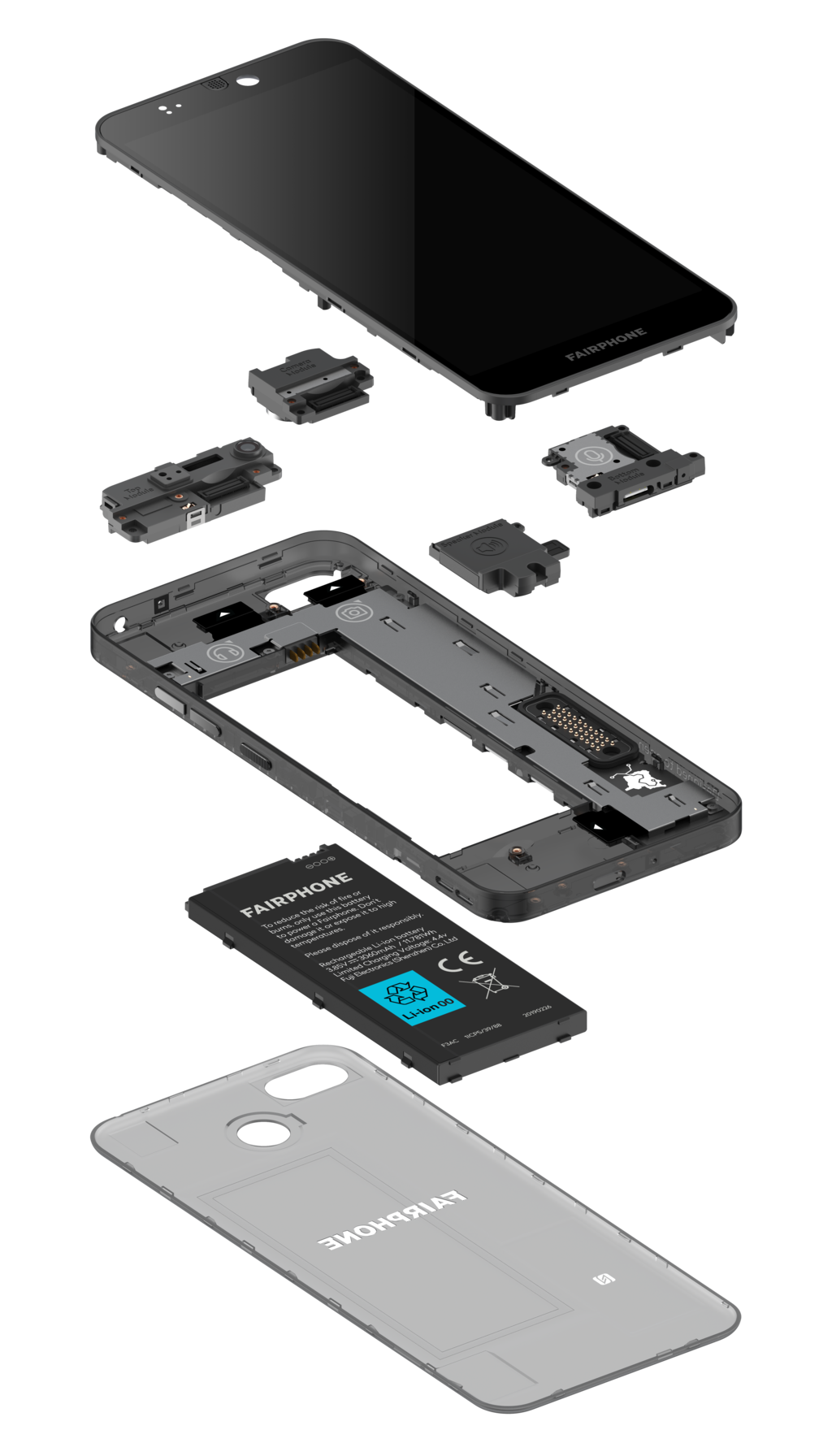
Let's start with the part you interact with most: the screen. A phone screen is actually two main parts fused together. The first is the display itself, which is typically an LCD or OLED panel that creates the image you see. The second is the digitizer, a clear layer on top that detects your touch. They work together to both show you information and take your commands.
If you crack your screen but the touch function still works, you've likely only damaged the top glass. If the touch stops working in certain areas, the digitizer is probably damaged.
Next up is the battery. Nearly all smartphones use a lithium-ion battery, chosen for its ability to store a lot of energy in a small space. Its job is simple: to power everything else. Over time, all batteries degrade. They slowly lose their ability to hold a full charge, which is why an older phone might not last the whole day like it used to.
The Brains of the Operation
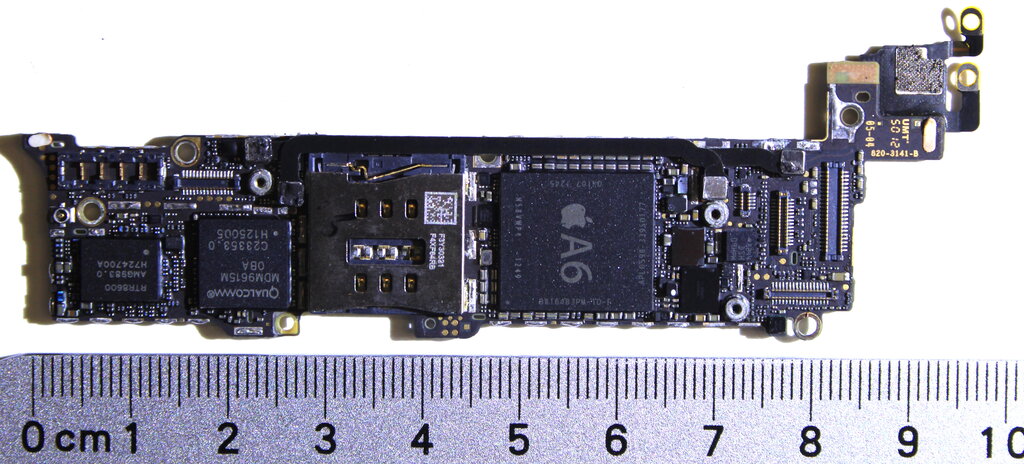
The motherboard, sometimes called the logic board, is the central hub of the phone. It's a circuit board where all the key components connect and communicate. Think of it as the phone's brain and nervous system combined.
Soldered directly onto the motherboard are the most critical chips:
- CPU (Central Processing Unit): The primary brain that runs the operating system and your apps.
- RAM (Random Access Memory): This is the phone's short-term memory. It holds the data for the apps you are currently using, allowing you to switch between them quickly.
- Storage: This is the long-term memory where your photos, apps, and the operating system are permanently stored.
Your phone also uses a host of tiny sensors to understand the world around it. These components gather information about motion, light, and location, enabling many of your phone's smartest features.
| Sensor | Function |
|---|---|
| Accelerometer | Detects orientation and screen rotation. |
| Gyroscope | Measures more precise movements and rotation. |
| GPS | Determines your geographical location. |
| Proximity Sensor | Turns off the screen when you hold it to your ear. |
| Ambient Light Sensor | Automatically adjusts screen brightness. |
Common Failures
Hardware doesn't last forever. Most phone problems come down to a few common points of failure.
Cracked screens are the most obvious issue, but screen problems can also include dead pixels or a digitizer that no longer responds to touch. Battery failure is also very common. A battery that drains too quickly, won't charge to 100%, or causes the phone to shut down unexpectedly is likely nearing the end of its life. Sometimes, old batteries can even swell, which is a safety hazard.
Another frequent problem is a faulty charging port. Since it's a physical connection that's used daily, it can wear out or get damaged, preventing the phone from charging properly.
More serious issues involve the motherboard. Because everything is soldered together, a failure of the CPU or other core chips is often difficult and expensive to fix. Water damage is a major cause of motherboard failure, as it can short-circuit the delicate connections.
If a smartphone's screen displays an image correctly but does not respond to touch, which component is most likely malfunctioning?
What is the primary role of RAM (Random Access Memory) in a smartphone?
Knowing these basic parts helps you better describe a problem and understand what might be needed for a repair.