Microsoft SQL Server Essentials
Introduction to MSSQL
Meet Microsoft SQL Server
Microsoft SQL Server, often called MSSQL, is a system for managing relational databases. Think of it as a highly organized digital warehouse for data. Its main job is to store information and retrieve it quickly and efficiently whenever a software application needs it. Whether it's tracking customer orders for an e-commerce site or managing employee records for a large company, MSSQL provides the backbone for handling the data.
Its history goes back to the late 1980s, starting as a collaboration between Microsoft, Sybase, and Ashton-Tate. Over the decades, it has evolved from a database for small departments into a powerful platform used by businesses of all sizes for everything from simple data storage to complex data analysis and business intelligence.
Key Features and Platforms
MSSQL is known for its strong performance, robust security features, and tight integration with other Microsoft products like Windows Server and the Azure cloud platform. It's built to scale, meaning it can handle a small application's data just as well as the massive datasets of a large enterprise.
Historically, SQL Server ran only on Windows. That changed in recent years. Microsoft now officially supports MSSQL on Linux, making it a more versatile option for different IT environments. This cross-platform support allows developers and administrators to run their databases on their operating system of choice.
Different Editions for Different Needs
Microsoft offers several editions of SQL Server, each tailored to specific needs and budgets. The core functionality is similar across them, but they differ in scale, features, and cost.
| Edition | Intended Use Case | Key Limitations |
|---|---|---|
| Enterprise | Large-scale, mission-critical applications | Highest cost |
| Standard | Mid-size applications and data marts | Fewer advanced features than Enterprise |
| Express | Learning, development, and small applications | Free, but limited by CPU, memory, and database size |
The Enterprise edition is the top-tier version, packed with every feature for high performance and security. Standard offers the core database capabilities for businesses that don't need the advanced bells and whistles. Express is a free, lightweight version perfect for students, developers building small applications, or anyone wanting to learn SQL Server without any cost.
The Main Tool of the Trade
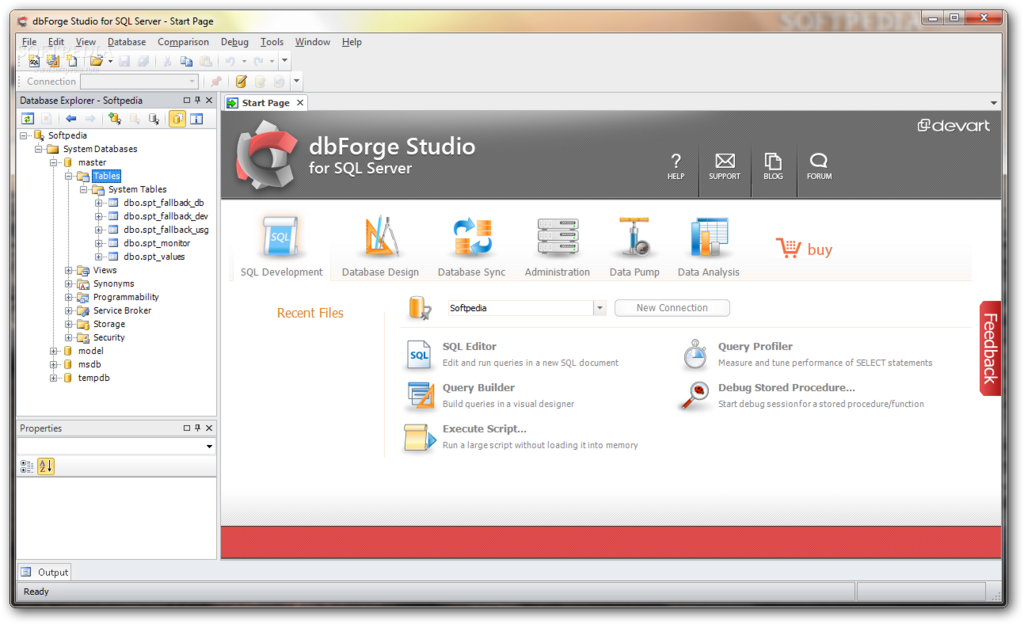
To interact with an SQL Server database, you need a client tool. The primary tool provided by Microsoft is SQL Server Management Studio (SSMS). It's a graphical application that lets you write and execute queries, design database tables, manage user permissions, and perform administrative tasks like backups and restores.
SSMS is the command center for database administrators and developers working with MSSQL. It provides a comprehensive interface for managing all aspects of the database server and its databases.
Now that you have an overview of what MSSQL is, its different versions, and the tools used to manage it, let's test your knowledge.
What is the primary function of Microsoft SQL Server?
Which edition of MSSQL is free and designed for students, developers, and small-scale applications?