Microsoft Business Standard for Sales Pros
Microsoft 365 Business Standard Overview
Your Sales Toolkit
Think of Microsoft 365 Business Standard as the central hub for your sales activities. It’s not just a collection of separate programs, but an integrated suite designed to make your workflow smoother. You get the classic desktop applications you're familiar with, plus cloud-based services that let you work from anywhere.
Microsoft 365 provides a suite of industry-standard applications like Word, Excel, PowerPoint, Outlook, and Teams, essential for creating documents, analysing data, delivering presentations, and managing communication.
This plan is particularly useful for sales professionals who need the full power of desktop apps but also the flexibility of cloud access. Let's look at the core tools and how they fit into your daily routine.
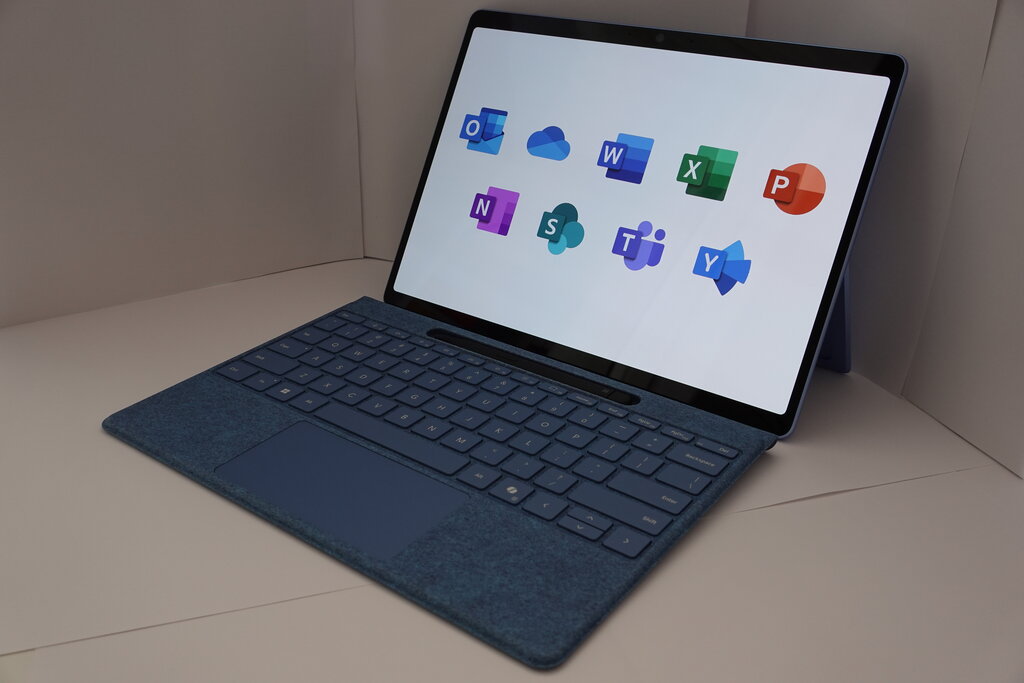
Core Tools for Sales
Each application in the Business Standard plan plays a specific role in the sales cycle.
Word is your go-to for creating professional documents. Use it to draft compelling sales proposals, formalize contracts, and write personalized follow-up letters. Templates can help you maintain brand consistency and save time.
Excel is indispensable for managing data. You can track leads, monitor your sales pipeline, analyze performance metrics, and forecast future sales. Creating charts and pivot tables helps you visualize your progress and identify trends.
PowerPoint brings your sales pitch to life. Build persuasive presentations that showcase your product's value. With modern design features, you can create a polished and memorable pitch deck to share with potential clients.
From tracking leads in Excel to presenting a proposal in PowerPoint, each app supports a critical stage of the sales process.
Outlook is the command center for your communications. It’s more than just email; its calendar is key for scheduling client meetings, setting follow-up reminders, and managing your time effectively.
Teams acts as your virtual office. It’s perfect for collaborating with your internal sales team, hosting video calls with clients, and sharing files securely in real-time. Instead of long email chains, you can have quick chats to keep deals moving forward.
Seamless Integration
The real power of Microsoft 365 is how the applications work together. You can schedule a Teams meeting directly from your Outlook calendar. During a client call on Teams, you can share your screen and present a PowerPoint deck. After the call, you can co-edit a Word proposal with a colleague, with all changes saved automatically to the cloud via OneDrive.
This interconnected system reduces friction and saves time. It also integrates with many other business tools, like customer relationship management (CRM) software, allowing you to build a connected workflow without constantly switching between disconnected apps.
The platform’s integration with other Microsoft applications like SharePoint and Outlook enhanced productivity, fostering seamless workflow and enabling real-time decision-making.
Keeping Your Data Safe
Sales data is sensitive. It includes client information, deal values, and strategic plans. Microsoft 365 Business Standard comes with built-in security features to protect this information.
Your data is protected against common cyber threats like phishing and malware. You can also control who has access to specific files and folders, ensuring that confidential proposals or client lists are only seen by the right people. These security measures run in the background, letting you focus on selling without worrying about data breaches.
Ready to test what you've learned about the Business Standard suite?
Which application is best suited for tracking leads, monitoring sales pipelines, and forecasting future sales?
What is described as the 'command center' for a salesperson's communications, used for scheduling meetings and managing time?
Microsoft 365 Business Standard offers a robust set of tools that support the entire sales process, from initial outreach to closing the deal, all within a secure and integrated environment.