Meta Ads Foundations for Beginners
Business Suite Setup
Setting Up Your Professional Hub
Before you can run ads on Facebook or Instagram, you need to understand the difference between a personal profile and a business page. Your personal profile is for connecting with friends and family. It's where you share vacation photos and life updates.
A , on the other hand, is your professional storefront. It represents your brand, organization, or public-facing persona. You can't run ads from a personal profile; you need a Business Page to access marketing tools, analytics, and advertising features.
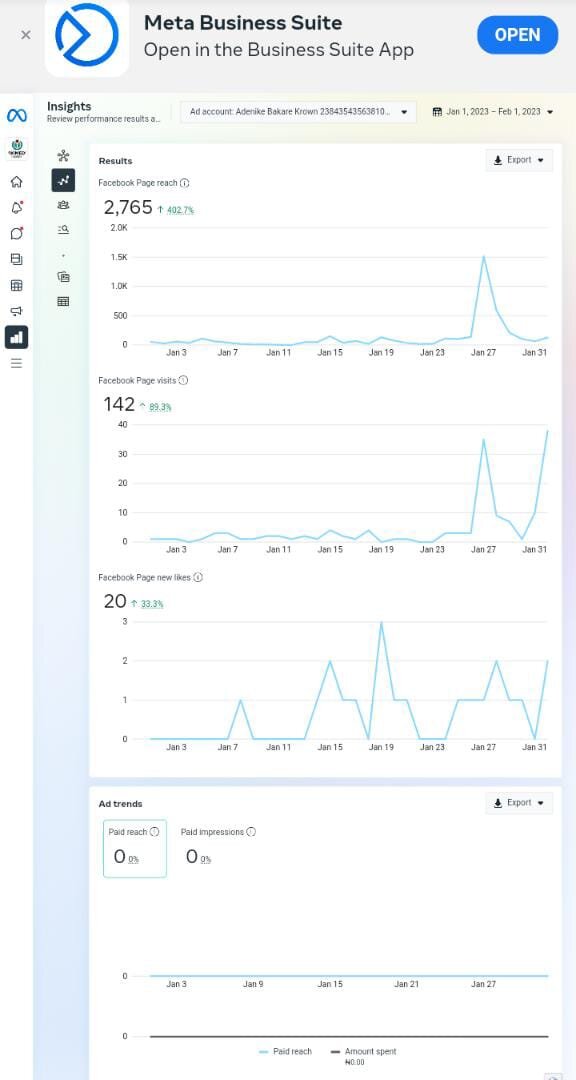
To manage your professional presence, you'll use a free tool called Meta Business Suite. Think of it as your command center for both Facebook and Instagram. It's where you'll create and schedule posts, respond to messages and comments, view performance analytics, and manage your ads.
Meta Business Suite is a comprehensive platform that aggregates multiple tools and functionalities to help businesses effectively manage their social media campaigns.
Creating Your Business Portfolio
The first step is to create a Business Portfolio (sometimes still called Meta Business Manager). This acts as a central container that holds all your business assets, like your Facebook Page, Instagram account, and ad accounts. It keeps your personal profile separate from your work, which is essential for privacy and organization. It also makes it easy to grant access to team members or marketing agencies without giving away your personal login details.
To create your portfolio:
- Go to
business.facebook.com. - Click “Create account.”
- Enter a name for your business, your name, and your work email address, then click “Submit.”
- You’ll be prompted to add your primary Facebook Business Page. If you don't have one, you'll be guided to create one first.
Connecting Your Accounts
Once your portfolio is set up, you need to link your Instagram account to your Facebook Page. This connection is what allows Business Suite to work its magic. It enables you to publish posts and stories to both platforms at once, manage a unified inbox for messages and comments, and run ad campaigns that appear on both Facebook and Instagram.
To advertise on Instagram, your account must be converted to a Professional Account (either a Business or Creator account). You can do this in your Instagram settings under 'Account type and tools'.
To link your accounts from within Meta Business Suite:
- Go to “Settings” in the left-hand menu.
- Click on “Business assets.”
- Under the Pages section, select your Facebook Page.
- Click on “Connected assets” and then “Add assets.” You will see an option to claim your Instagram account.
- Log in with your Instagram username and password to confirm the connection.
Setting Up Your Ad Account
The final piece of the puzzle is your Ad Account. This is where you manage your advertising budgets, payment methods, and billing information. Every Business Portfolio needs at least one ad account to run campaigns. Your business might have multiple ad accounts if you manage advertising for different brands or clients.
To set up your in Business Suite:
- Navigate to “Settings” and then “Ad account settings.”
- If you don't already have one, you'll see a prompt to add an ad account. Click it.
- Choose “Create a new ad account.”
- Enter an account name, select your time zone, and choose your currency. Be careful, as these cannot be changed later.
- Next, you'll be asked to add a payment method. This is required before you can run any ads. You can add a credit/debit card or PayPal.
With these pieces in place, your professional infrastructure is ready. You now have a Business Page, a Business Portfolio to manage it, and an Ad Account to fund your campaigns.
What is the primary difference between a personal Facebook profile and a Facebook Business Page?
What is the main function of a Business Portfolio (formerly Business Manager)?