Meta Ads for Solar Leads
Introduction to Meta Ads Manager
Your Ad Campaign Command Center
Meta Ads Manager is the central hub for creating, running, and analyzing your ads across Facebook, Instagram, and other Meta platforms. Think of it as the control panel for all your advertising efforts. Instead of just “boosting” a post from your Facebook Page, Ads Manager gives you powerful tools to reach specific people, control your spending, and see exactly how your ads are performing.
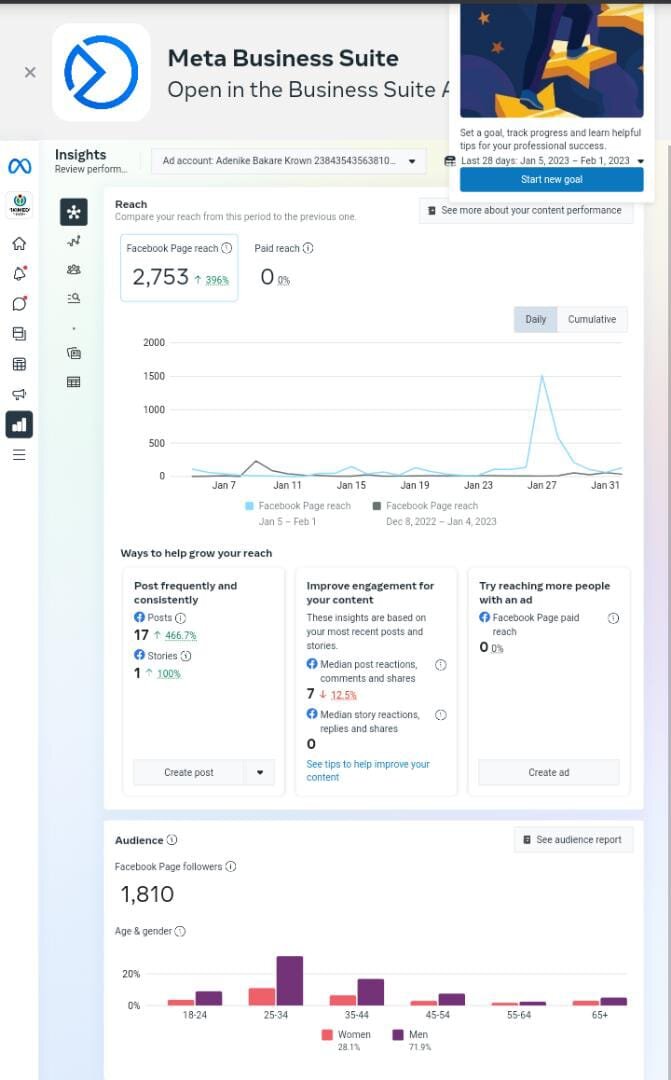
It might look complex at first, but it’s built on a logical structure. Once you understand the basic layout and hierarchy, you’ll be ready to launch your first campaign.
Getting Set Up
Before you can start advertising, you need an Ads Manager account. The good news is that if you have a Facebook profile, you technically already have a personal ad account. However, for business purposes, you'll want to use Meta Business Suite (formerly Business Manager) to create a business ad account.
First, you must have a Facebook Page for your business; you can't run ads without one. Once you have a Page, you can head to Meta's Business Suite to create your business account. This keeps your personal and business activities separate. During the setup, you'll be prompted to add your business details and a payment method. That's it. You're ready to explore the platform.
A Facebook Business Page is the foundation. You must have one to create a business ad account and run campaigns in Ads Manager.
The Campaign Structure
Every ad on Meta platforms fits into a three-level structure. Understanding this hierarchy is the key to organizing your campaigns effectively.
Let's break down each level:
-
Campaign: This is the highest level. Here, you choose a single advertising objective. What is the main goal of your ad? Are you trying to make people aware of your brand, drive traffic to your website, or generate sales? Every ad set and ad within this campaign will work toward that one objective.
-
Ad Set: The middle level is where you define your strategy. For each ad set, you determine the audience (who you want to reach), the placements (where your ads will appear, like Facebook feeds or Instagram Stories), the budget, and the schedule.
-
Ad: This is the final level. The ad is the actual creative that your audience sees. It consists of the visuals (image or video), the text (headline and primary text), and the call-to-action button.
This structure lets you test different strategies. For example, within one campaign, you could run two different ad sets to see which audience responds better. Or, within one ad set, you could test two different ad images to see which gets more clicks.
| Level | Purpose |
|---|---|
| Campaign | Sets the overall objective for all ads within it. |
| Ad Set | Defines the targeting, placement, and budget. |
| Ad | Contains the creative: images, video, and text. |
Navigating this structure is fundamental to your success. It helps keep your advertising organized and allows you to analyze performance with clarity, ensuring your efforts are focused and effective.
Whether you’re a business owner investing in online growth, a digital marketer responsible for ROI, or an agency managing multiple clients, mastering Ads Manager can determine whether your campaigns generate profits—or burn through your budget.
Now that you understand the basic layout and structure of Ads Manager, you have the foundation to build upon. In the next steps, you'll learn how to put these pieces into action.