Meta Ads for Kids Bedtime Story Apps
Meta Ads Basics
Your First Meta Ad Campaign
Meta's advertising network is one of the most powerful ways to reach people. When we say Meta, we're mostly talking about Facebook and Instagram. For an app with bedtime stories for kids, this is where you can find parents scrolling after they've put the little ones to bed.
Think of it as a digital billboard, but one you can show to very specific groups of people, right on their phones. Instead of shouting your message to everyone who drives by, you can whisper it directly to the people most likely to be interested.
How Campaigns Are Structured
Before you create your first ad, it’s important to understand how Meta organizes everything. It’s a simple three-level system: Campaigns, Ad Sets, and Ads.
Imagine you're organizing a marketing plan in a filing cabinet.
- The Campaign is the entire filing cabinet. It represents a single, overarching goal. For your app, a goal might be to get more people to install it.
- Ad Sets are the individual drawers in the cabinet. Each drawer can be for a different group of people you want to reach, or a different budget you want to test.
- Ads are the specific files and documents within each drawer. These are the actual images, videos, and text that people will see.
This structure keeps your advertising organized. You can have one main campaign (get app installs) with several ad sets inside. For instance, one ad set might target new parents in the UK, while another targets grandparents in the US. Then, within each of those ad sets, you can test different ads to see which one performs best.
Choosing Your Ad Format
Once you know who you want to talk to, you need to decide what you want to show them. Meta offers several ad formats, each with its own strengths. For a children's story app, you have some great creative options.
| Ad Format | Best For | Bedtime Story App Idea |
|---|---|---|
| Image Ad | Simple, clean messages. | A beautiful illustration from one of your stories. |
| Video Ad | Showing your app in action. | A short, animated clip of a story with soothing music. |
| Carousel Ad | Showcasing multiple features or stories. | A swipeable ad with 3-5 story covers and titles. |
| Stories Ad | Grabbing attention in a full-screen, vertical format. | A quick, engaging video that feels native to Instagram or Facebook Stories. |
Pro Tip: Experiment with different ad formats and creatives to maximize ROI on direct-to-consumer platforms.
Don't just stick to one format. People respond differently to images and videos. Testing a few different types will give you a much better idea of what catches your audience's eye.
A Quick Tour of Ads Manager
Meta Ads Manager is your command center for creating, managing, and tracking your ads. It might look a bit intimidating at first, but it’s logically laid out once you understand the campaign structure we just discussed.
When you open it, you’ll see tabs that correspond to the three levels: Campaigns, Ad Sets, and Ads. This lets you easily navigate and see how everything is performing at each level.
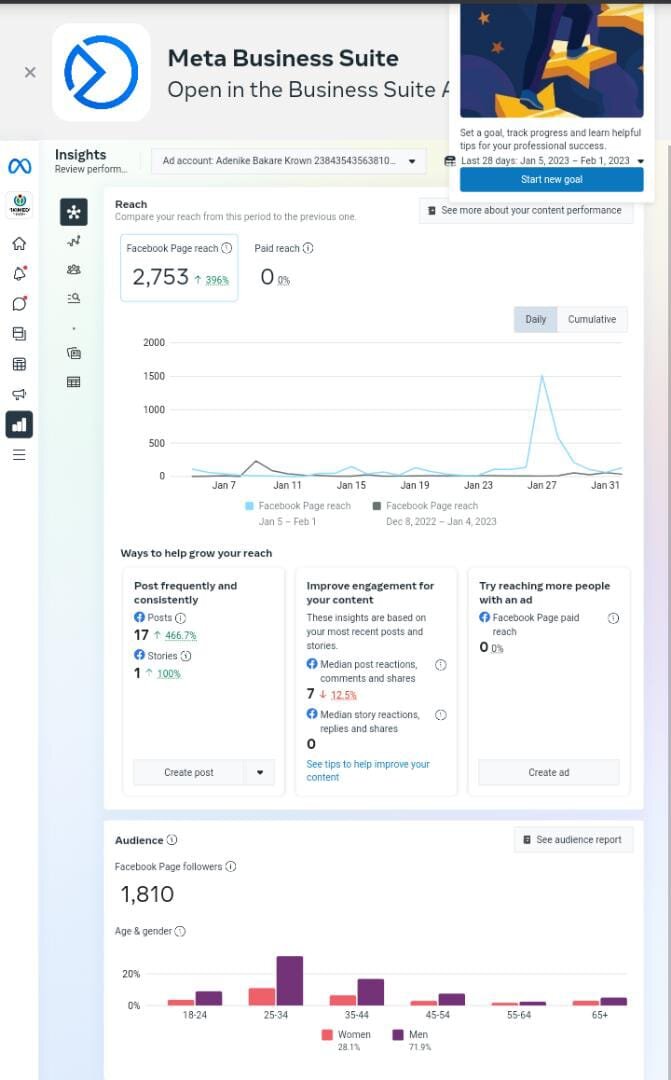
The main features you’ll use initially are:
- The Create Button: This is where every new campaign begins. It will walk you through setting your objective, audience, budget, and creative.
- The Columns Dropdown: This allows you to customize the data you see. You can start with the default "Performance" view, which shows key metrics like how many people you've reached and how much you've spent.
- The Date Range Selector: This lets you view your ad performance over specific periods, like the last 7 days or the last month.
Take some time to click around, but don't feel like you need to understand every single button and menu right away. The best way to learn is by starting to build your first campaign.
What is the primary function of the 'Campaign' level in the Meta Ads structure?
If you wanted to test the same ad creative on two different audiences (e.g., new parents vs. grandparents), at which level of the campaign structure would you make this separation?
Now you have a solid foundation for how Meta ads work. You understand the structure, the creative formats, and where to manage everything. The next step is to put it all into practice.