Mastering Zoho CRM Workflows and Integrations
Architecting Data Structures
Beyond Standard Fields
Your CRM comes with standard modules like Leads, Contacts, and Deals. They’re a great start, but they rarely capture the full picture of a unique business. To truly make a CRM work for you, you need to model your specific business processes. This is where custom modules come in.
A custom module is essentially a new database table you create inside your CRM to track a specific type of information that's unique to your business. Think of it as building a digital version of a real-world thing you manage. A real estate agency doesn’t just have contacts; it has properties, viewings, and offers. A university needs to track applications, courses, and faculty members. Each of these deserves its own dedicated module to keep data clean and organized.
The goal isn't to force your business into the CRM's structure. It's to shape the CRM to match your business's structure.
Connecting Your Data
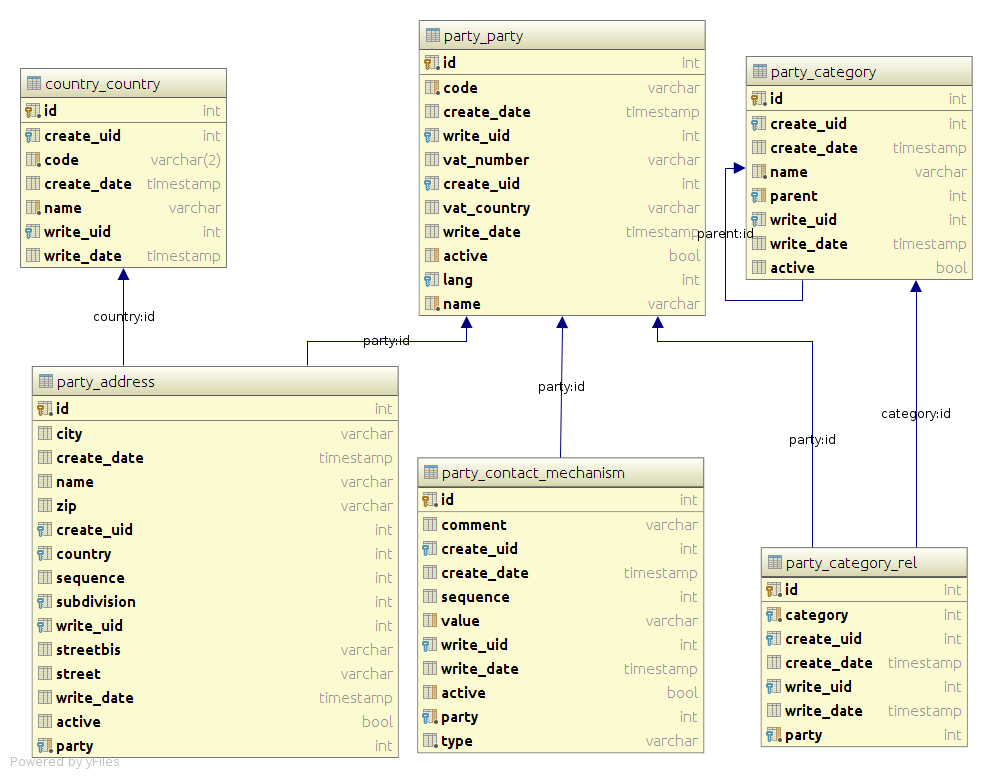
Creating custom modules is just the first step. Their real power emerges when you connect them. A Property record is useful, but it becomes far more valuable when you can see every Viewing and Offer associated with it. This is done by creating relationships between modules.
There are two primary ways to connect data: one-way associations and two-way links. The method you choose depends on the complexity of the relationship you need to model.
Schema
noun
The blueprint or architecture of a database. It describes how data is organized and how the relations among different data entities are associated.
For simple one-to-many relationships, like one property having many viewings, a is perfect. You place the lookup field in the "many" module (Viewings) and point it to the "one" module (Properties). This creates a direct, one-way link.
When a record needs to be linked to multiple records in another module, you can use a multi-select lookup field. For example, a single marketing Campaign record might be associated with multiple Lead sources. The multi-select lookup on the Campaign module allows you to select all relevant sources without creating duplicate campaign records.
For more complex many-to-many relationships, you need a or a junction module. Imagine you're running a conference. You have a module for Attendees and a module for Workshops. An attendee can sign up for multiple workshops, and a workshop will have multiple attendees. A simple lookup won't work here.
A linking module sits between the two. You could call it Registrations. Each record in the Registrations module would contain a lookup to one Attendee and a lookup to one Workshop. This structure allows you to create unlimited connections between attendees and workshops, perfectly modeling the many-to-many relationship.
Handling Granular Data
Sometimes, you need to capture a set of related details within a single record. For instance, when creating a Quote record, you need to list multiple line items, each with its own product name, quantity, price, and discount. Creating separate records for each line item would be cumbersome. This is the perfect use case for a s.
A subform is like a mini-table inside a record. It allows you to add multiple rows of structured data to a parent record. In our quote example, the subform would have columns for Product, Quantity, Unit Price, and Total. This keeps all the relevant information neatly organized within the main Quote record.
| Use Case | Best Tool | Why? |
|---|---|---|
| One Property, Many Viewings | Lookup Field | Simple one-to-many relationship. A viewing belongs to only one property. |
| One Attendee, Many Workshops | Linking Module | Complex many-to-many. An attendee can join many workshops, and a workshop has many attendees. |
| One Invoice, Many Line Items | Subform | Data is part of a whole. Line items don't exist without the invoice. |
Maintaining Data Integrity
A well-designed data structure is useless if the data itself is messy. Two key features help maintain data quality: field-level security and validation rules.
Field-Level Security lets you control who can see or edit specific fields. For example, in a Candidates module, you might want only HR managers to see the Expected Salary field. You can set permissions so that recruiters can view the record but not that specific field, preventing accidental changes or unauthorized access.
Validation Rules are logic checks that prevent bad data from being saved. They are your first line of defense against user error. You could set a validation rule on an Offers module to ensure the Offer Expiration Date is always in the future. If a user tries to enter a past date, the system will show an error message and refuse to save the record until the data is corrected.
Let's review the key data architecture concepts we've covered.
Now, check your understanding of these concepts.
What is the primary purpose of creating a custom module in a CRM?
A real estate agency wants to track multiple property viewings for each single property they list. How should this one-to-many relationship be modeled in the CRM?
By thoughtfully designing your modules, relationships, and rules, you build a CRM that not only stores information but actively helps you manage your business more effectively.