Mastering WinQSB Software
Installation and Setup
Getting Started with WinQSB
WinQSB is a straightforward software package for solving business problems related to operations research and management science. While it's an older program, its simplicity makes it a great learning tool. Before diving into complex problem-solving, let's get it running on your computer.
System Requirements
WinQSB was designed for older versions of Windows, so it has very modest system requirements. It will run on most modern Windows computers without any issues.
- Operating System: Windows XP, Vista, 7, 8, 10, or 11.
- Processor: Any modern CPU is more than sufficient.
- RAM: A minimal amount, typically less than 1 GB.
- Disk Space: About 15-20 MB of free space.
Essentially, if your computer can run a modern web browser, it can handle WinQSB.
Installation Guide
First, you'll need to download the WinQSB installation file. You can typically find this on educational websites or through a link provided by your course instructor. The file is often packaged in a ZIP archive, which you'll need to extract before you can begin the installation.
Right-click the downloaded ZIP file and select "Extract All..." to unpack the contents into a new folder. This step is important; running the installer directly from the ZIP file can cause errors.
Once you've extracted the files, open the new folder and look for a file named setup.exe or install.exe. Double-click this file to launch the installation wizard. This program will guide you through the setup process step by step.
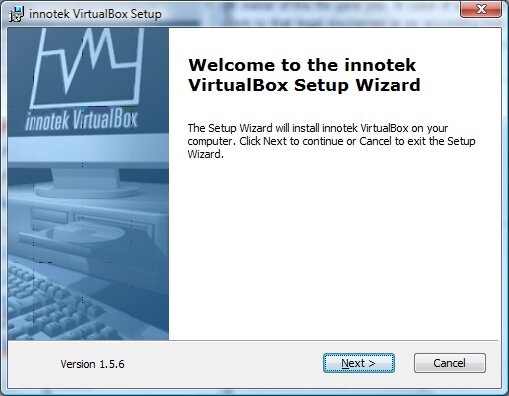
The wizard typically involves a few simple steps:
- Welcome Screen: Click "Next" to begin.
- License Agreement: Read and accept the terms to proceed.
- Destination Folder: You can usually accept the default installation location. It's best not to change this unless you have a specific reason.
- Ready to Install: The wizard will confirm your settings. Click "Install" to start copying files.
- Completion: Once finished, you'll see a screen confirming the installation was successful. Click "Finish" to close the wizard.
After installation, you should find a new WinQSB icon on your desktop or in your Start Menu.
First Look at the Interface
When you launch WinQSB for the first time, you are greeted with the main module selection screen. This is the central hub of the application. From here, you choose which type of problem you want to solve.
Modular Design: Structured into various modules, WinQSB caters to diverse decision-making challenges, including linear problems, analytical scenarios, and Markov processes.
You will see a list of modules, each corresponding to a different technique in operations management. Some common modules you might see include:
- Linear Programming (LP)
- Network Modeling
- Queuing Analysis
- Inventory Theory
- Forecasting
To begin working, you simply click on the module you need. This will open a new window specific to that tool, where you can enter your data and solve the problem.
True or False: WinQSB requires a high-end computer with at least 8 GB of RAM to run effectively.
After downloading WinQSB, the installation file is often found inside what type of compressed file?
Now that the software is installed and you're familiar with the main screen, you're ready to start using its powerful modules to tackle business problems.