Mastering UI Design Fundamentals
Introduction to UI Design
What Is User Interface Design?
A user interface (UI) is the place where you and a machine meet. It’s the screen you tap on your phone, the buttons you click on a website, and the dashboard in your car. User Interface (UI) design is the craft of building those spaces to be effective, easy to use, and enjoyable.
Think of it as digital architecture. A physical building needs clear signs, logical pathways, and a comfortable environment for people to navigate it successfully. A digital product needs the same thoughtful design to guide users without confusion or frustration.

Good UI design is critical because it builds trust. When an app or website feels intuitive and looks clean, users feel more confident using it. A clunky, confusing interface can drive people away in seconds, no matter how powerful the technology behind it is. The goal is to make the user's journey from point A to point B as smooth as possible.
One of the key objectives of a user interface with the aim of providing a good experience is to make the lives of users easy, less frustrating, and simple.
Guiding Principles
While UI design is a creative field, it’s grounded in a few core principles that help ensure a positive user experience. These aren't strict rules but foundational ideas that guide a designer's decisions.
clarity
noun
The quality of being easy to understand and free from confusion. In UI, it means making sure the purpose of each element is obvious at a glance.
Clarity and Simplicity: A great interface is one you don't have to think about. It presents information clearly and avoids overwhelming the user with too many options, colors, or icons. The goal is to reduce cognitive load—the amount of brain power required to use the product. If a user has to stop and wonder what a button does, the design can be improved.
Every element on the screen should have a clear purpose. If it doesn't, it might just be digital clutter.
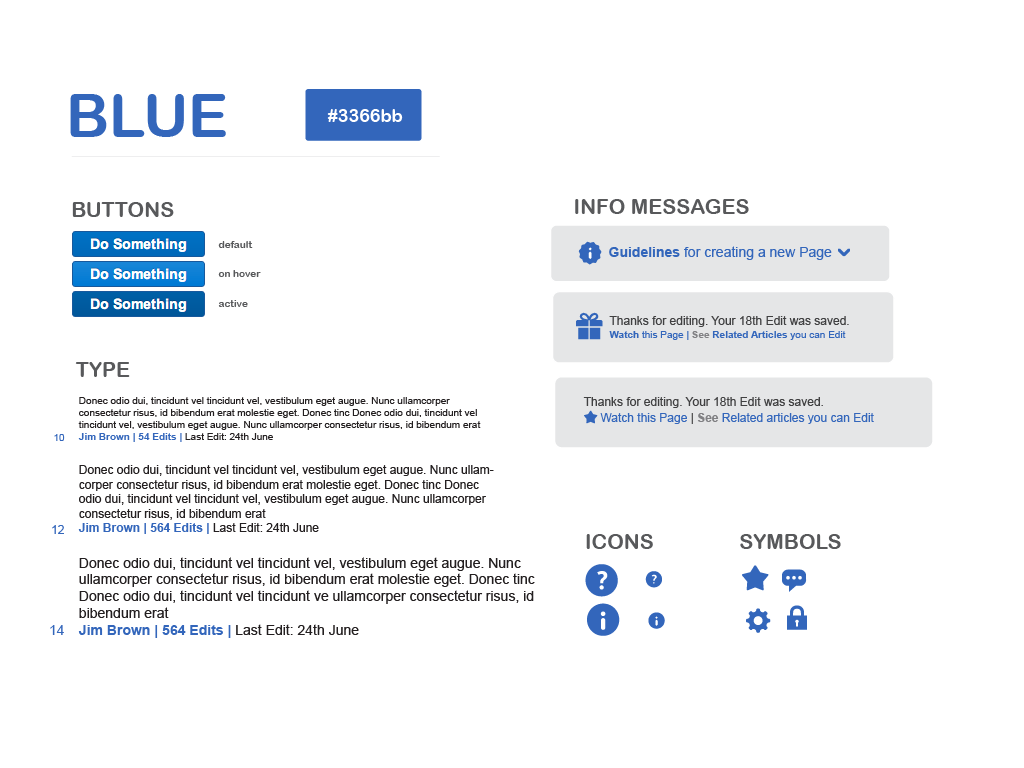
Consistency: Imagine reading a book where the font style and size changed on every page. It would be disorienting and frustrating. The same is true for UI design. Consistency means that similar elements look and behave in similar ways throughout the application.
A 'Submit' button should look the same on every form. Navigation menus should stay in the same place. This predictability helps users learn the interface quickly and feel in control of their experience.
Focus on the User
The most important person in the design process isn't the designer; it's the user. A user-centered design approach puts the needs, wants, and limitations of the end user at the center of every decision.
This means designers don't just create something they think looks good. They ask questions like:
- Who is going to use this product?
- What are they trying to accomplish?
- What challenges might they face?
Answering these questions helps create an interface that is not just aesthetically pleasing but also genuinely useful. This focus on usefulness is a core part of usability.
usability
noun
The ease with which a person can use a product or service to achieve a specific goal.
Usability principles are guidelines for making an interface efficient and satisfying to use. A few key ideas include:
- Feedback: The interface should communicate what’s happening. When a user clicks a button, something should visibly change to acknowledge the action.
- Flexibility: Allow users to undo actions. Mistakes happen, and a good interface provides an easy way to recover from them.
- Efficiency: Help users perform tasks quickly. This could mean providing shortcuts for experienced users or organizing information logically for everyone.
By keeping these principles in mind, designers can create interfaces that empower users and make technology feel more human.
What is the primary goal of User Interface (UI) design?
In UI design, what does the principle of "Clarity and Simplicity" primarily aim to reduce?