Mastering TypeScript Fundamentals
Introduction to TypeScript
What Is TypeScript?
Think of TypeScript as JavaScript, but with a detailed instruction manual. It’s a programming language built by Microsoft that extends JavaScript by adding static types. Because it's a superset, any valid JavaScript code is also valid TypeScript code. You can start with a JavaScript file, change the extension from .js to .ts, and it will work.
The main goal of TypeScript is to add a type system to JavaScript, which helps you catch mistakes before your code ever runs.
Imagine you have a function that’s supposed to add two numbers. In plain JavaScript, nothing stops you from accidentally passing it a number and a word, like add(5, "hello"). This would lead to unexpected behavior when you run the code. TypeScript spots this kind of error in your code editor, saving you from bugs down the line.
Why Use It?
The biggest advantage of TypeScript is safety. By checking the types of your variables and functions as you write, it catches errors at compile time—that is, before the code is even turned into JavaScript. This is much better than discovering them at run time, which happens when a user is interacting with your application.
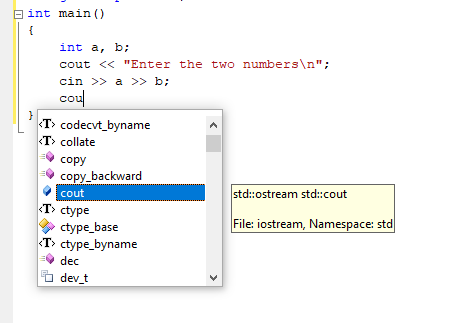
TypeScript also makes code much easier to read and maintain. When you look at a function, you know exactly what kind of data it expects and what it will return. This acts as a form of documentation and makes working on large projects, especially with a team, much more manageable.
Here’s a simple function in JavaScript:
function greet(person, date) {
  console.log(`Hello ${person}, today is ${date}!`);
}
What is person? A name, an object? And what format is date? We don't know without reading more code. Now, let’s look at the TypeScript version:
function greet(person: string, date: Date) {
  console.log(`Hello ${person}, today is ${date.toDateString()}!`);
}
It's immediately clear that person must be a string and date must be a Date object. This clarity prevents errors and makes the code self-explanatory.
Getting Started
Browsers don't understand TypeScript directly. You first need to compile your TypeScript code (.ts files) into plain JavaScript (.js files). This process is handled by the TypeScript compiler.
To get the compiler, you'll need Node.js and its package manager, npm, installed on your machine. Once you have them, you can install TypeScript globally by running this command in your terminal:
npm install -g typescript
Let's try it out. Create a file named hello.ts and add the following code:
let message: string = 'Hello, World!';
console.log(message);
Now, open your terminal in the same directory as your file and run the TypeScript compiler:
tsc hello.ts
This command creates a new file, hello.js, containing the compiled JavaScript code. It will look very similar to the original, but the type annotation (: string) is gone. You can then run this JavaScript file using Node:
node hello.js
You should see "Hello, World!" printed in your console. You’ve just written and compiled your first TypeScript program.
What is the primary relationship between TypeScript and JavaScript?
What is the main advantage of using TypeScript's static type checking?
That's the basic workflow. As you move forward, you'll learn how TypeScript's features can help you write cleaner, more reliable code for projects of any size.