Mastering the Revit API
Introduction to Revit API
What Is an API?
Think of an Application Programming Interface, or API, as a waiter in a restaurant. You, the customer, don't go into the kitchen to prepare your food. Instead, you give your order to the waiter. The waiter takes your request to the kitchen, which then prepares the meal. The waiter brings the finished dish back to your table.
In this analogy, you are an application, the kitchen is another application (or a system), and the waiter is the API. The API is a messenger that takes requests, tells a system what you want it to do, and then returns the response back to you.
At its core, an API (Application Programming Interface) is a set of definitions and protocols that dictate how two software components communicate and interact with each other.
APIs allow different software programs to talk to each other and share information or functionality, without needing to know the complex inner workings of the other program.
Meet the Revit API
Autodesk Revit, like many complex software programs, has its own API. The Revit API is a set of tools that lets you interact with a Revit model using code instead of mouse clicks. It opens up the 'kitchen' of Revit, allowing you to give it direct instructions programmatically.
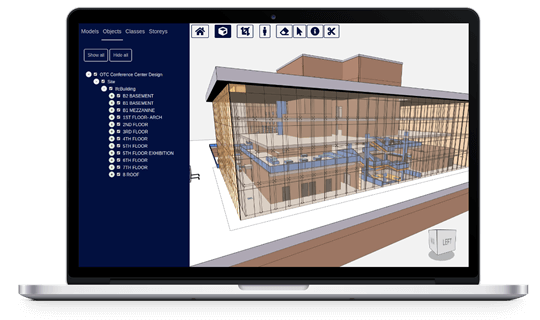
With the Revit API, you can write scripts and build custom add-ins that perform tasks automatically. This could be anything from simple, repetitive actions to highly complex operations. Imagine creating hundreds of sheets, placing families based on data from a spreadsheet, or checking every wall in a model for compliance with a specific standard, all with a single click.
The main benefits are automation and customization. You can automate tedious work and create new tools tailored specifically to your firm's workflows, extending Revit's capabilities far beyond its out-of-the-box features.
Languages and Tools
To use the Revit API, you'll need to speak its language. The primary language for developing Revit add-ins is C# (pronounced 'C sharp'). It's a powerful and versatile language developed by Microsoft. Most of the official documentation and community examples you'll find will be in C#.
Python is another popular option, especially for simpler scripts. It's often used within the Dynamo visual programming environment, which comes with Revit. Dynamo uses a version called IronPython that can access the Revit API, making it a great entry point for those new to programming.
Before you can start writing code for Revit, you'll need a few things set up on your computer. Here are the essential components:
| Software/Tool | Purpose |
|---|---|
| Autodesk Revit | The core application you will be automating. |
| Microsoft Visual Studio | The main environment for writing and debugging C# code for Revit add-ins. The Community Edition is free. |
| Revit SDK | The Software Development Kit. It contains crucial API documentation, sample code, and tools. It's a separate download from the Autodesk Developer Network website. |
Once these are installed, you'll configure Visual Studio with templates that make it easier to create a new Revit add-in project. With the right tools in place, you’re ready to start building custom solutions.
In the restaurant analogy for an API, what does the 'waiter' represent?
What is the primary programming language used for developing Revit add-ins?